3.7.4 Page Items in a Form Region
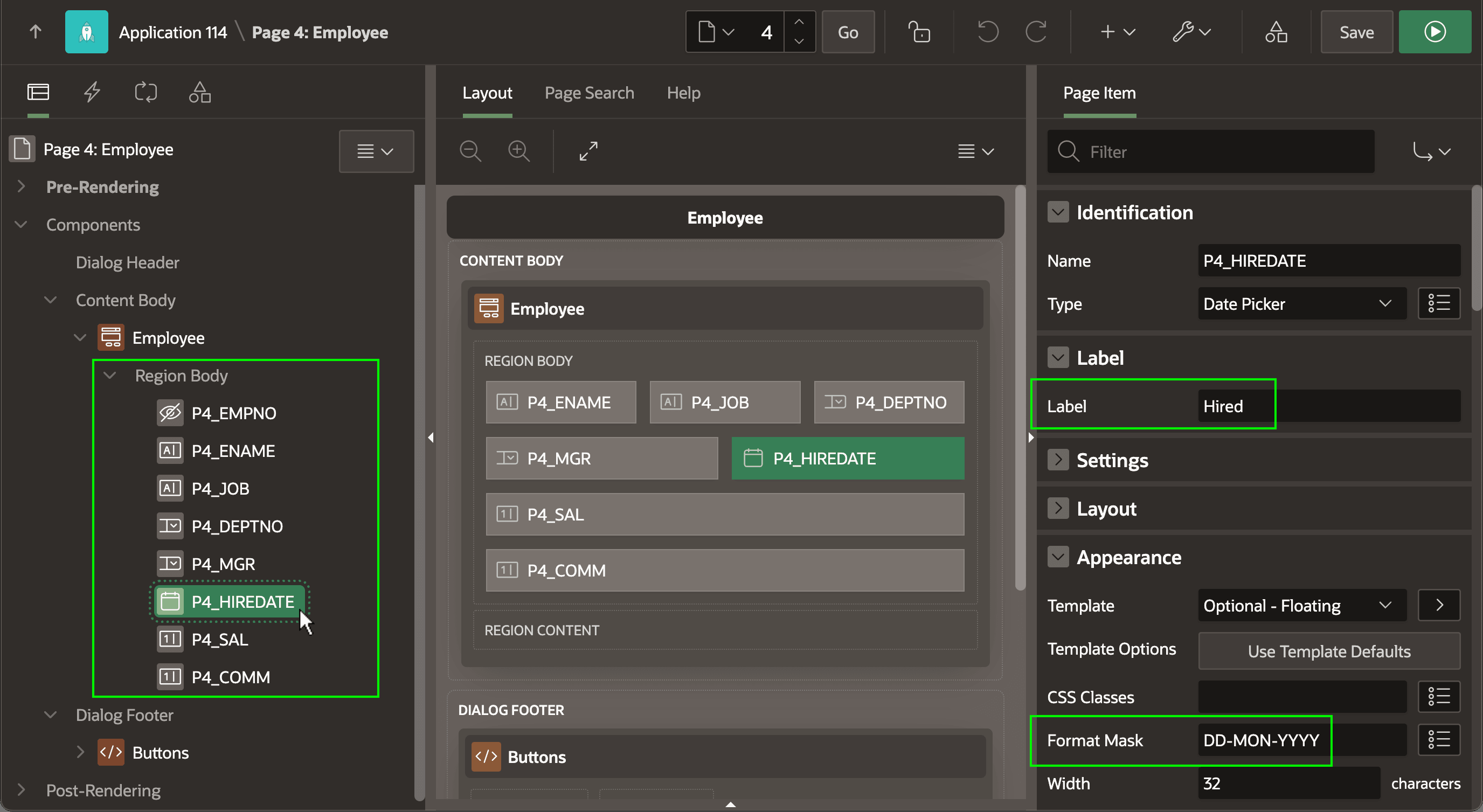
When your page includes a Form region, the Page Designer detects and displays a page item for each column in the data source in the Region Body slot.
By convention, page item names use the prefix of P followed by the page number. As shown below, after selecting an item like P4_HIREDATE in the tree the Property Editor shows its settings like Label and Format Mask. When you adjust your application data model, the form region works similarly to report regions. If the data source is a SQL query then Page Designer automatically adds page items for any new SELECT list columns in the query. If instead the form region is based on a table or other data source, then you select Synchronize Page Items on the context menu to include new columns when needed. Form region page items support the same Comment Out, Uncomment, and Delete options as report regions do.
Parent topic: Report Columns and Form Items