3.7.5 Flexible Form Page Item Layout
While report regions control the layout of their columns, form regions have a flexible layout.
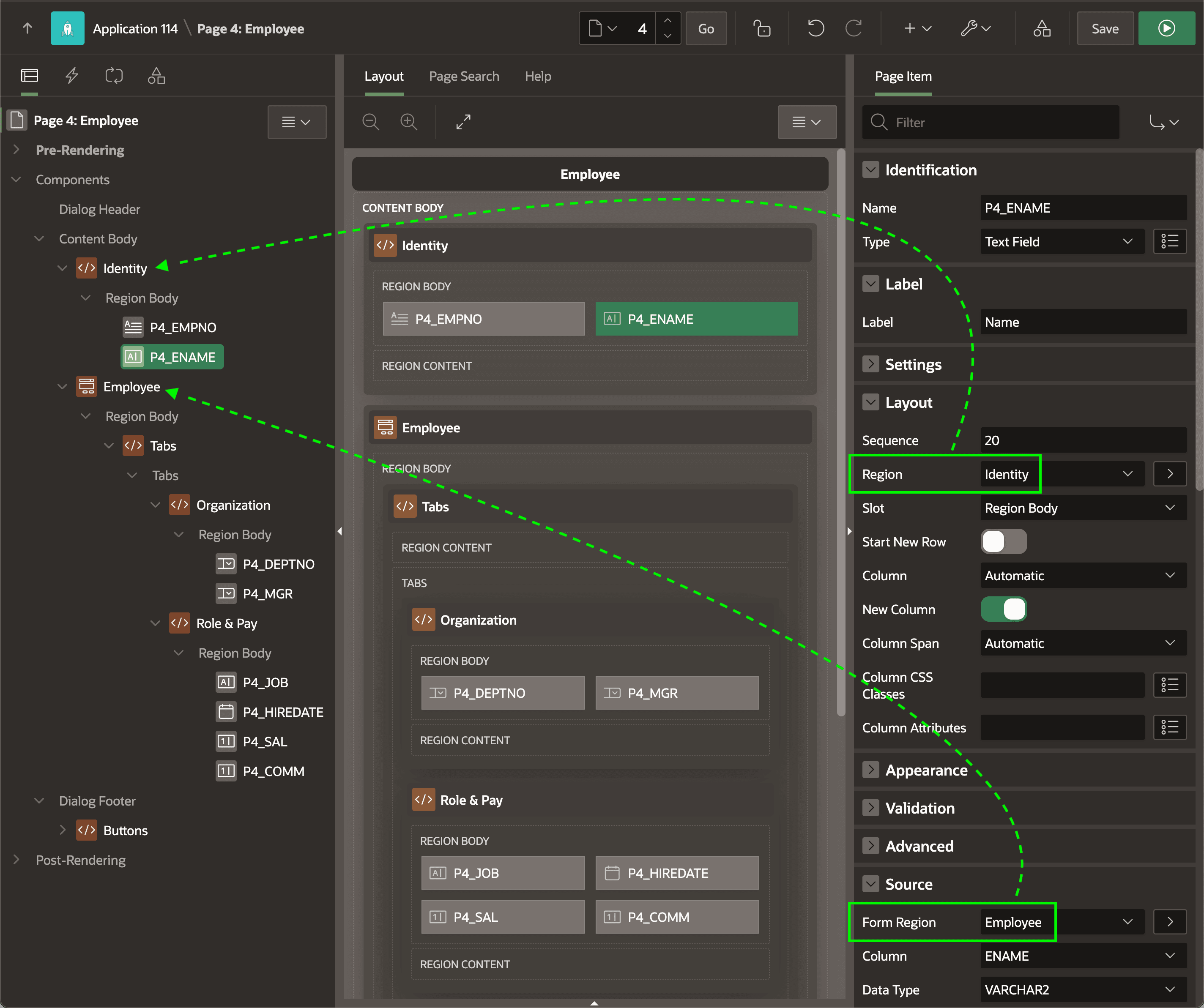
Page Designer defaults form page items to reside in the form region's Region Body slot, but you can move them anywhere on the page. As shown below, a page item's Form Region property in the Source section of the Property Editor indicates what source region it belongs to. When a form region queries a row by primary key or saves modified data, it involves the page items that name it as a source. This lets you set the Region property in the Layout section to another region on the page as needed.
In this example, two of the items with the Employee form region as their source are in a Static Content region named Identity at the top of the page. The other items sourced from this form region are in an Organization tab or a Role & Pay tab using a Tabs Static Content region set to use the Tabs Container template.
Figure 3-35 Form Region Source and Region Layout Properties
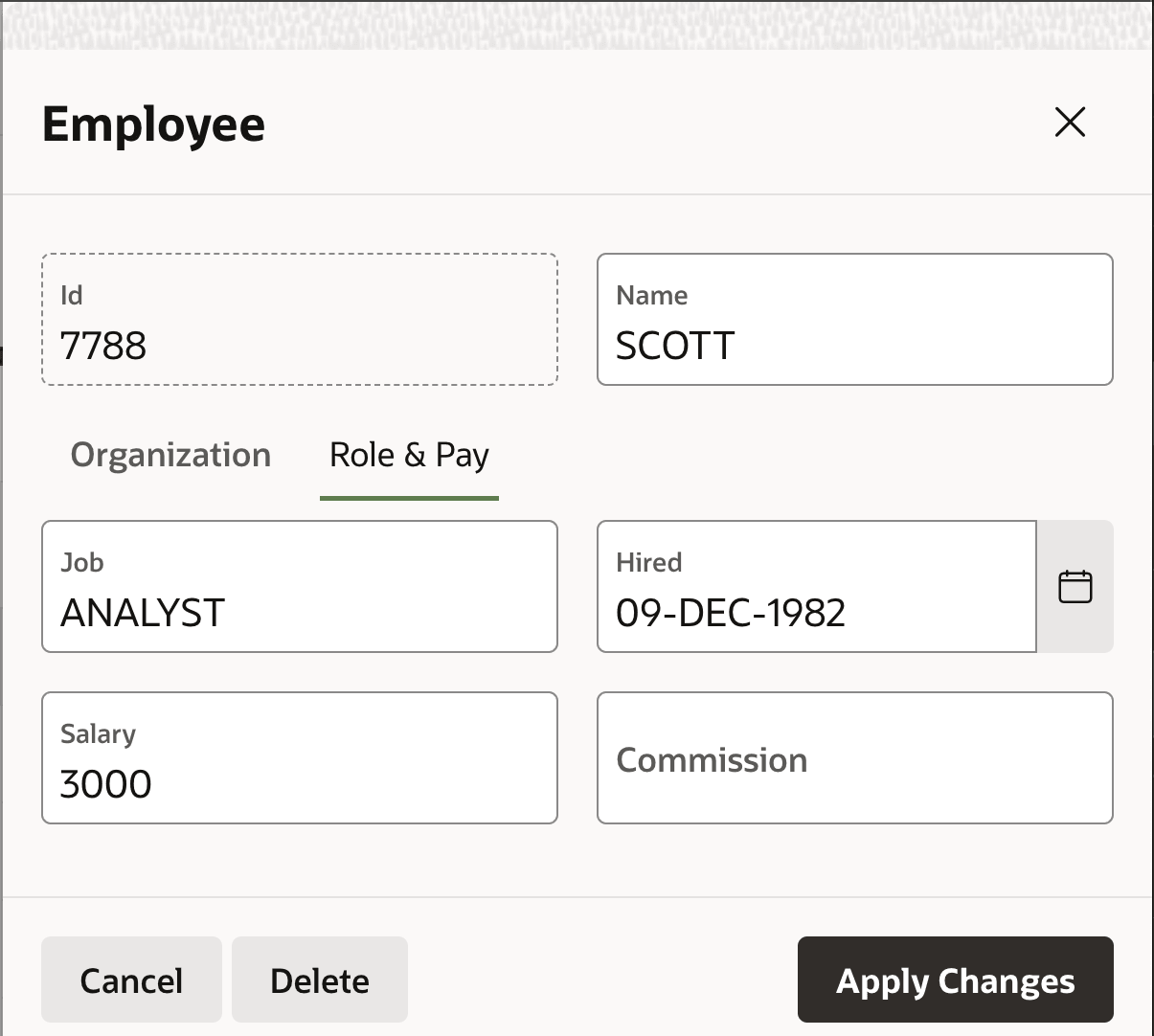
At runtime, the page above looks like the figure below. It shows the employee Id and Name fields side by side, above two tabs labeled Organization and Role & Pay. The latter tab is selected and contains Job, Hired, Salary, and Commission fields.
Figure 3-36 Flexible Layout of Form Region Page Items at Runtime
Parent topic: Report Columns and Form Items