2.6 Creating a Data Model Using Natural Language
You can create a data model by using natural language to describe what data your application needs to manage.
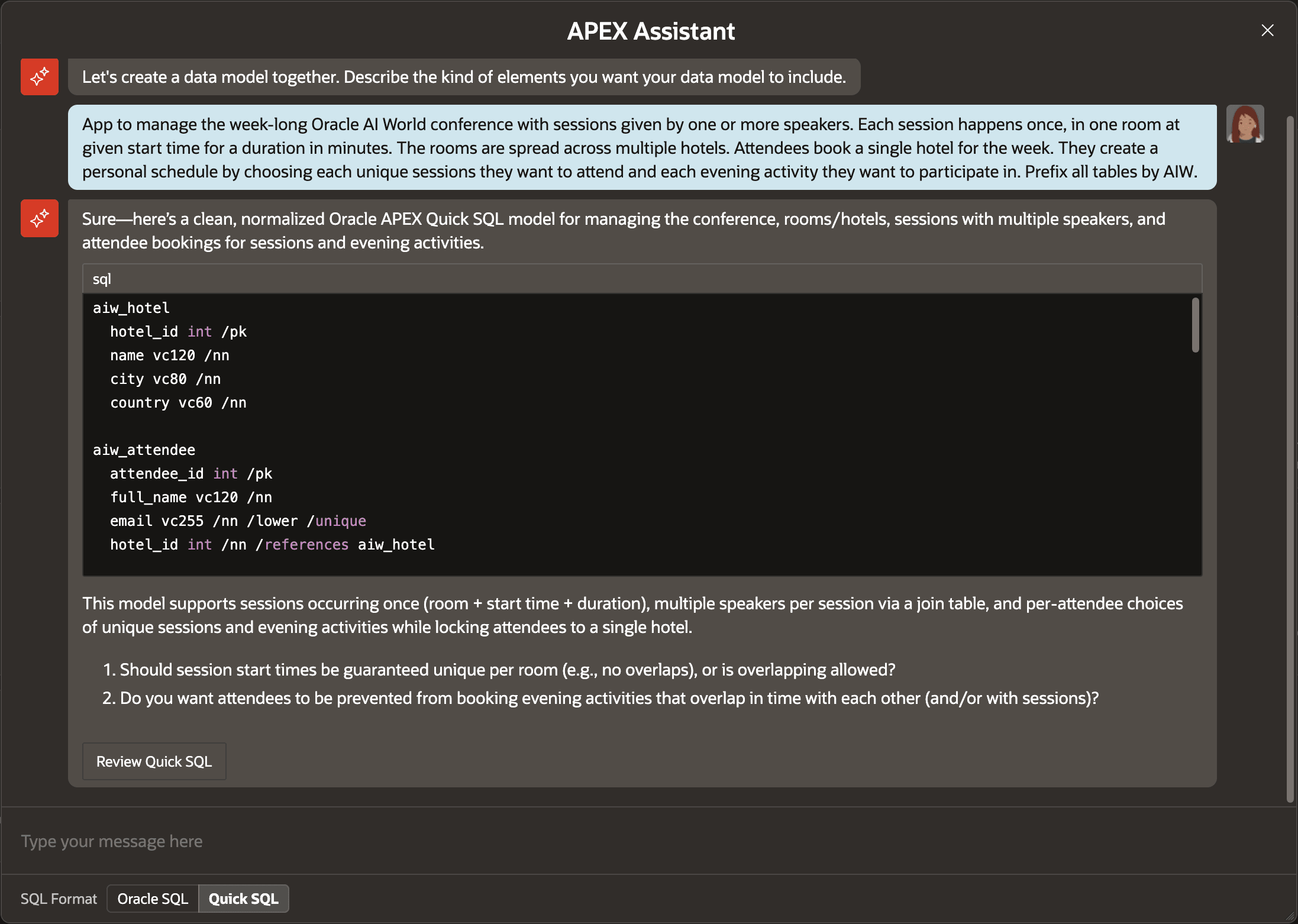
App to manage the week-long Oracle AI World conference with sessions given by one or more speakers. Each session happens once, in one room at given start time for a duration in minutes. The rooms are spread across multiple hotels. Attendees book a single hotel for the week. They create a personal schedule by choosing each unique sessions they want to attend and each evening activity they want to participate in. Prefix all tables by AIW.
As shown below, APEX AI Assistant responds with a proposed data model in Quick SQL notation with suggested tables, columns, data types, and relationships. You can carry on the conversation requesting adjustments if necessary, then click Review Quick SQL to inspect the data model in the Quick SQL diagram.
Figure 2-9 Explaining the Data Model to APEX Assistant
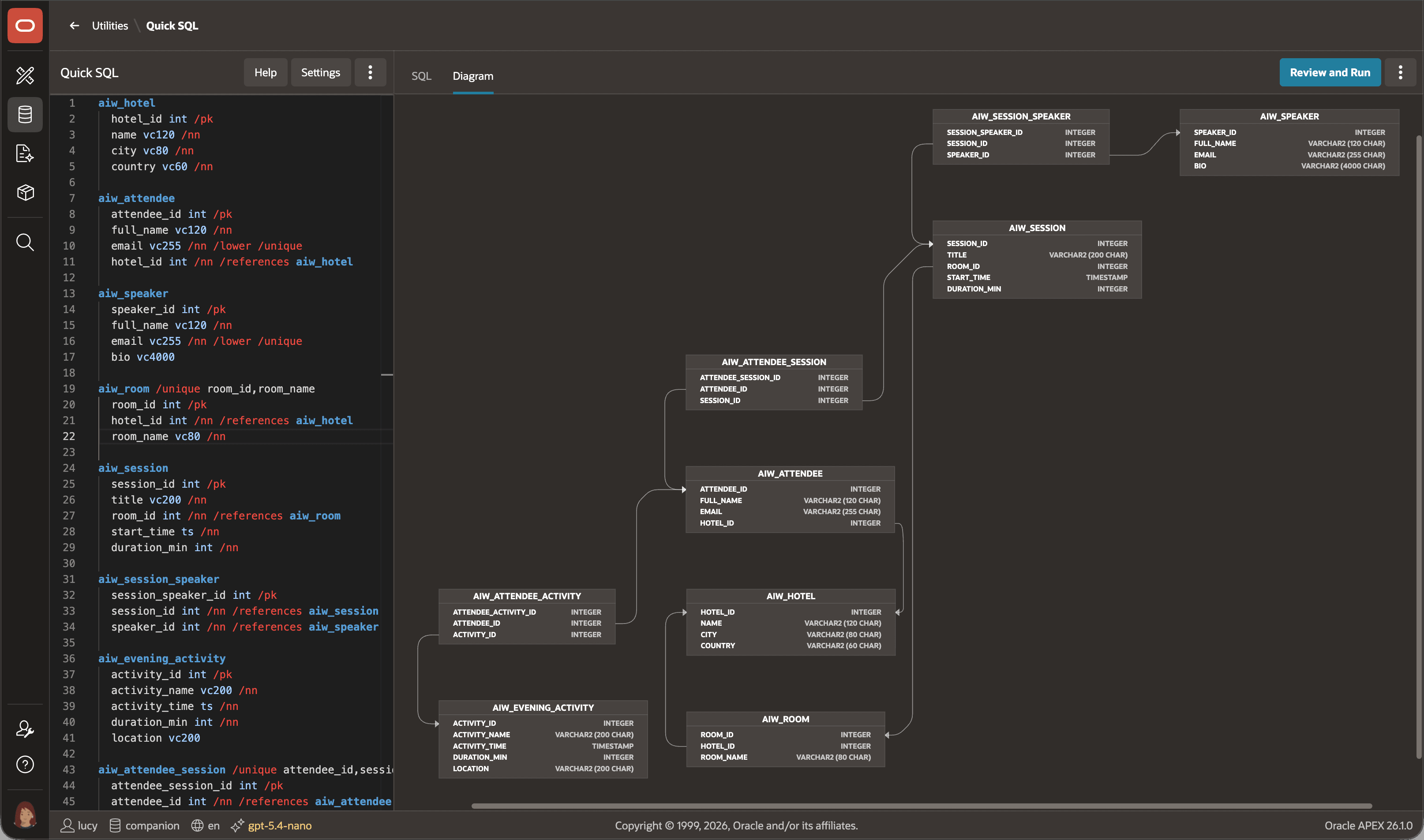
Based on your prompt, APEX AI Assistant creates a data model like the one shown below. If you notice anything you forgot, you can edit the Quick SQL until you're ready to click Review and Run to save the script and create the tables.
Figure 2-10 Reviewing the Quick SQL Data Model Diagram
Parent topic: Working with Local Data