8.6.1 Creating List and Edit Pages
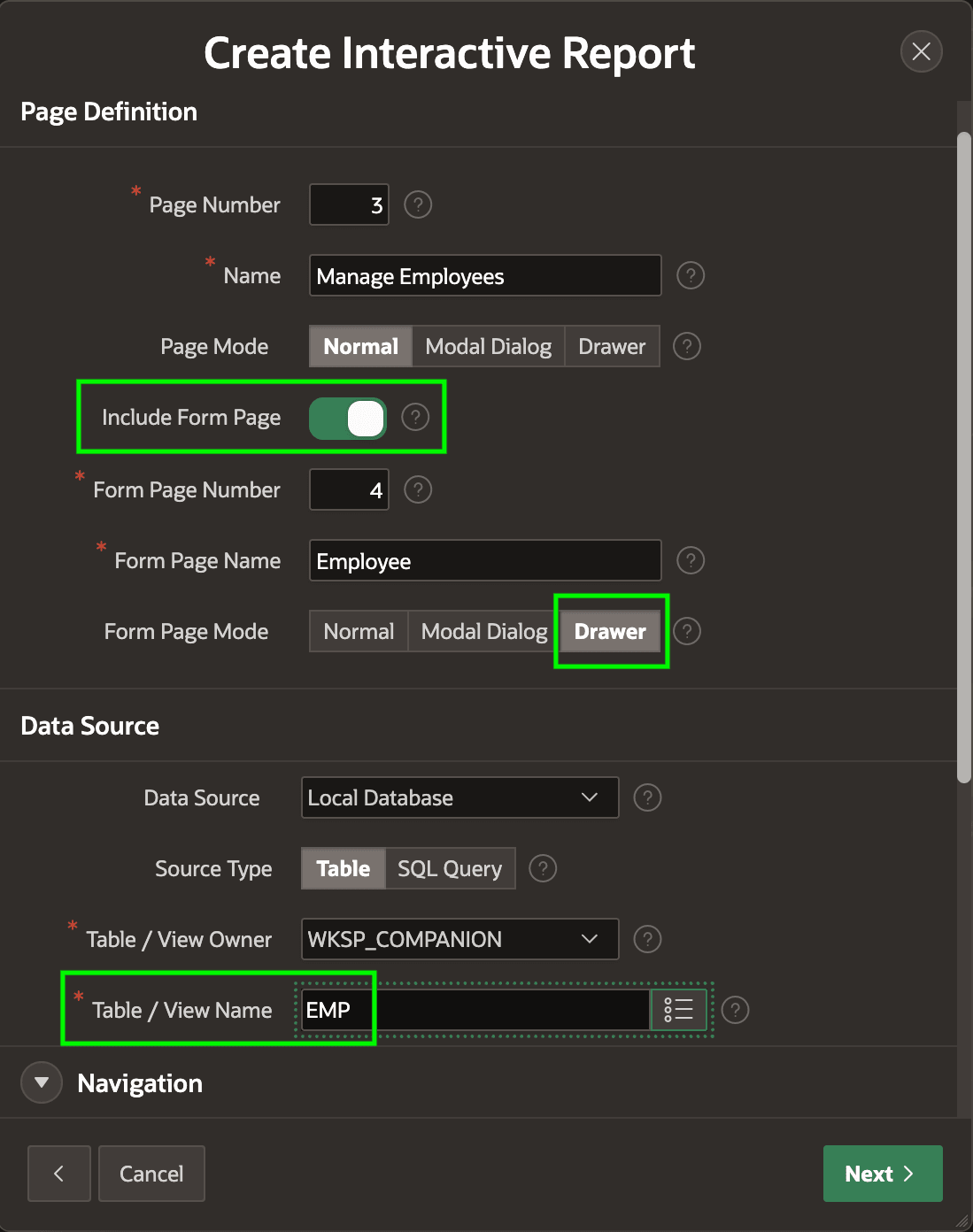
The Create Page wizard's Interactive Report flow features an Include Form Page switch. Other report types offer a similar option.
Enabling it lets you name a companion form page. In this example, you create a Manage Employees report page 3. By enabling Include Form Page, you also generate an Employee form page 4. By default, its Form Page Mode is a modal Drawer that appears on top of the list page by sliding in from the side.
This page combo lets your end users find existing rows to update or
delete, as well as insert new ones. This example uses the EMP table in
the local database, but the pages work the same way with any supported data source.
Figure 8-30 Create Page Wizard Choices for List and Edit Pages on the EMP Table
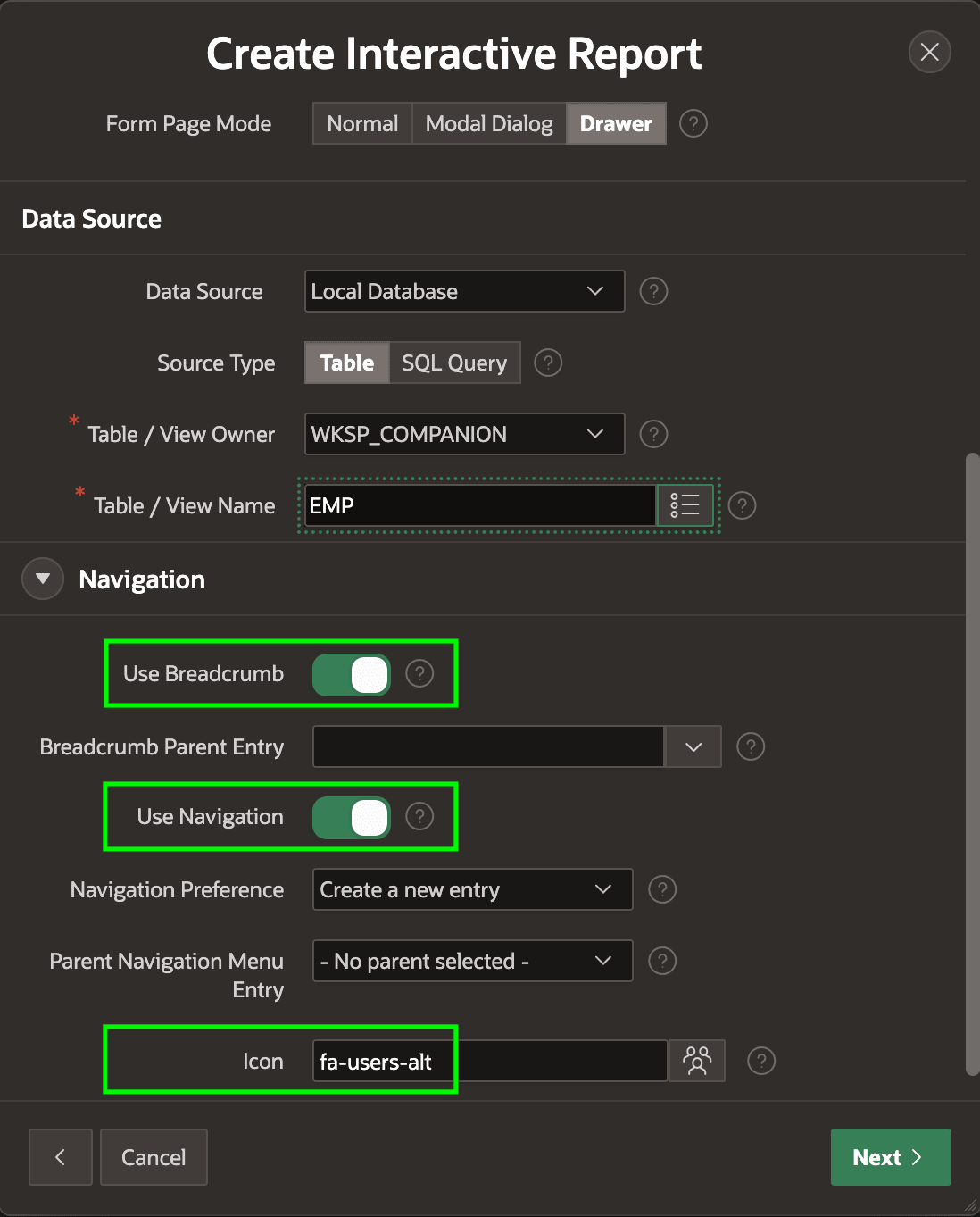
Scrolling the dialog contents to reveal the wizard's Navigation options, as shown below, you can opt to include a breadcrumb entry and region on the new page, to add a new navigation menu entry, and to customize the page icon by picking an icon name like fa-users-alt from the list of APEX icons. After you click (Next >), confirm the EMPNO column as the primary key, and click (Create Page). App Builder creates the two new pages.
Figure 8-31 Configuring Breadcrumb, Navigation Menu Entry, and Icon
Parent topic: Studying a List and Edit Flow