14.10.1 Defining ORDS Role and Privileges
Define ORDS roles and privileges to control access to protected REST API modules.
Define an ORDS Role in SQL Developer Web to name to a group of access privileges. Use the Security > Roles menu option from the SQL Developer Web REST Designer. For example, create a role named External Application Integration to which you can associate the set of privileges required for an external system to integrate with your Action Items application REST API endpoints.
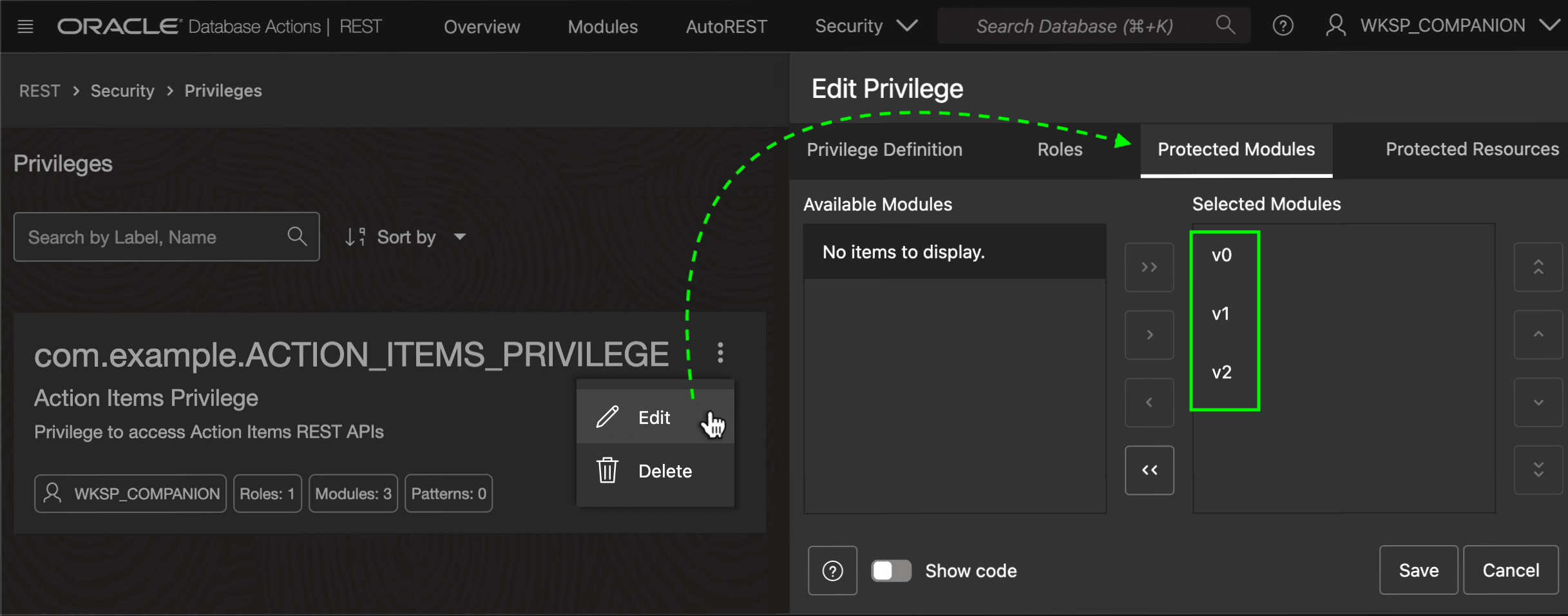
Next, define a privilege to manage access to a specific set of modules or URL patterns. For example, you can create a privilege named com.example.ACTION_ITEMS_PRIVILEGE with display label Action Items Privilege. As shown below, you configure the privilege to protect the modules v0, v1, and v2 created in this section.
Figure 14-31 Defining a Privilege in SQL Developer Web REST Designer
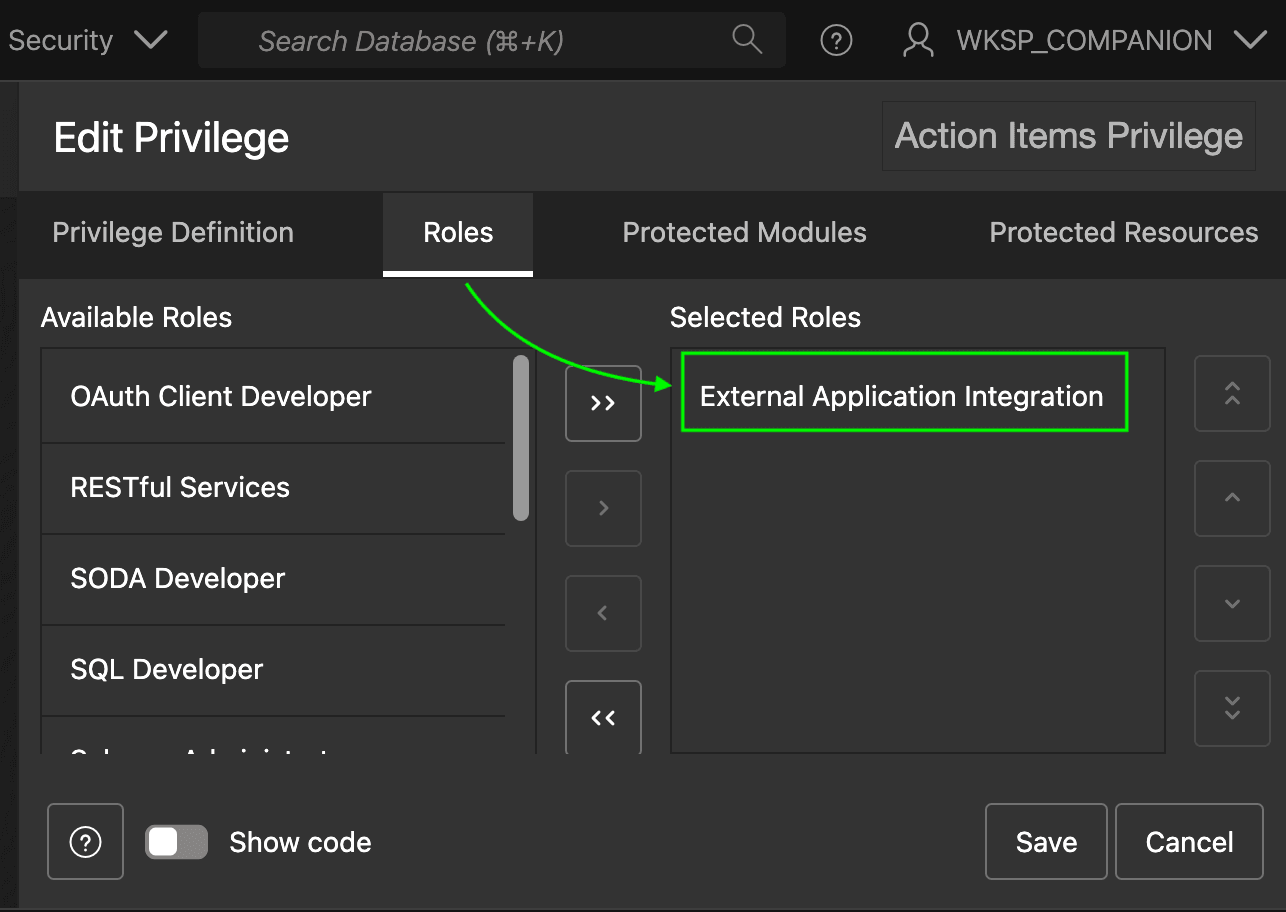
To grant this privilege to the External Application Integration role created above, switch to the Roles tab and shuttle it into the Selected Roles list as shown below. If you create many different privileges to protect different modules or URL patterns, you can grant all the appropriate privileges in this same way to External Application Integration role.
Figure 14-32 Granting the Action Items Privilege to External Application Integration Role
Parent topic: Securing APIs with Role-Based Access Control