14.10.2 Issuing OAuth Client for Authentication
Issue an OAuth client so an external system can authenticate and access authorized APIs.
When an external app like the Support Ticketing System needs to access your REST
APIs, issue it an OAuth 2.0 client. This acts as its "ticket" for secure access. ORDS
generates a client id and secret, which you share securely. The third-party client uses
these credentials to get a bearer token and includes it in the
Authorization header of every REST API call. The role you assign to
the OAuth client controls which APIs they can access, based on the privileges granted to
that role. Create a distinct OAuth client for each external system that needs
access.
Use the Security > OAuth Clients menu in the SQL Developer Web REST Designer to access the list of existing clients. Then, click (Create OAuth Client) to add a new one. Choose the Grant Type of client credentials (CLIENT_CRED), give it a name and description like Support Ticketing System, and enter a support email. On the Roles tab, associate the new client to External Application Integration role to grant it all privileges the role provides.
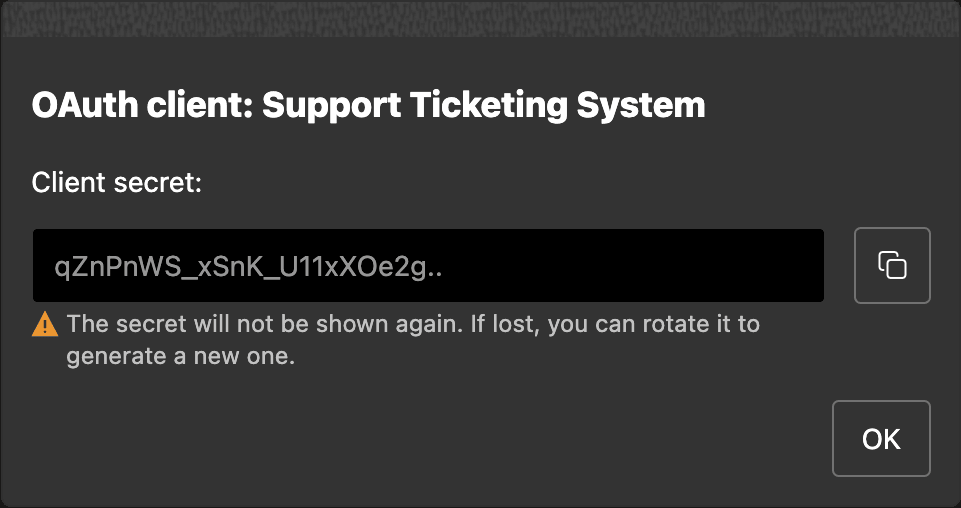
As shown below, when you finish the process by clicking (Create), ORDS assigns a random client id and client secret. You get one chance to see the client credential, so store it in your password vault for safe keeping. As shown below, the new OAuth client appears in the list.
Figure 14-33 Store Client Secret Securely, then Share Securely with External App Team
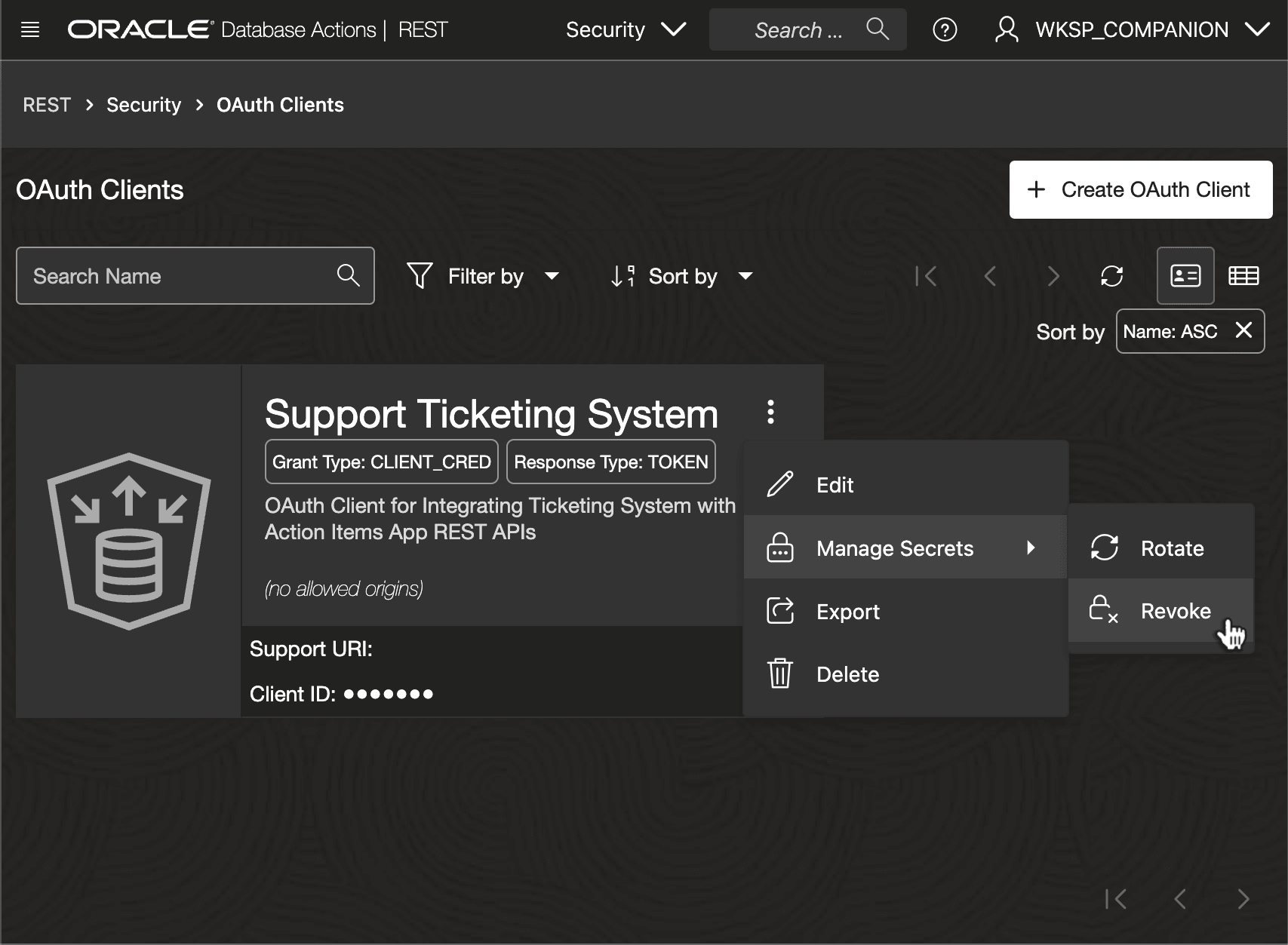
Your new client appears in the OAuth Clients list in SQL Developer Web's REST Designer as shown below. Options on the three-vertical-dots menu let you revoke the secret if needed, or rotate it should it get lost or you want to change it.
Figure 14-34 ORDS OAuth Client Used to Authenticate External System Integration
Parent topic: Securing APIs with Role-Based Access Control