21.3.4 Downloading Customized Report PDF
Download a customized PDF that reflects the Interactive Report’s current filters and sort order.
Now when a user chooses Download from the Interactive Report's Actions menu, if they choose the PDF report format they get a pixel-perfect Employee Directory. Notice below that the user uses features like filtering on the Job column and sorting on the Deptno column before performing the PDF download. This affects which rows appear and how they are sorted in the downloaded report, too.
Figure 21-15 Employee Directory Interactive Report PDF Print Uses Custom Layout
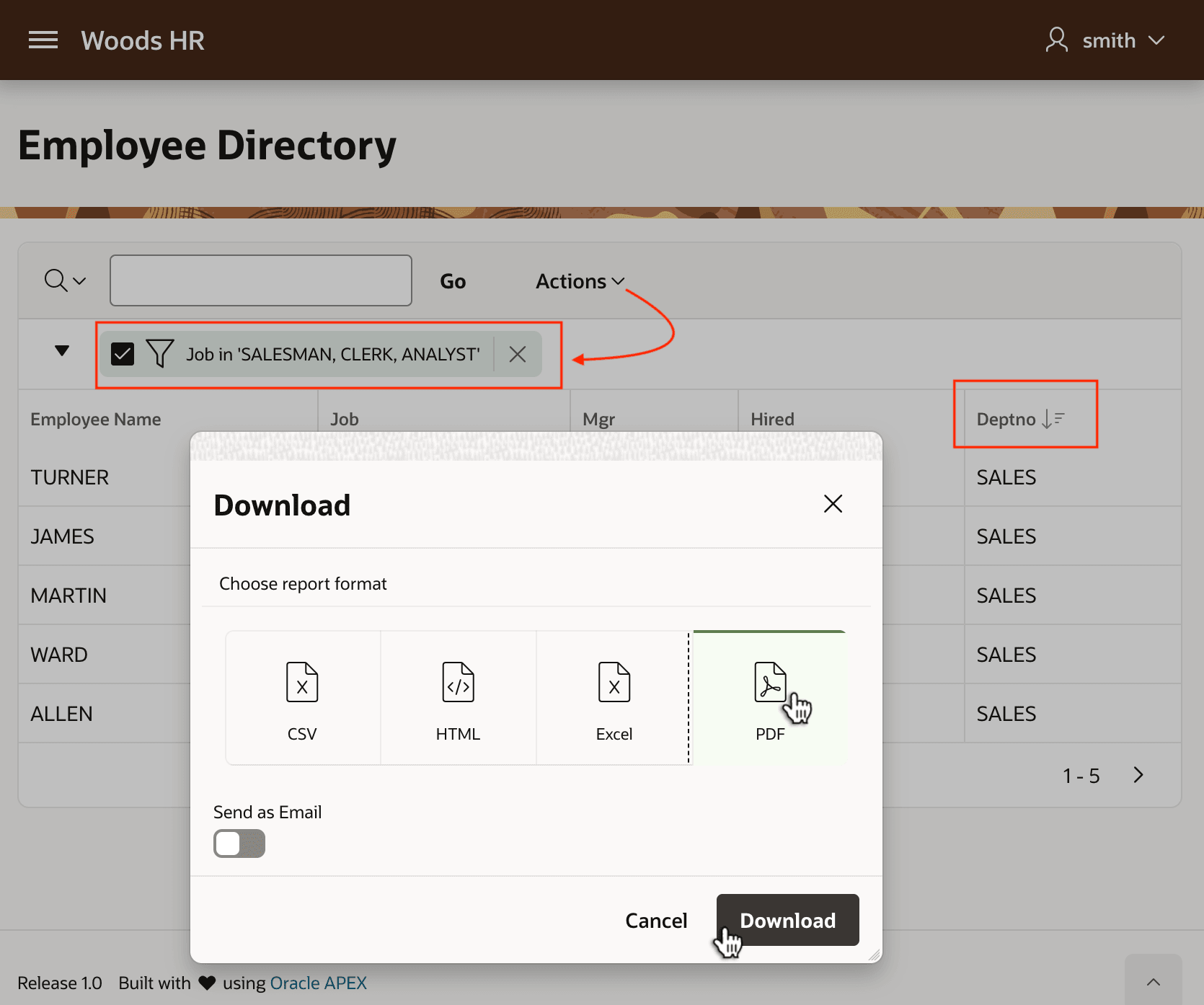
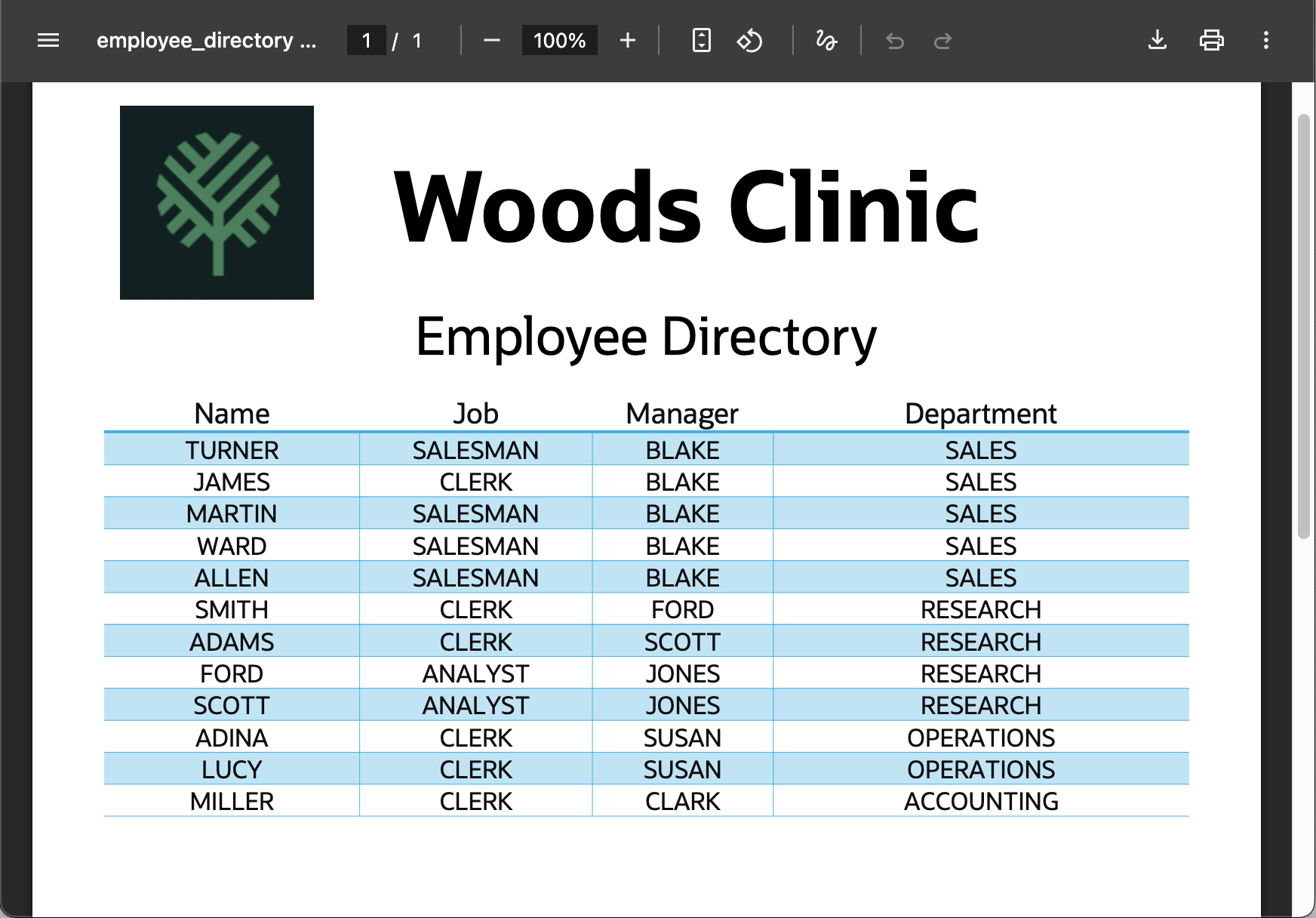
When the user opens the PDF file, they see the filtered, sorted Employee Directory contents presented now in your pixel-perfect layout.
Caution:
If a user removes a column from the Interactive Report, that column is also omitted from the JSON data the report layout receives. Make sure users understand not to remove columns that the PDF layout depends on, or some areas of the generated report may appear blank.
Figure 21-16 PDF Download from Employee Directory Interactive Report
Parent topic: Customizing Reports with Word Template