22.9 Editing Translations in a Filterable Grid
Edit translations directly in a filterable grid for small in-house updates.
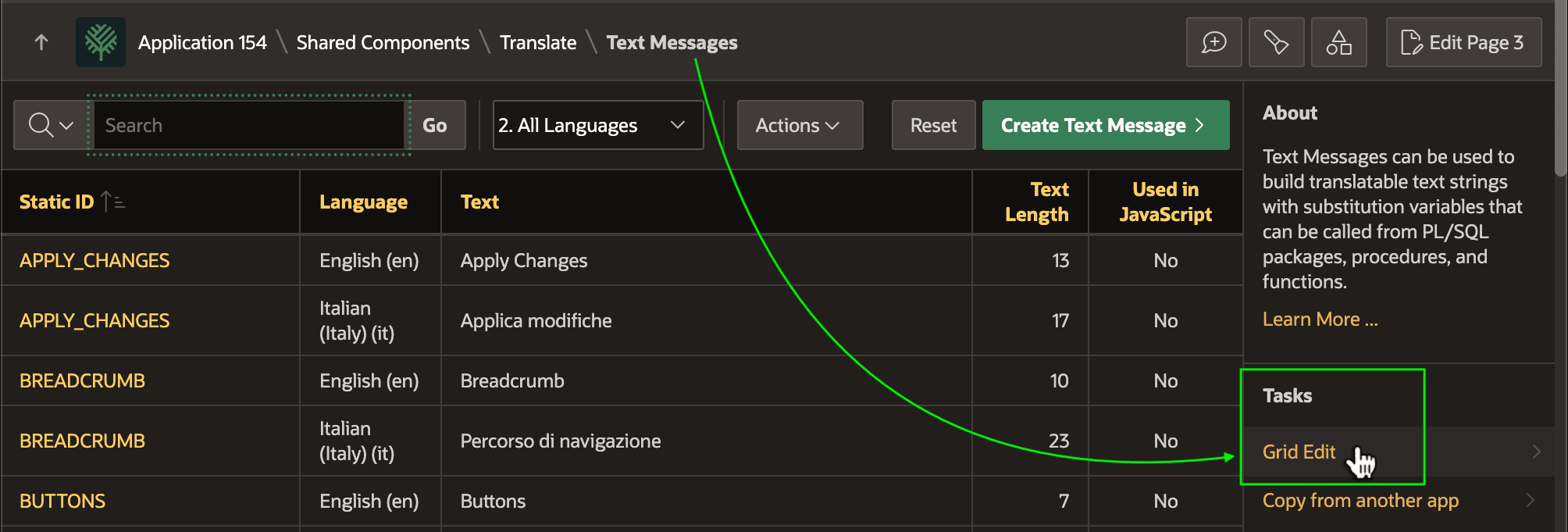
You can export the XLIFF any time to have an external translation service provide the missing Italian translations. However, the Grid Edit task in the Text Messages page is handy for in-house translation. You can edit the translated text of multiple messages at once.
Figure 22-21 Accessing the Text Messages Grid Edit for Bulk Changes
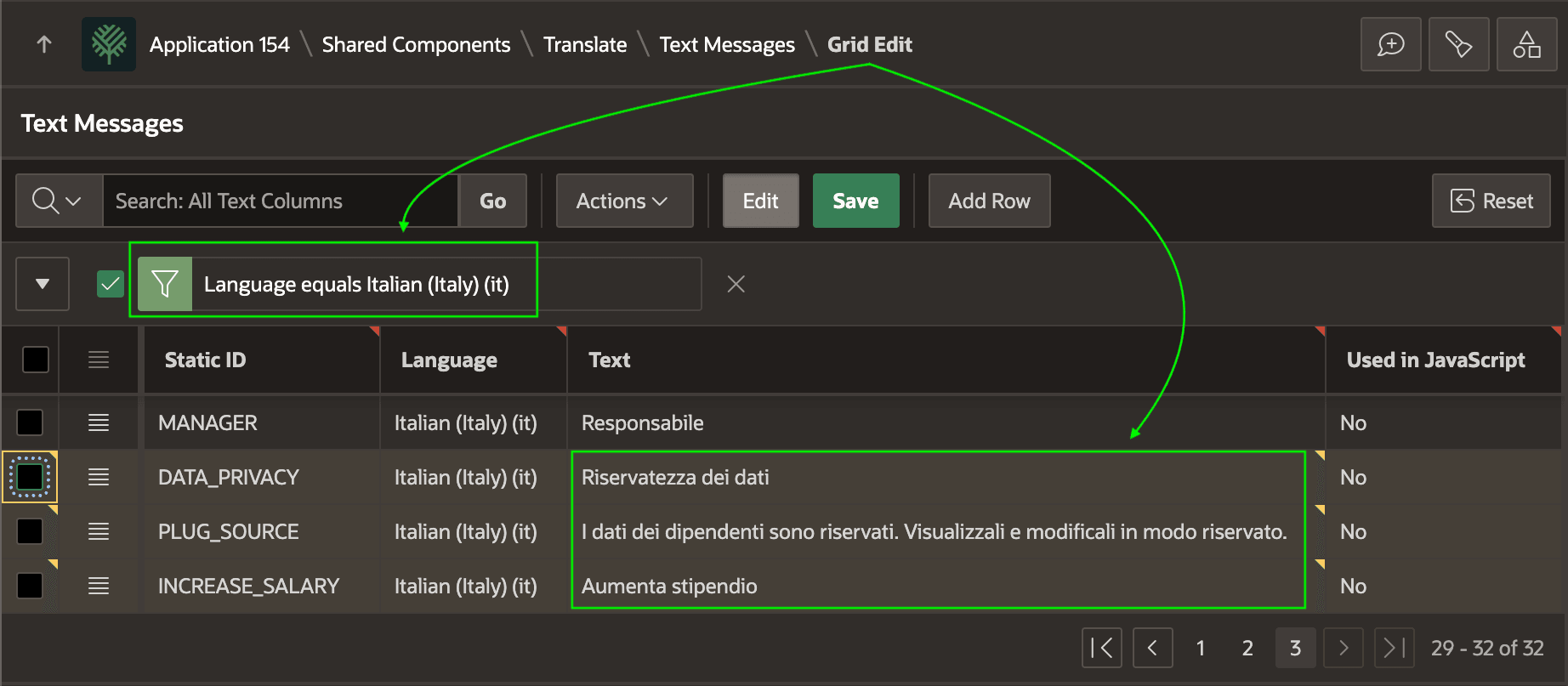
After filtering on language, as shown below, you can enter the Italian translations for the three new text messages and click (Save) to apply the changes.
Figure 22-22 Filtered Grid Edit is Handy for Bulk Translation
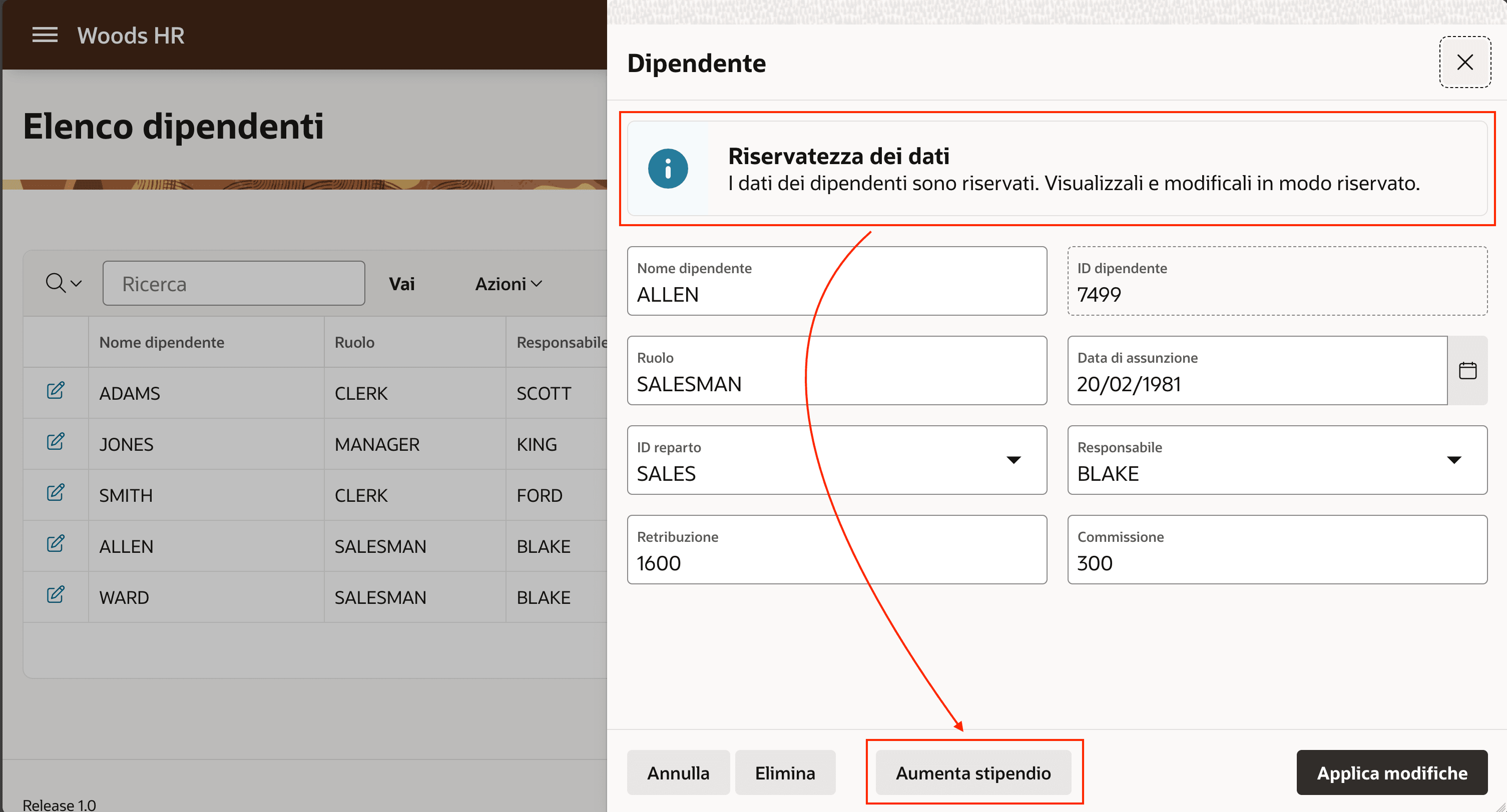
After saving the Italian translations for the latest text you added, a user like Susan running in Italian sees the updates to the page in her preferred language.
Figure 22-23 Manually Entered and Synchronized Messages Show for Italian Users
Parent topic: Translating Your Application