6.2.4 Even More Space for Search Results
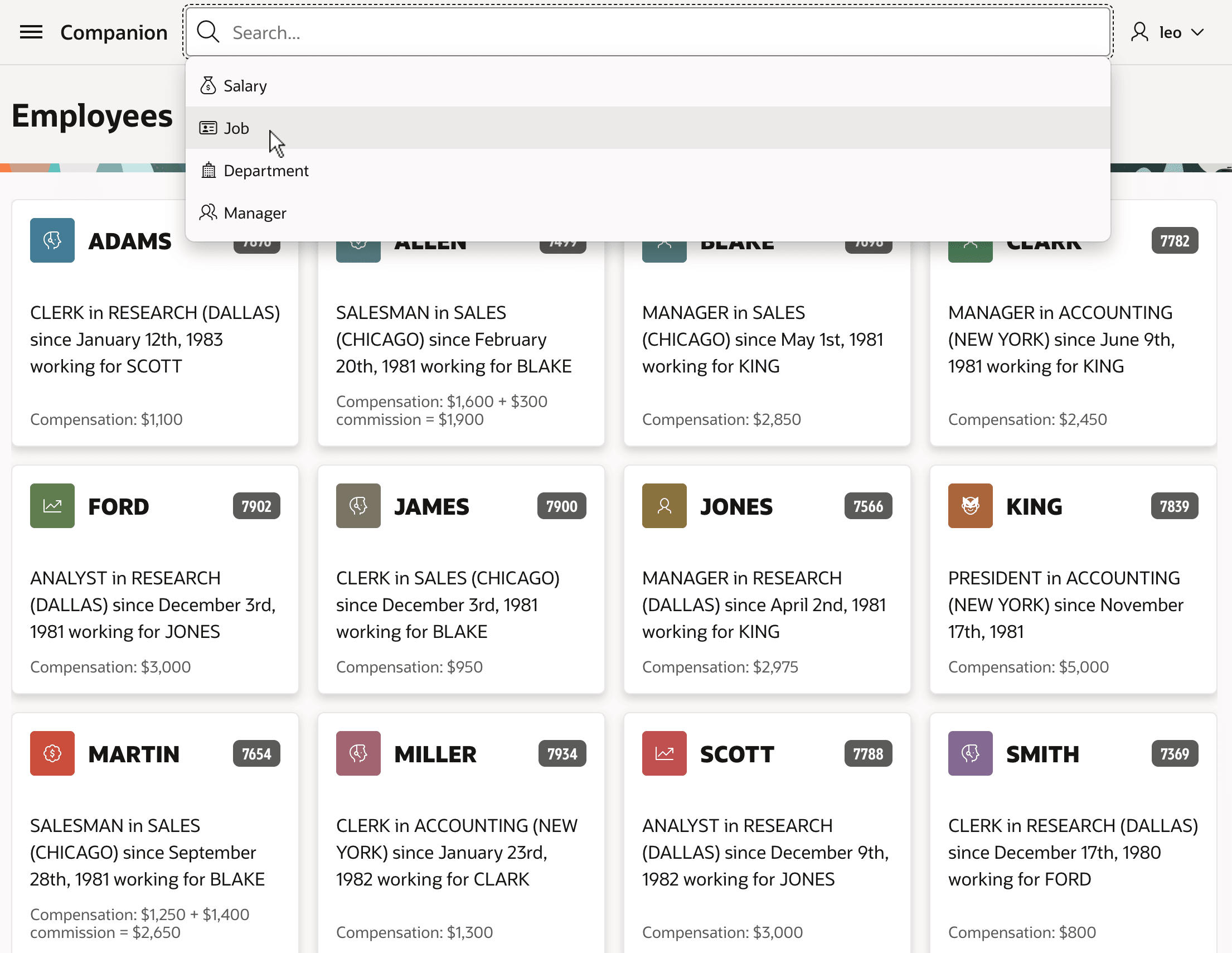
When you want to dedicate even more space to the search results, you can move the Smart Filters region into the Navigation Bar.
By setting the Smart Filters region's Parent Region property to No
Parent, choosing the Before Navigation Bar slot, and setting CSS
Classes to w100p, you can make it occupy the empty space in the
nav bar as shown below. This position works best with Maximum Suggestion Chips
set to zero (0). The figure shows the Smart Filters search field tucked
into the navigation bar between the Companion application name on
the left and the Navigation Bar showing the logged-in username
leo on the right.
Figure 6-17 Smart Filters Region in the Navigation Bar
Parent topic: More Space for Results with Smart Filters