14.1.1 Exploring Action Item Teams Example
Explore an action items app that manages teams and enforces team membership rules.
- Every action item team needs a lead,
- There can only be one lead on a team, and
- No duplicate team members allowed.
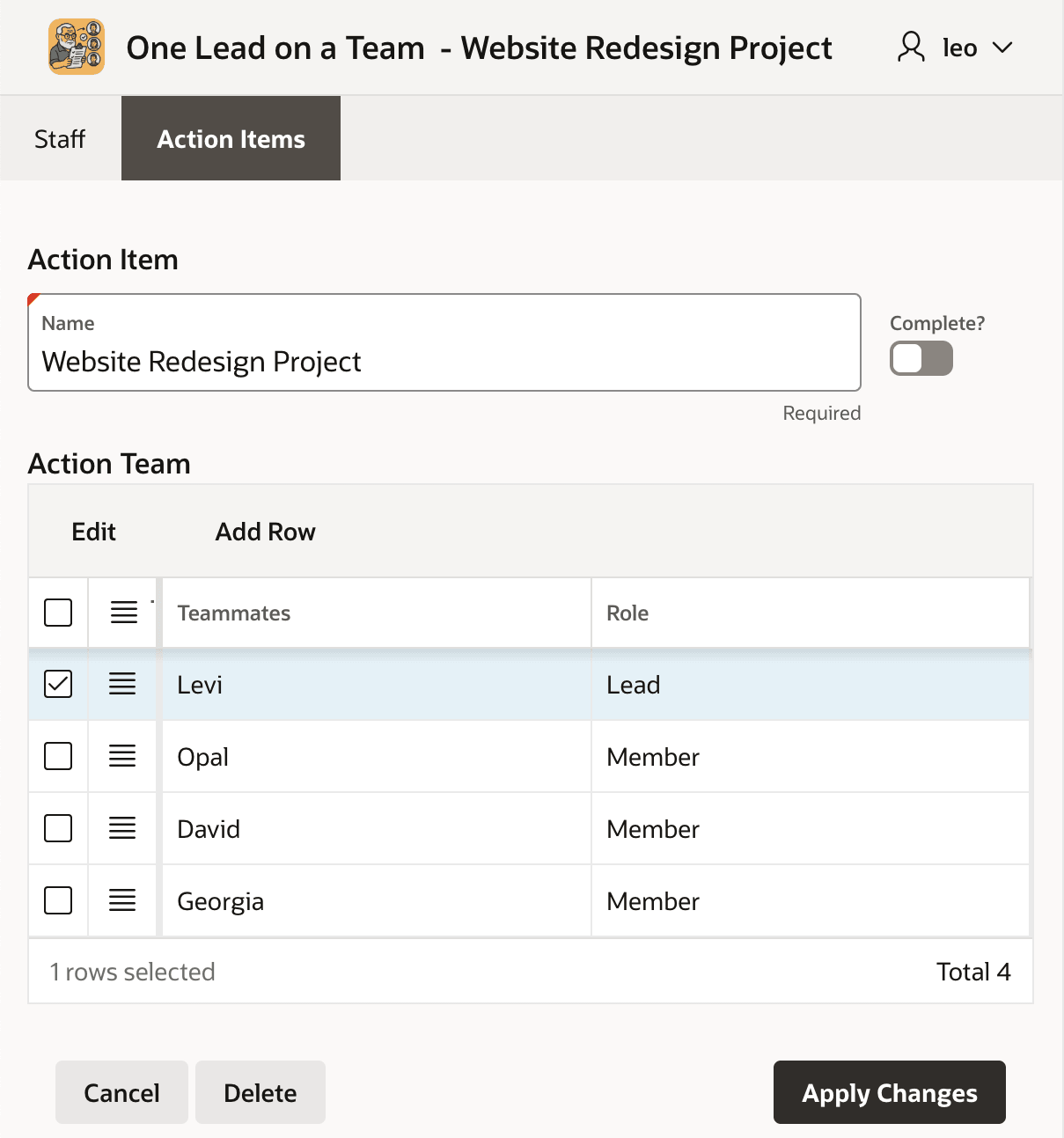
The figure below shows a page from your app that all staff use daily. It shows a two-tab navigation structure with a tab to edit Staff members and a tab to edit Action Items. On the Action Items tab, the user can list, create, edit, and delete action teams of staff members assigned to work on an action item. The Website Redesign Project being edited in the figure has team members Levi, Opal, David, and Georgia. Levi's role is Lead, and the others' role is Member.
Figure 14-1 Application Page for Editing an Action Item and Assigned Team Members
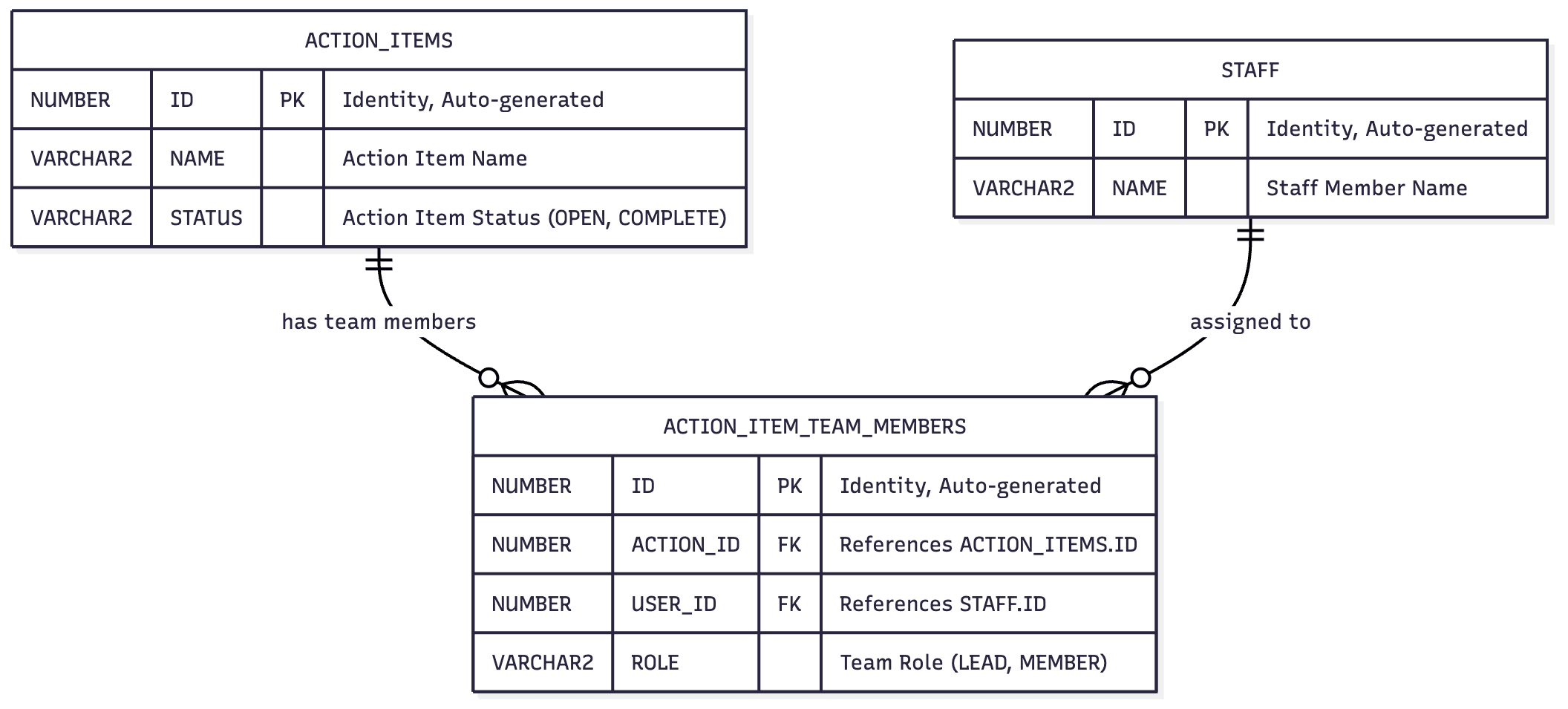
The simple underlying data model appears below. Just three tables:
ACTION_ITEMS, STAFF, and
ACTION_ITEM_TEAM_MEMBERS. The entity relationship diagram shows
that an action item has one or more team members, each of whom is a staff member.
Figure 14-2 Simple Schema for Action Items and Team Members Assigned to Them
Parent topic: Reviewing Action Items API Requirements