17.1 Exploring External Data Examples
Review external employee data examples in Excel, CSV, JSON, and XML formats.
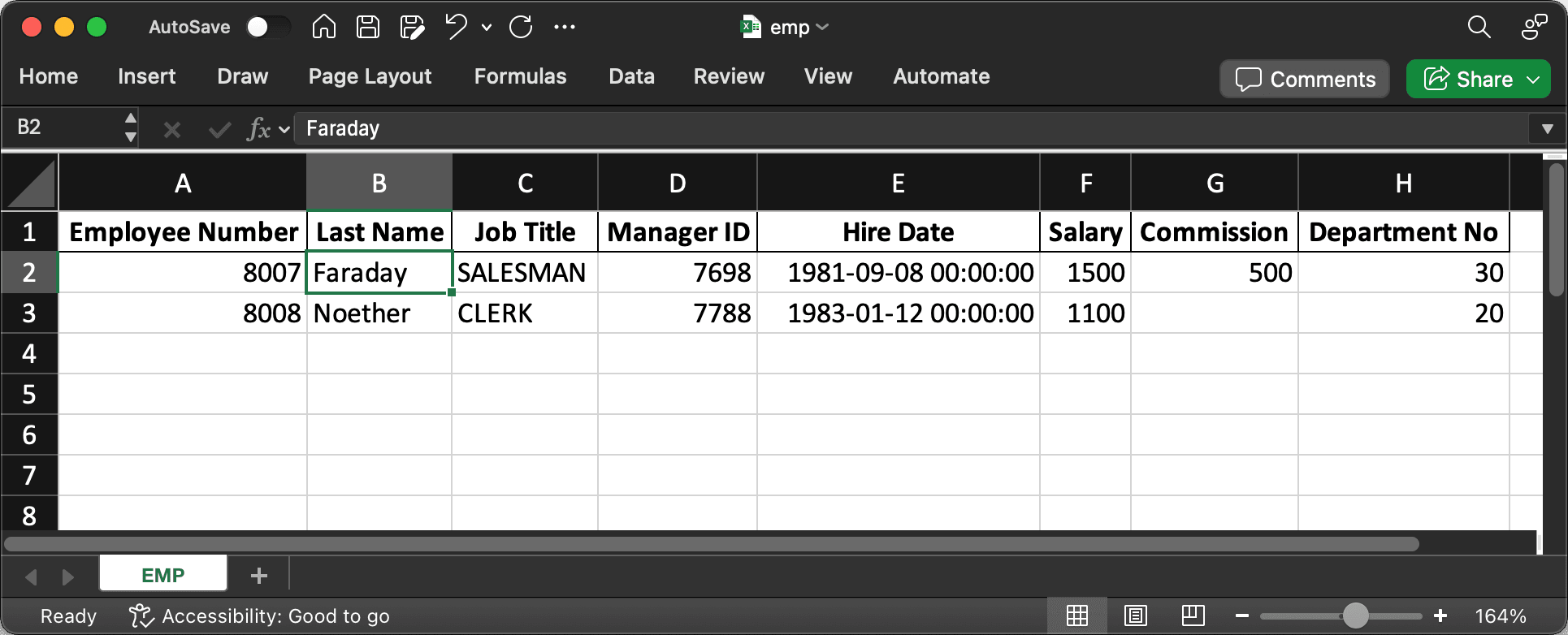
In the Woods HR application, HR reps sometimes need to load employee data from external files. An Excel spreadsheet, as shown below, is the most common format they encounter. The figure shows employee information in two rows of a spreadsheet featuring column headings in the first row: Employee Number, Last Name, Job Title, Manager ID, Hire Date, Salary, Commission, and Department No.
Figure 17-1 External Data in an Excel Spreadsheet
WORKER_NO,LAST_NAME,POSITION,BOSS_NO,ENTRY_DATE,PAY_RATE,BONUS_AMOUNT,SECTION_NO
8001,HOPPER,CLERK,7902,2025-03-14T00:00:00,900,,20
8002,CURIE,SALESMAN,7698,2025-11-05T00:00:00,1350,1200,30{
"items": [
{
"employeeId": 8003,
"fullName": "GALLO",
"positionTitle": "MANAGER",
"reportsTo": 7839,
"startDate": "2025-04-22",
"salaryAmount": 2450,
"commissionValue": "",
"departmentCode": 10
},
{
"employeeId": 8004,
"fullName": "DARWIN",
"positionTitle": "SALESMAN",
"reportsTo": 7698,
"startDate": "2025-09-10",
"salaryAmount": 1600,
"commissionValue": 300,
"departmentCode": 30
}
]
}<?xml version="1.0"?>
<ROWSET>
<ROW>
<STAFF-ID>8005</STAFF-ID>
<SURNAME>MENDEL</SURNAME>
<ROLE>ANALYST</ROLE>
<JOIN-DATE>2025-02-11T00:00:00</JOIN-DATE>
<BASE-PAY>3200</BASE-PAY>
<DIVISION>10</DIVISION>
</ROW>
<ROW>
<STAFF-ID>8006</STAFF-ID>
<SURNAME>LOVELACE</SURNAME>
<ROLE>SALESMAN</ROLE>
<SUPERVISOR-ID>7839</SUPERVISOR-ID>
<JOIN-DATE>2025-08-27T00:00:00</JOIN-DATE>
<BASE-PAY>2750</BASE-PAY>
<ADDITIONAL_COMP>1300</ADDITIONAL_COMP>
<DIVISION>30</DIVISION>
</ROW>
</ROWSET>Using a Data Load Definition shared component, your app can make quick work of loading external data in any of these formats.
Parent topic: Loading External Data