17.2 Creating a Data Load Definition
Create a Data Load Definition using the wizard in Shared Components.
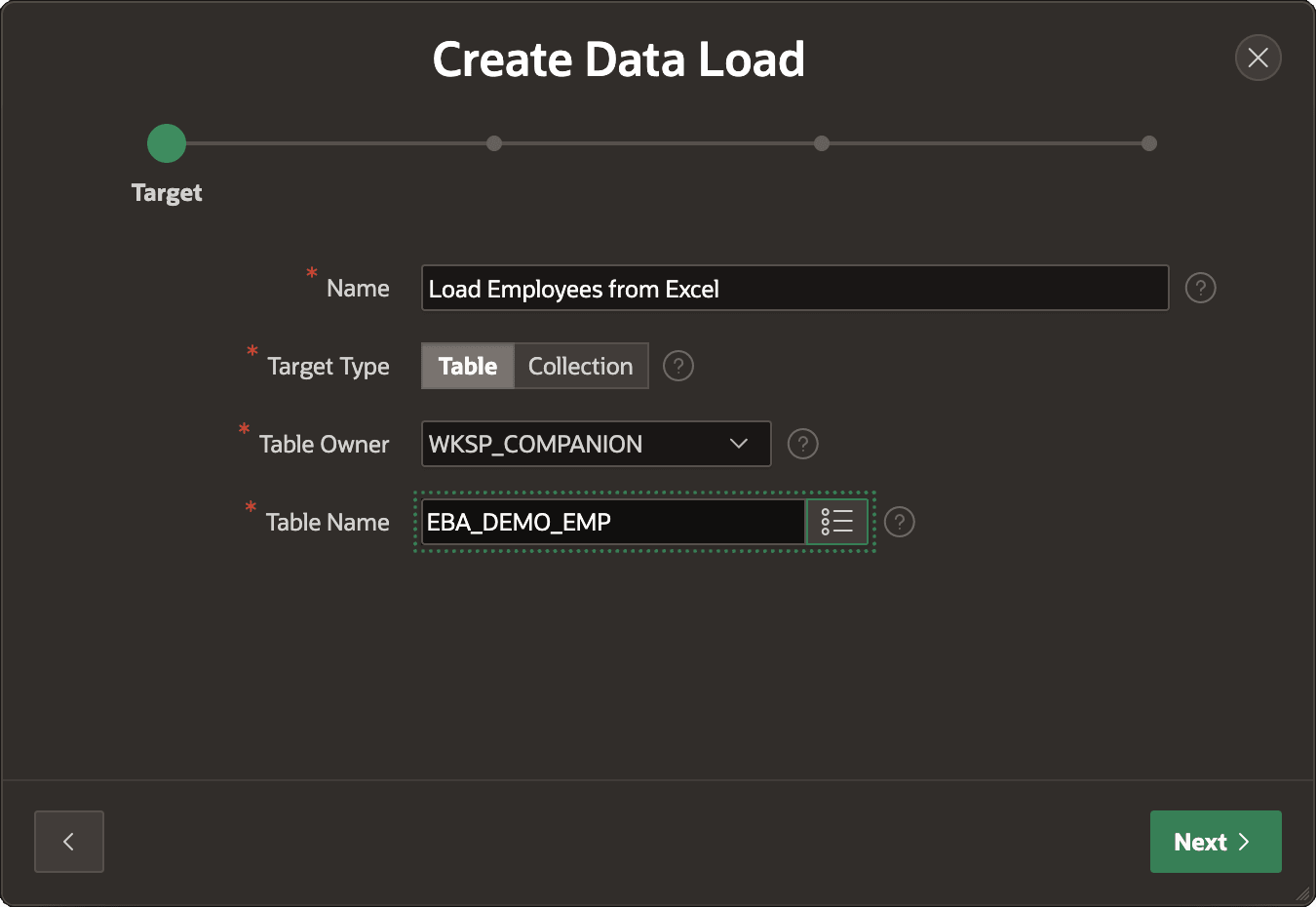
As shown below, you can target a table or collection, and specify the target object name. Here, your new Load Employees from Excel definition loads employee data into the EBA_DEMO_EMP table.
Figure 17-2 Creating a Data Load Definition for an Excel Spreadsheet
On the second step, upload an example file. It can be an Excel spreadsheet, CSV, JSON, or XML file.
Tip:
When a spreadsheet has multiple sheets, pick the one to load with the Select Sheet list that appears.
When you proceed, the wizard uploads and analyzes the file's contents. It detects names, data types, and format masks as needed.
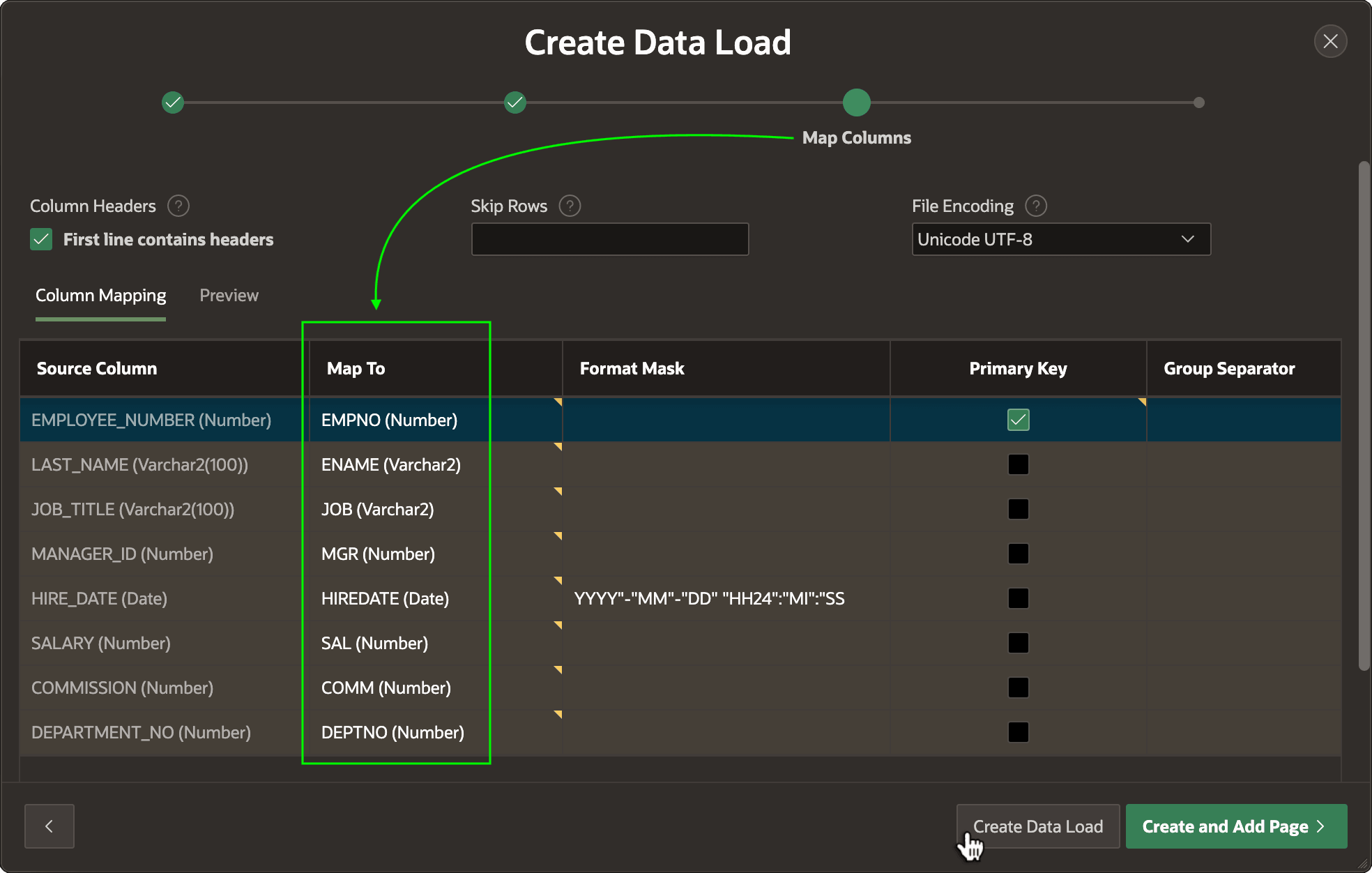
Then, as shown below, the Map Columns step shows the discovered Source Columns in a grid. Use the select list in each row of the Map To column to pick a target column for the data you want to load.
Tip:
To ignore a source column, leave Map To blank in that row.
Figure 17-3 Mapping Source Columns from External Data to Target Columns
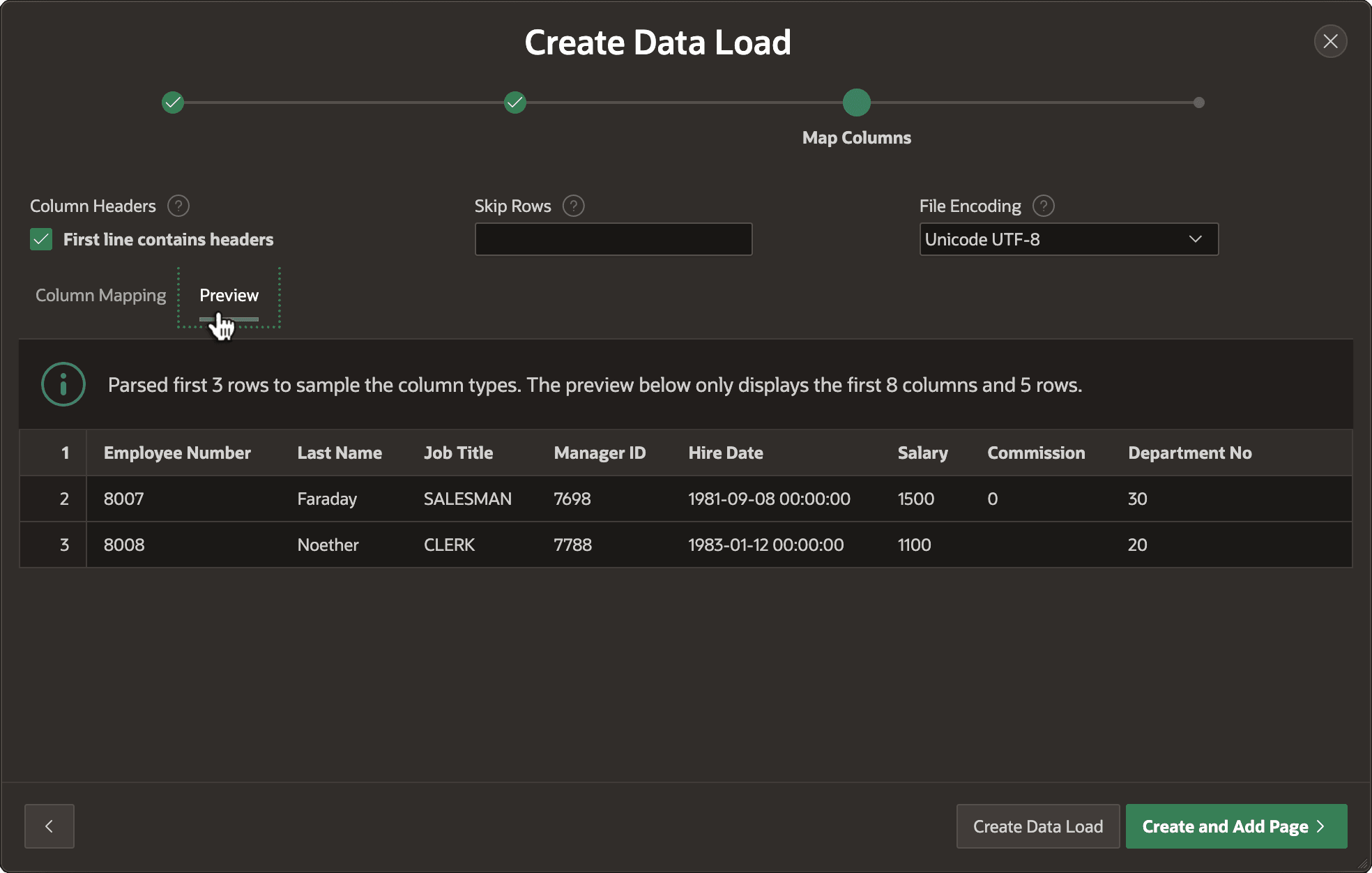
To preview the data, visit the Preview tab as shown below. Then click (Create Data Load) to complete the wizard.
Figure 17-4 Reviewing Data Load Definition Results By Previewing Data
Parent topic: Loading External Data