15.1.5 Extracting Coordinates for Storage
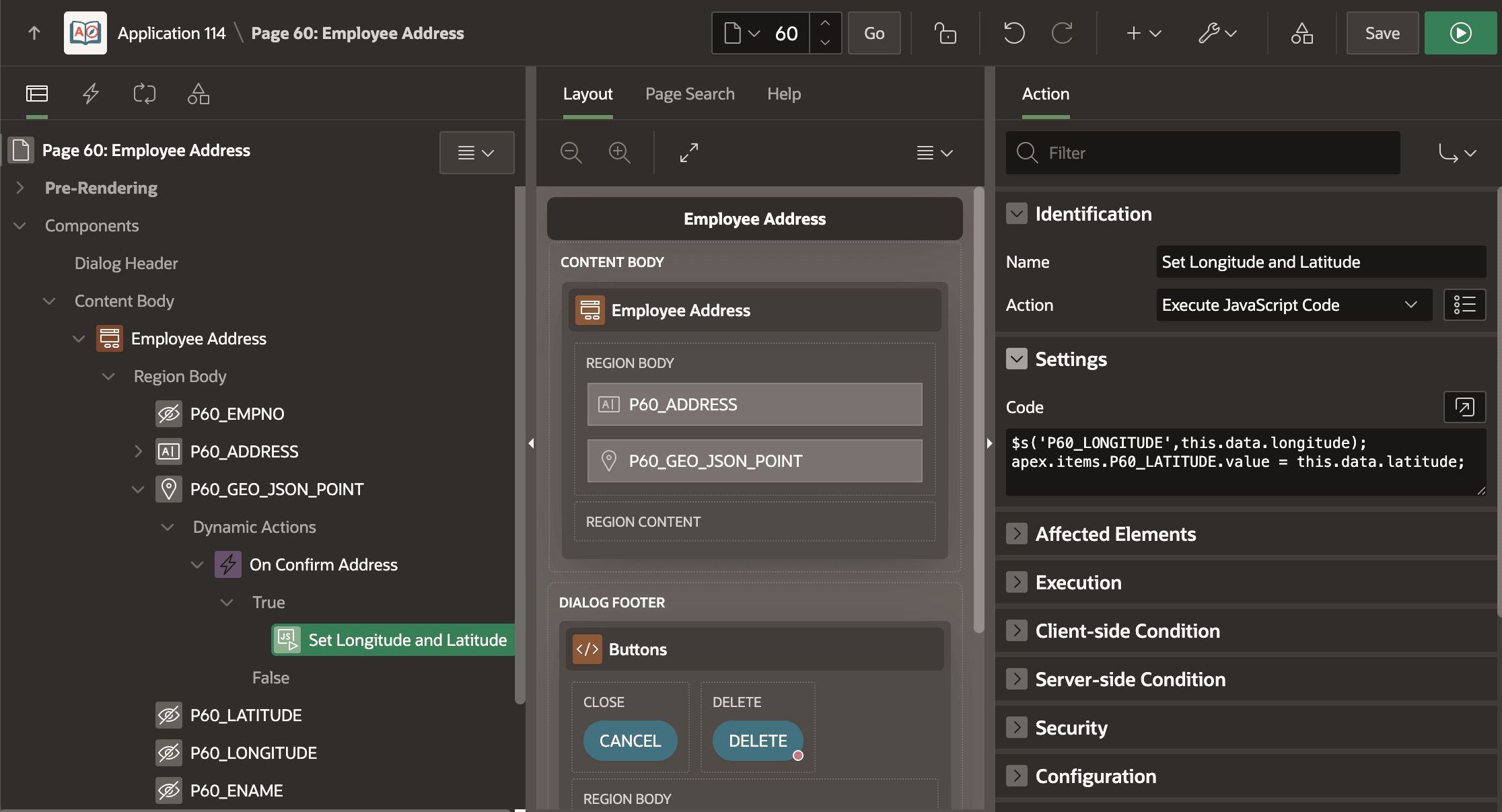
To extract the geocoded address's longitude and latitude into page items, define a dynamic action event handler on the Result Selection [Geocoded Address] event.
An Execute JavaScript Code dynamic action step with the following two lines handles the task. The first line uses the shortcut syntax to set page item P60_LONGITUDE to the result of evaluating the this.data.longitude expression. The second line shows the explicit syntax for setting the value of the P60_LATITUDE to the equivalent expression for that coordinate value.
Both assignment approaches accomplish the same result. $s('item',value) is less to type, but offers no code completion. Using the explicit syntax, as you type each dot in the expression, the Code Editor lets you pick from a list of available choices. Just remember to include the .value at the end of the expression after the page item name.
$s('P60_LONGITUDE', this.data.longitude);
apex.items.P60_LATITUDE.value = this.data.latitude;
The figure shows the Set Longitude and Latitude dynamic action step in Page Designer that fires when the user selects a result in the Geocoded Address item's confirmation dialog.
Figure 15-6 Extracting Longitude and Latitude from Geocoded Address
The this.data object available to a Result Selection event's actions also contains other properties. The JSON below shows all the names your this.data.propName expressions can reference.
{
  "sequence": 0,
  "latitude": 37.77112,
  "longitude": -122.45304,
  "matchCode": 1,
  "matchVector": "??010101010??004?",
  "matchVectorScore": 100,
  "houseNumber": "2045",
  "street": "Oak St",
  "settlement": "San Francisco",
  "municipality": "SAN FRANCISCO",
  "region": "CA",
  "country": "US",
  "language": "ENG",
  "postalCode": "94117",
  "side": "R",
  "percent": 0.24,
  "edgeId": 120887751
}
Tip:
If the P60_GEO_JSON_POINT Geocoded Address item were based directly on an SDO_GEOMETRY column, or a VARCHAR2 or CLOB containing GeoJSON, then the column could be directly updatable (i.e. Query Only = OFF). Saving the coordinates would happen automatically, and no step would be necessary to extract the coordinates into separate page items. In addition, no SQL Expression would be necessary to create the point GeoJSON.
Parent topic: Geocoding with User Confirmation