25.1.3.4 Fine-Tuning Line Slope with Anchor Dots
Adjust a connection line’s slope by moving its source or target anchor dots.
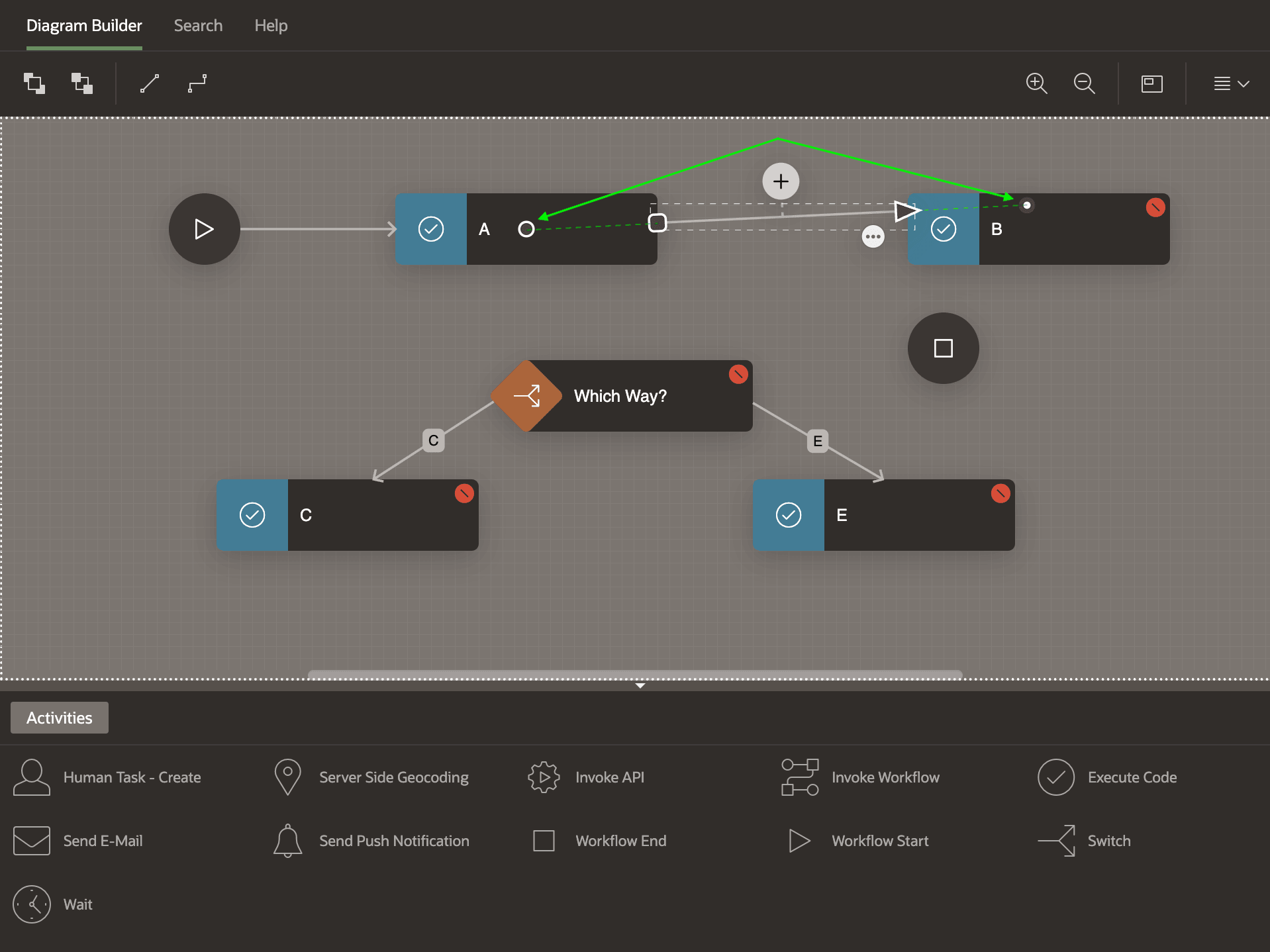
When you select a connection line, anchor dots appear inside the boundaries of the source and target activities as shown below. The anchor dots determine the slope of the connection line between source and target. To help your eye see this concept, the figure below includes additional dotted line segments. Notice in the other connection lines that only the segment from the edge of the source activity to the edge of the target one is actually visible.
Figure 25-5 Connection Anchor Dots Determine Line Slope
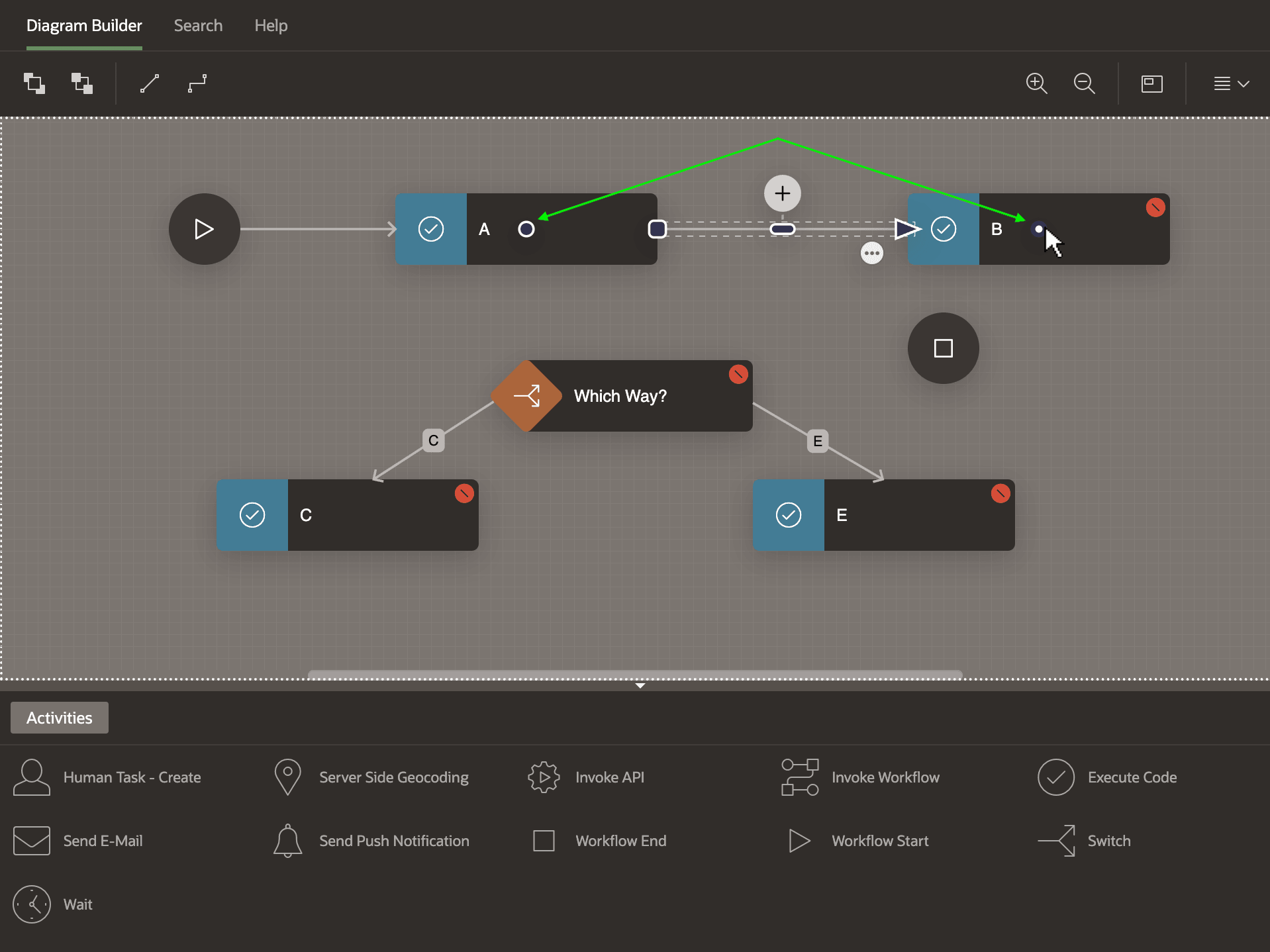
You can move the anchor dot in the source or target activity anywhere within the boundary of the respective shape. For example, as shown below, by moving the anchor dot within the B activity's shape, you can change the slope of the connection line to be horizontal. Also notice the grab handle appears on the now-horizontal line.
Figure 25-6 Reposition Anchor Dots in Source or Target Activities to Change Slope
Parent topic: Connecting and Routing Activities