12.5 Generating Text to Save Users Time
Generate text drafts from application data so users can review, refine, and finish faster.
Use a Generate Text with AI dynamic action, page process, or workflow activity when your app needs to draft, rewrite, summarize, classify, or explain text for a user. For example, a clinic app might draft discharge instructions for a patient from selected recommendations, or a sales app might summarize recent customer activity before a call.
Choose an AI Agent when the request benefits from permitted application data or actions exposed through Tools. You can also use a Generative AI Service directly when a fixed prompt is enough.
To perform AI text
generation in custom code, use the GENERATE() function in the
APEX_AI package.
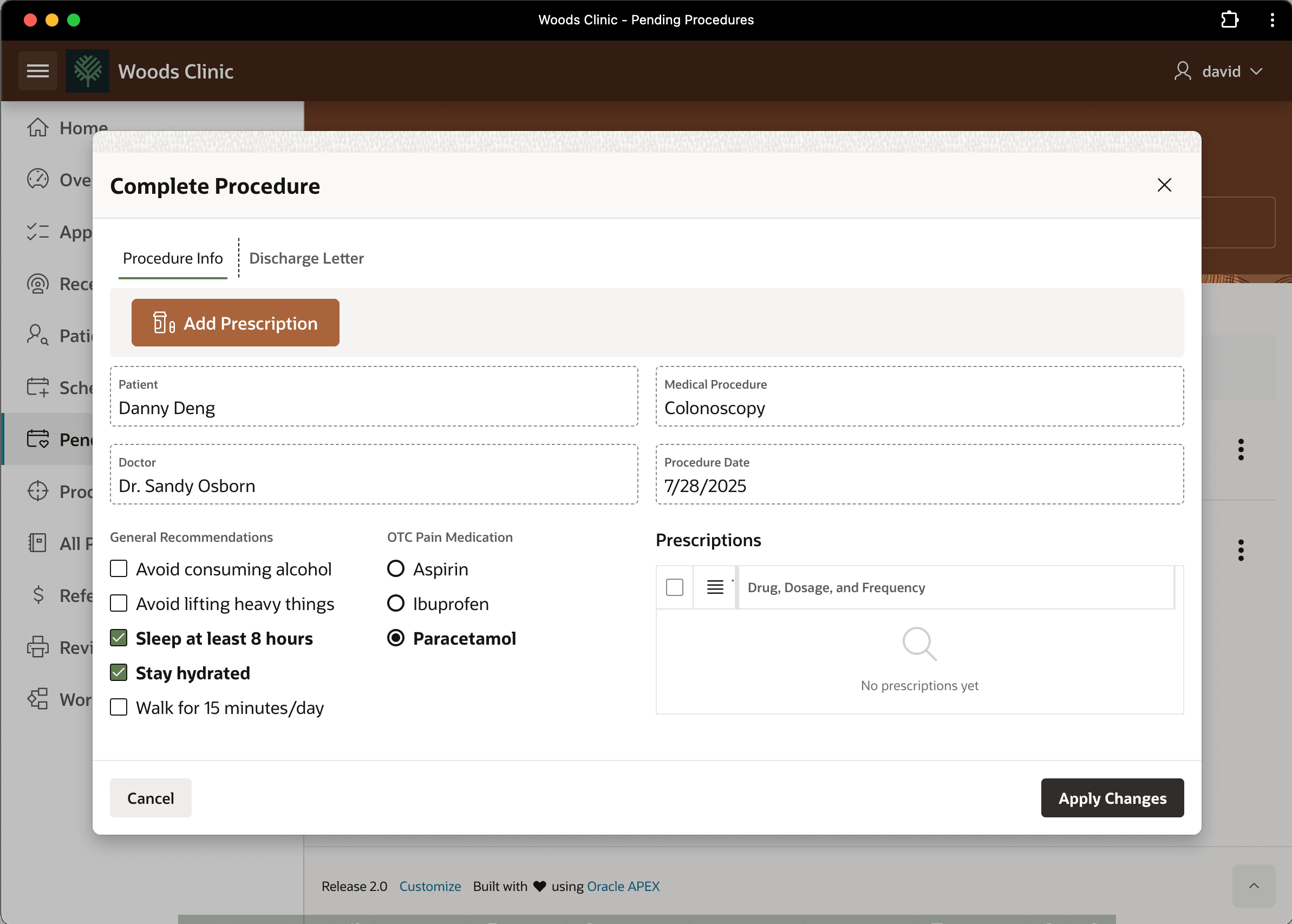
For example, when discharging a patient, Woods Clinic staff members fill out the Complete Procedure form shown below. It lists common recommentations that doctors suggest to help patients recover more quickly after a medical procedure. It also lets staff indicate over the counter pain medication and enter any medications the physician has prescribed.
Figure 12-19 Entering Patient Discharge Instructions
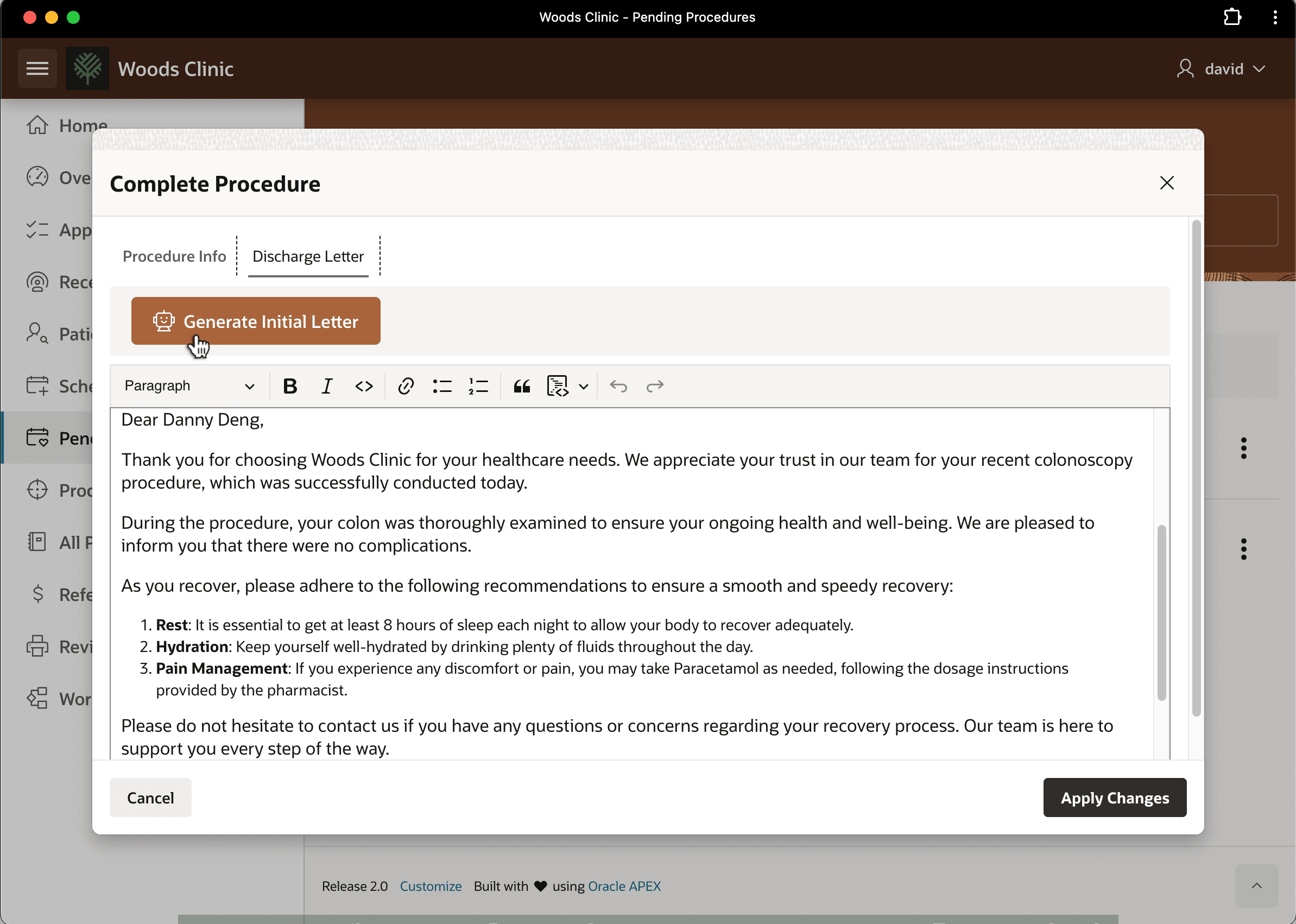
On the Discharge Letter tab of the same dialog, as shown below, staff can click (Generate Initial Letter) to get help writing the discharge letter with doctor's instructions and prescriptions. They give this letter to each patient before they leave the clinic to return home.
The first trigger action on the (Generate Initial
Letter) button is an Execute Server-side Code that assigns the
staff member's input into a series of application items (PATIENT,
PROCEDURE, GENERAL_RECS,
PAIN_REC, and PRESCRIPTIONS). The second one is a
Generate Text with AI associated with a Generate Discharge Letter
Draft AI Agent. It engages the agent to populate a draft discharge letter into a
Rich Text Editor page item on the page. The agent defines the following System Prompt
with template directives to conditionally populate some of the application item
values.
You are a friendly nurse at a medical clinic named "Woods Clinic".
Your task is to write a succinct letter in a professional style as
discharge instructions for a patient #PATIENT# who
underwent a #PROCEDURE# procedure at the clinic today.
Using a gender-neutral greeting, start by
thanking the patient for trusting Woods Clinic for their healthcare
needs and summarize the procedure.
{if GENERAL_RECS/} Include general recommendations like: #GENERAL_RECS#.{endif/}
{if PAIN_REC/} For any pain experienced, recommend: #PAIN_REC#.{endif/}
{if PRESCRIPTIONS/} Summarize prescribed medicines: #PRESCRIPTIONS#{endif/}
The result appears below. Woods Clinic staff members love the time it saves them from having to write the letter by hand. They can review the draft letter to make any changes, then print it to send the patient home with the instructions they need.
Figure 12-20 Preparing Discharge Letter Using AI Agent
Parent topic: Applying Artificial Intelligence