15.1.3 Identifying Address Text Fields
Associate a Geocoded Address page item with one or more related fields that display the address as text.
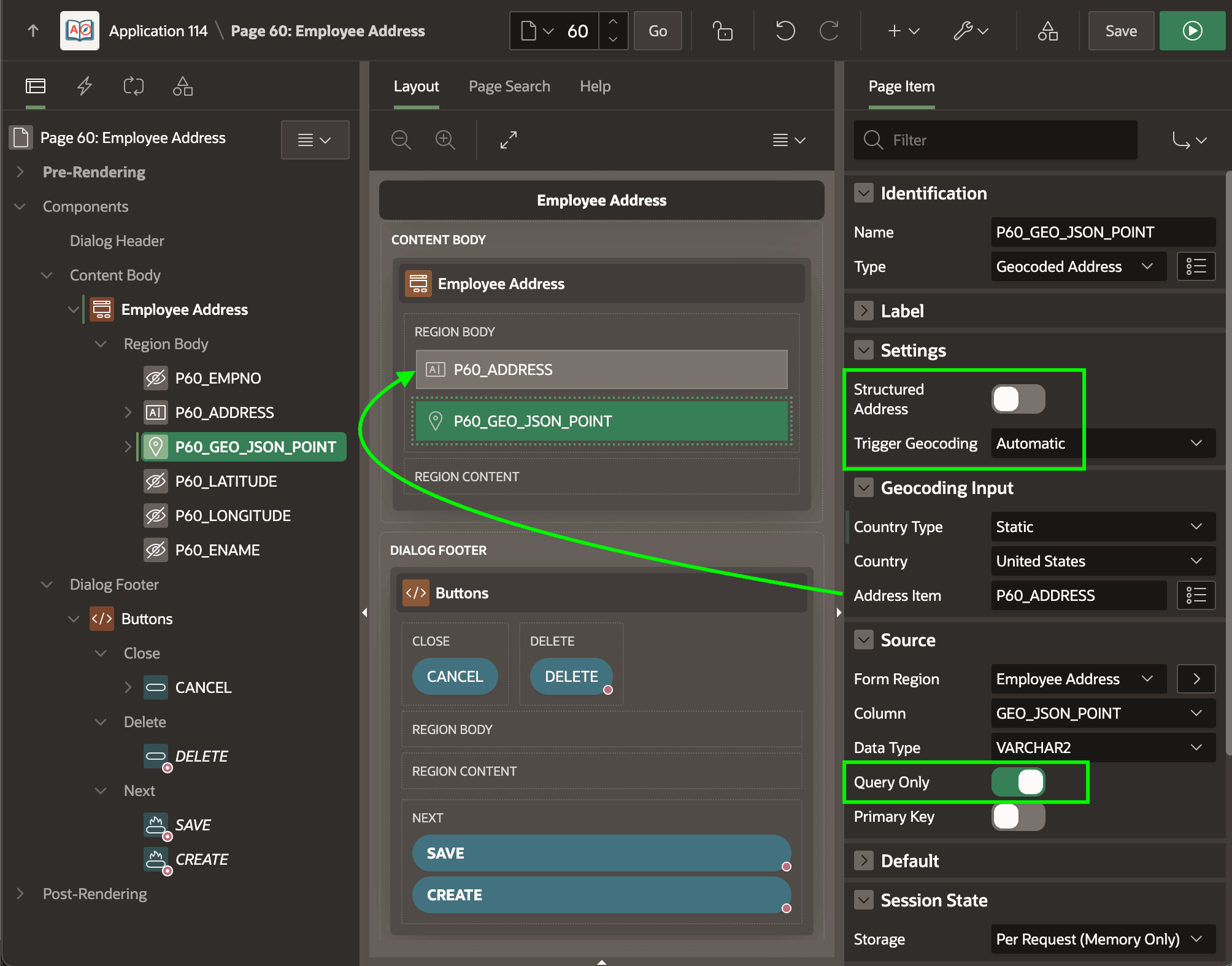
P60_ADDRESS shown below does the
job. It's where the user can type a value
like:3130 Pacific Ave, San Francisco, CAAlternatively, use separate page items to handle each part of a structured address. By default, the Trigger Geocoding is set to Automatic. This means the item preempts the page submit to get user confirmation of a modified address. The Oracle-managed geolocation service requires the context of the country name in which to locate the address. You can select a static country value from a list, or configure a Country page item to let the end user decide.
Figure 15-1 Configuring Geocoded Address Page Item
Parent topic: Geocoding with User Confirmation