2.4 Importing Data from a File
The APEX Builder's Data Workshop lets you easily import data from Excel spreadsheets or files in JSON, XML, or Comma-Separated Values (CSV) format.
Many enterprise applications start small by importing existing data from an Excel spreadsheet. Migrating the data from a file to a central database ensures a single source of truth that all users can see simultaneously and modify where allowed. You can load data from a file on your computer, or one that resides in the cloud using an object bucket in Oracle Cloud Infrastructure (OCI).
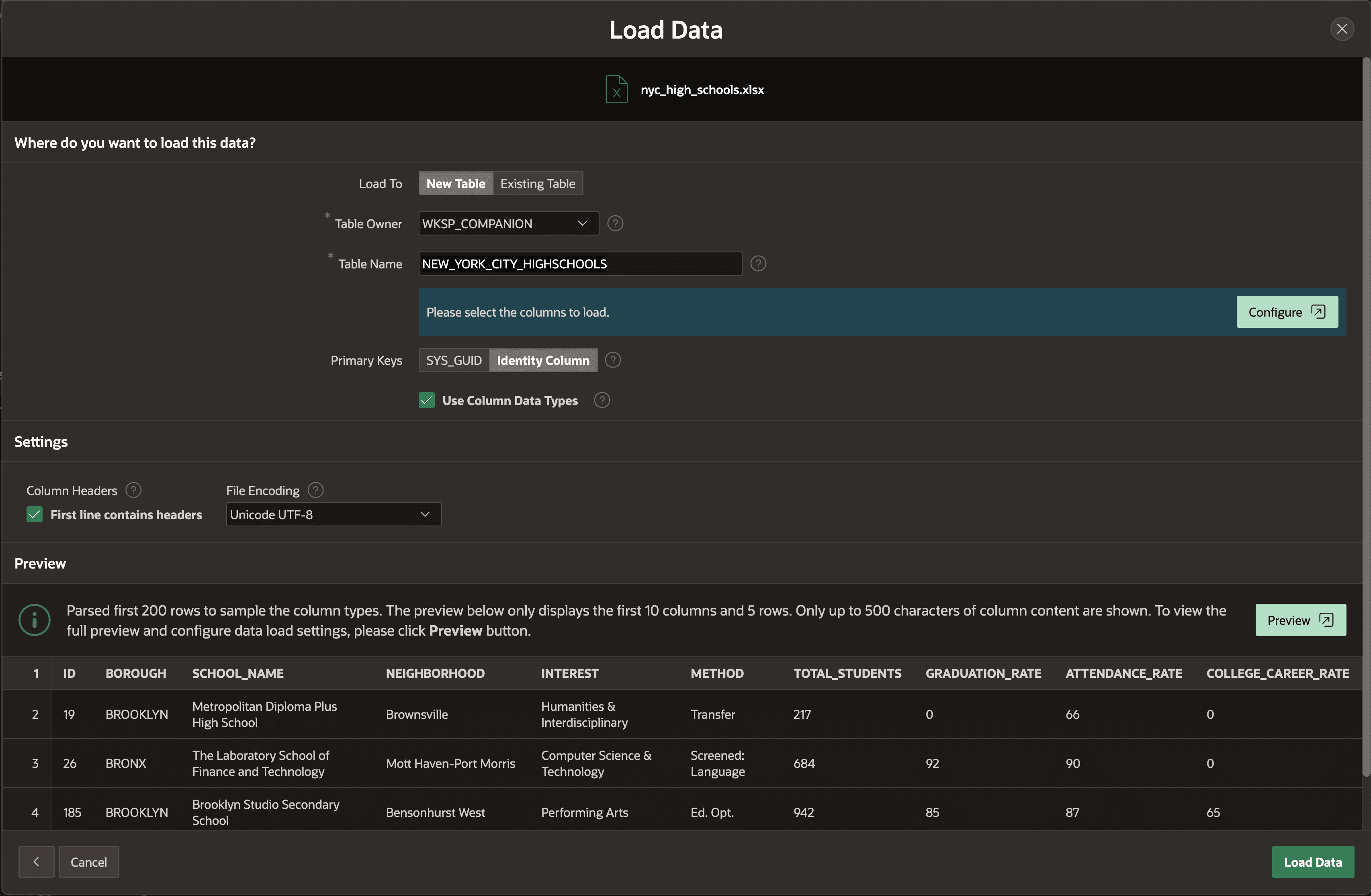
Data Workshop parses the file to be loaded and automatically infers appropriate data types for the columns it identifies. You can load selected columns into an existing table, or into a new table Data Workshop creates. The figure shows loading a spreadsheet with data about New York City public high schools into a new table. The Load Data wizard previews the file's data and lets you configure which columns to load.
Figure 2-7 Loading an Excel Spreadsheet into a New Table in Data Workshop
Related Topics
Parent topic: Working with Local Data