5.4 Info Tiles Using Cards
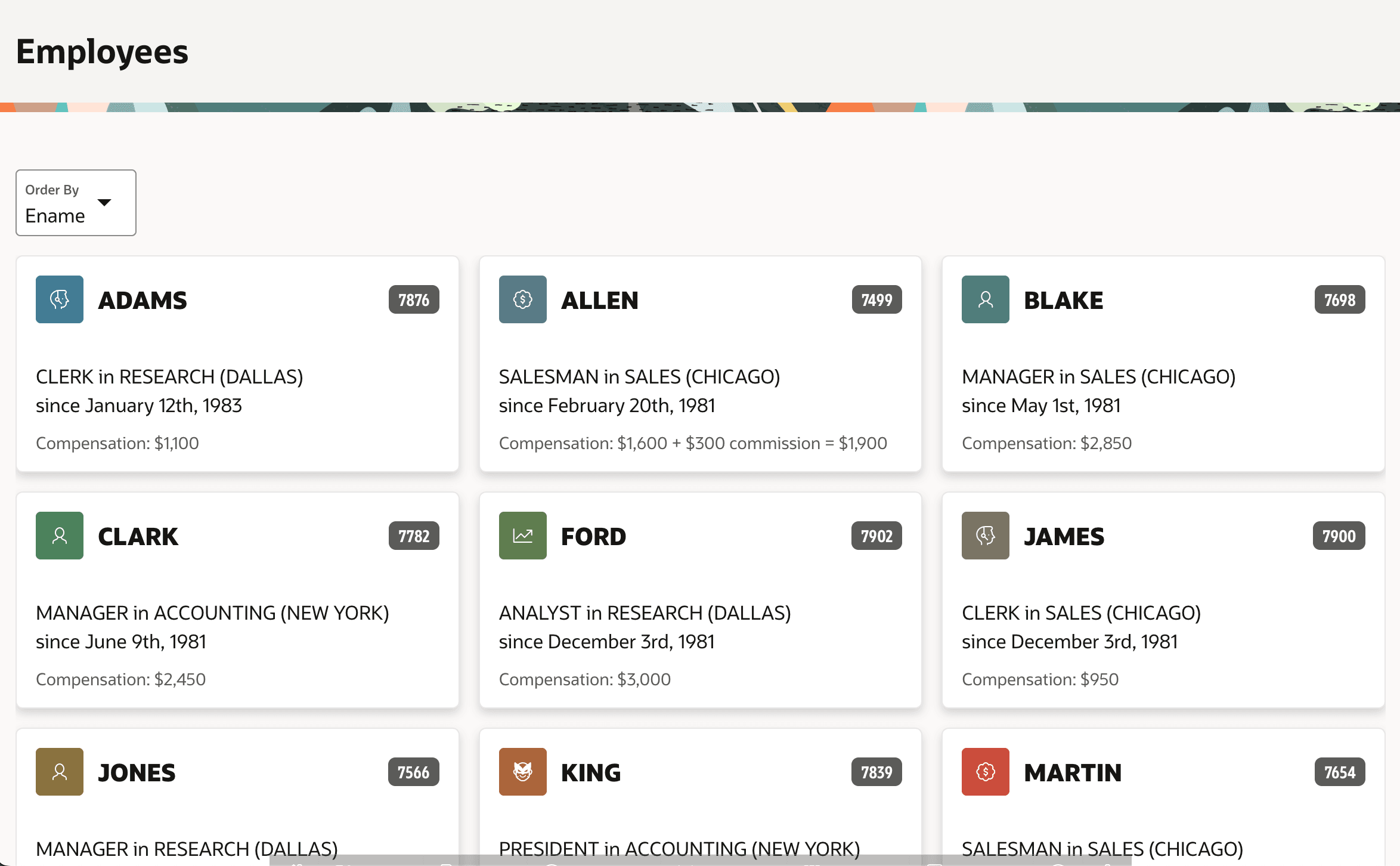
To show results as information tiles, use a Cards region.
&SOME_COLUMN_NAME. notation. The region in the
figure below uses ENAME in the Title slot,
ICON as the icon column, and in the Body
slot:&JOB. in &DNAME. (&LOC.)<br>
since &HIREDATE.Compensation: &SAL. {if COMM/} + &COMM. commission = &TOTAL_COMP.{endif/}You can define actions to trigger when the user clicks on the full card, on title or subtitle, or to appear as buttons on each card to let end users take actions on any row. Due to the conditional formatting directive {if COMM/} above, notice that employees who have no commission get formatted differently. Format masks for the SAL, COMM, TOTAL_COMP, and HIREDATE columns in the region's query are configured as needed in the SQL statement you write to determine the cards region's data source.
Figure 5-5 Employees Shown in a Cards Region
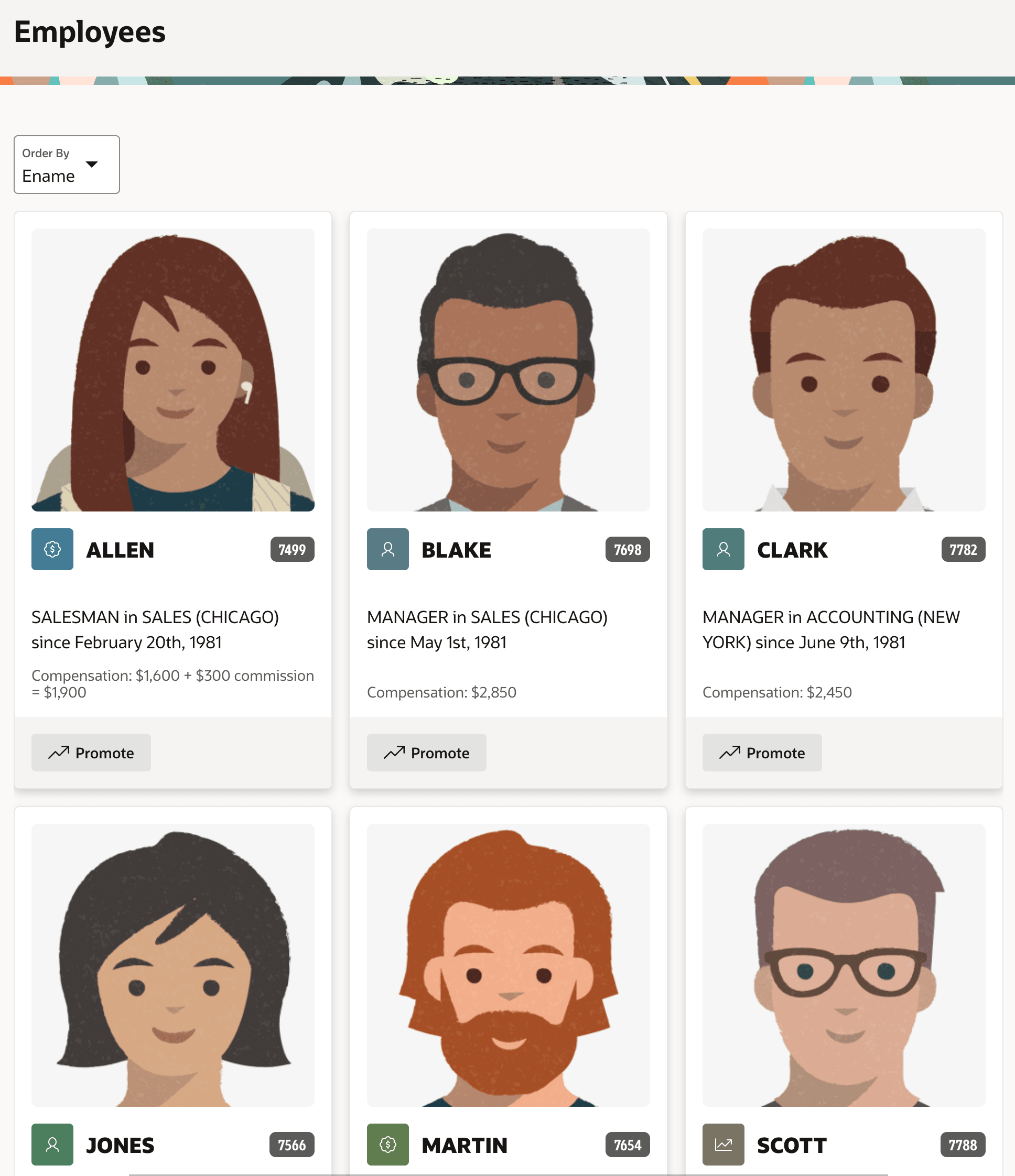
Your cards can also display images from BLOB columns or URLs,
positioned and sized in various ways to complement the other content on the card, if
any. When cards include media, actions can target a click on the image as well. If
instead you configure them as buttons, they appear at the bottom of the card. The figure
below shows results as a grid of information tiles, with a headshot image on each
employee's card. Custom formatted data appears in multiple slots, and a
Promote button shows on each tile. For more information, see
Managing Cards in Oracle APEX App Builder
User’s Guide.
Figure 5-6 Cards with Media and an Action Button Configured
Parent topic: Visualizing and Analyzing Data