5.3 Flexibly Styling and Acting on Data
The Content Row region lets you flexibly style each row of data.
For each of its different display slots, you can mix HTML tags, conditional
formatting directives, and column values, referencing even hidden ones using
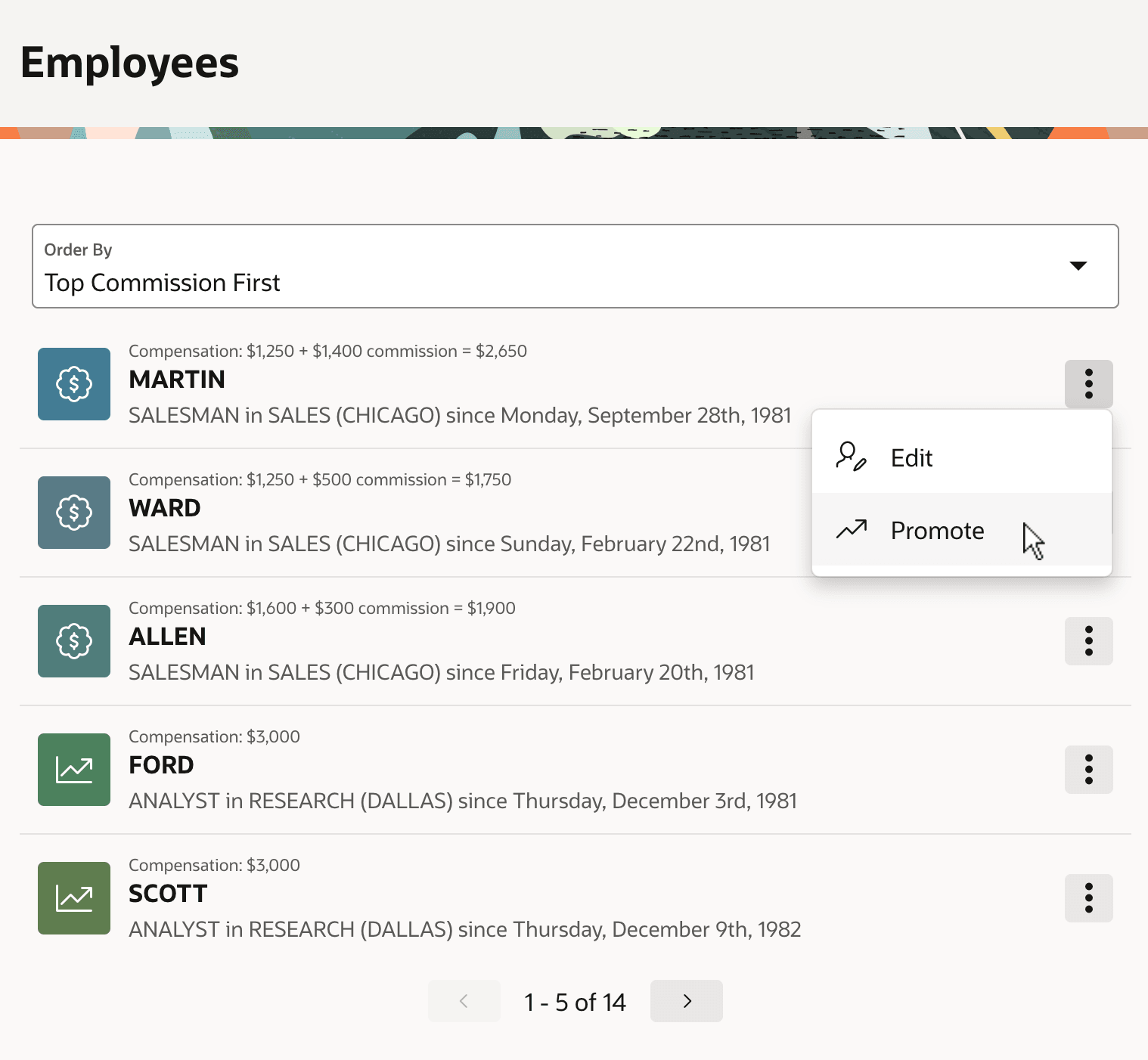
&SOME_COLUMN_NAME.. The region in the figure below
uses &ENAME. in the Title slot,
&ICON. in the Avatar Icon slot, and in
the Description slot:
&JOB. in &DNAME. (&LOC.) since &HIREDATE.
Its Overline slot contains the conditionally formatted expression:
Compensation: &SAL. {if COMM/} + &COMM. commission = &TOTAL_COMP.{endif/}
{if
                COMM/}
above, notice that employees FORD and SCOTT who have
no commission get formatted differently. Format masks for the SAL,
COMM, TOTAL_COMP, and HIREDATE
columns in the region's query are configured as needed in the column settings. In the
figure, five employees appear per page with custom formatting and row-specific
actions.
Figure 5-3 Content Row Region with Pagination and Action Menu Entries
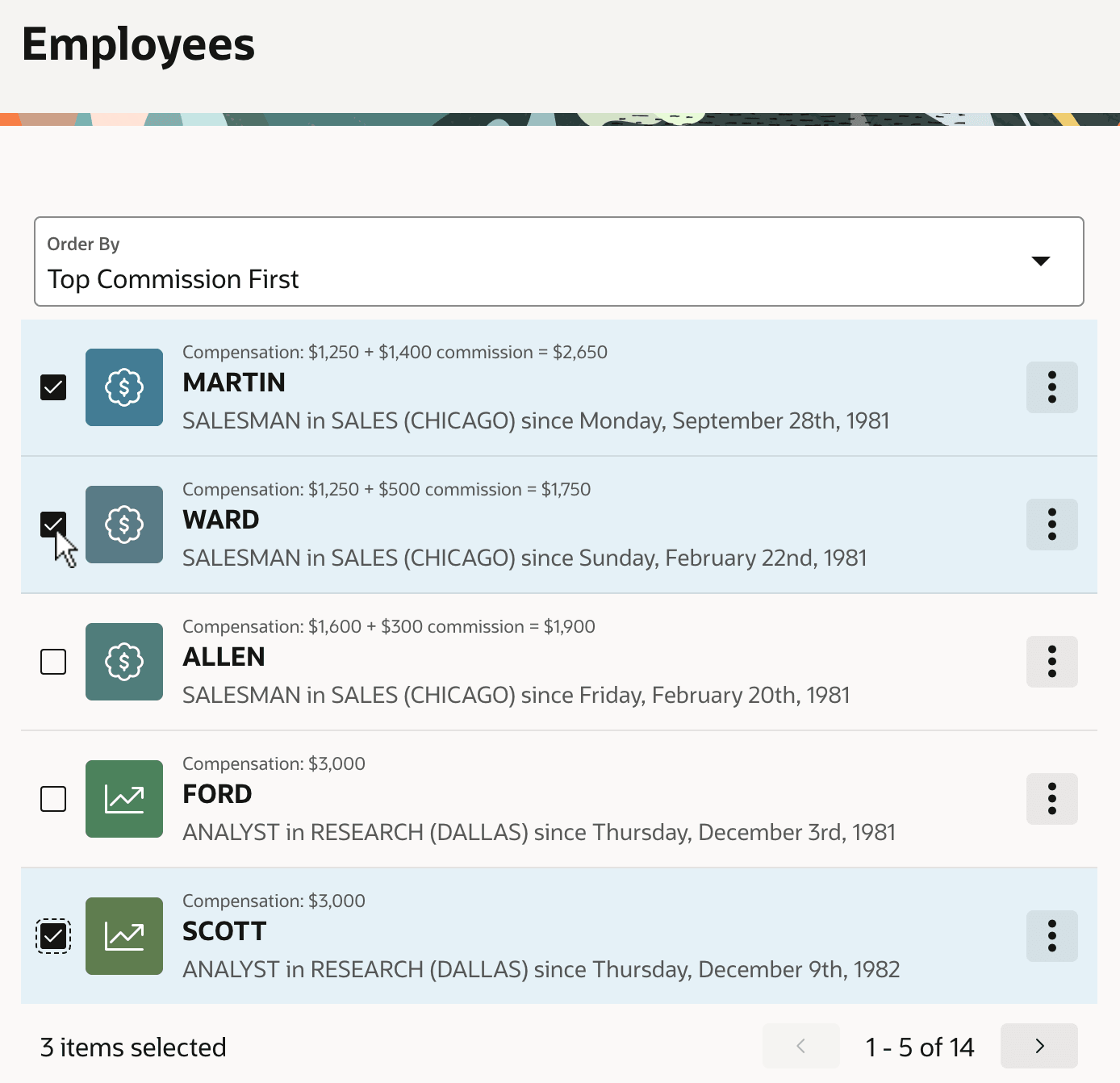
When needed, you can enable single- or multi-row selection behavior and configure a hidden page item to contain the primary keys of the selected rows. The page is also using an Order By Item to let end users choose between a number of useful sorting orders. The figure below shows the same region after enabling these features with MARTIN, WARD, and SCOTT selected. For more information, see Managing Sorting with Order By Item in Oracle APEX App Builder User’s Guide.
Figure 5-4 Content Row Configured for Multiple Row Selection
Parent topic: Visualizing and Analyzing Data