25.1.3.10 Inserting Activity Between Existing Ones
Insert an activity into an existing connection.
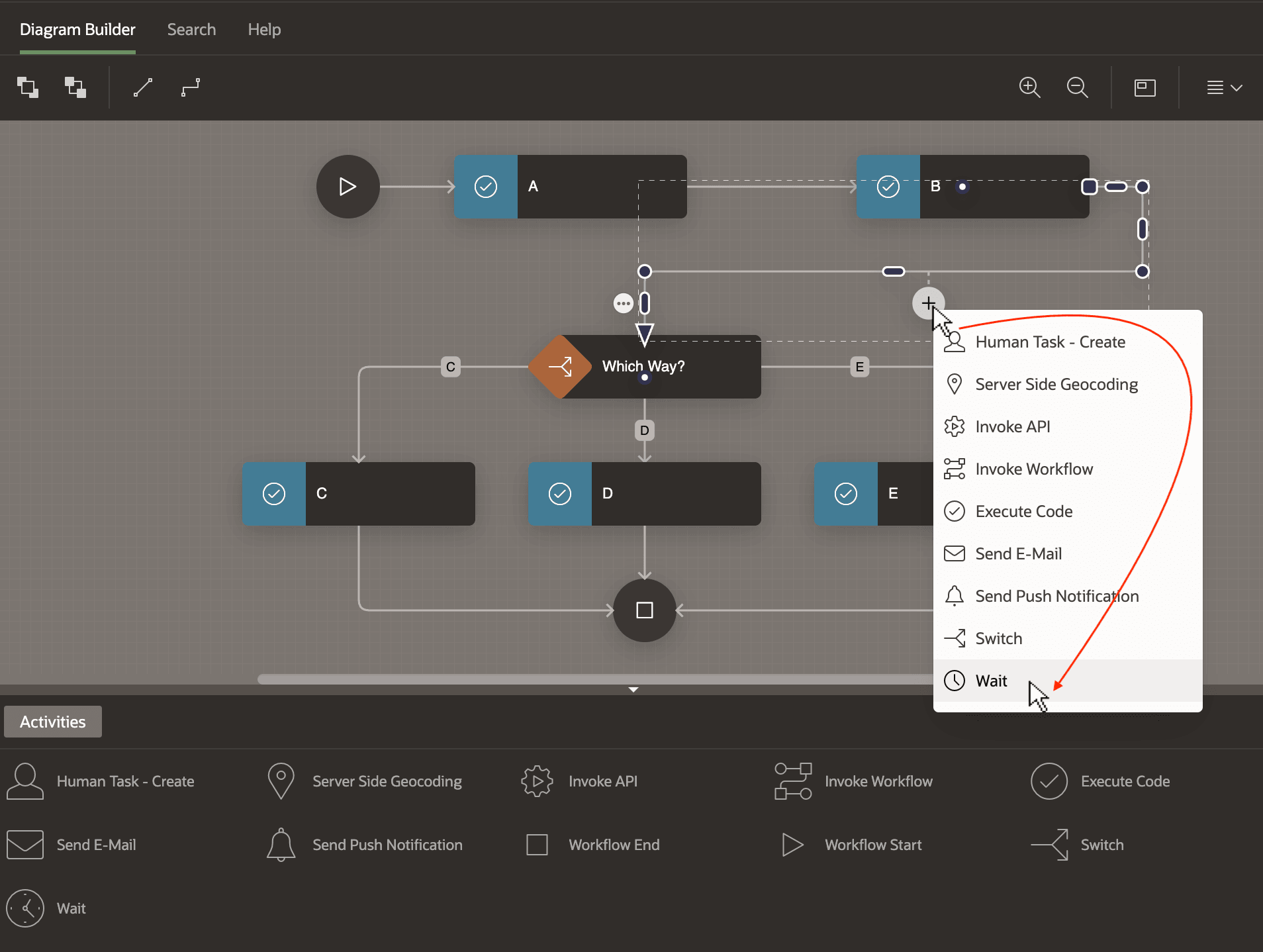
To add a new activity between two existing ones, select the connection line between them and click the plus in the middle of the line. As shown below, a context menu appears letting you choose the activity type to create.
Figure 25-15 Using Content Menu to Add a New Activity Between Existing Ones
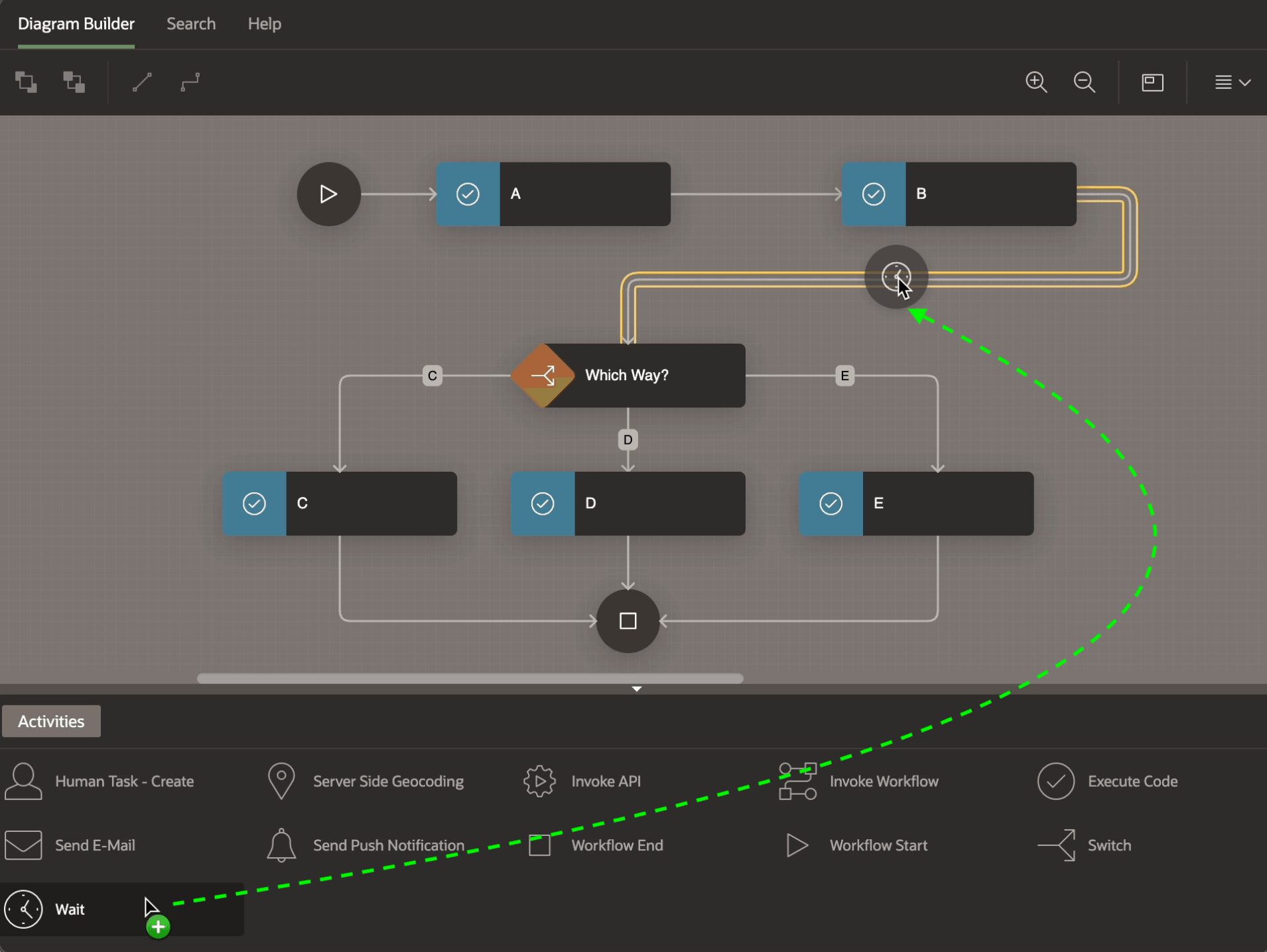
Alternatively, as shown below, you can drag an activity from the palette and drop it in the middle of the connection line between the existing activities.
Figure 25-16 Dragging and Dropping a New Activity Between Existing Ones
Parent topic: Connecting and Routing Activities