15.1.7.3.2 Inspecting Potential Stretch Targets
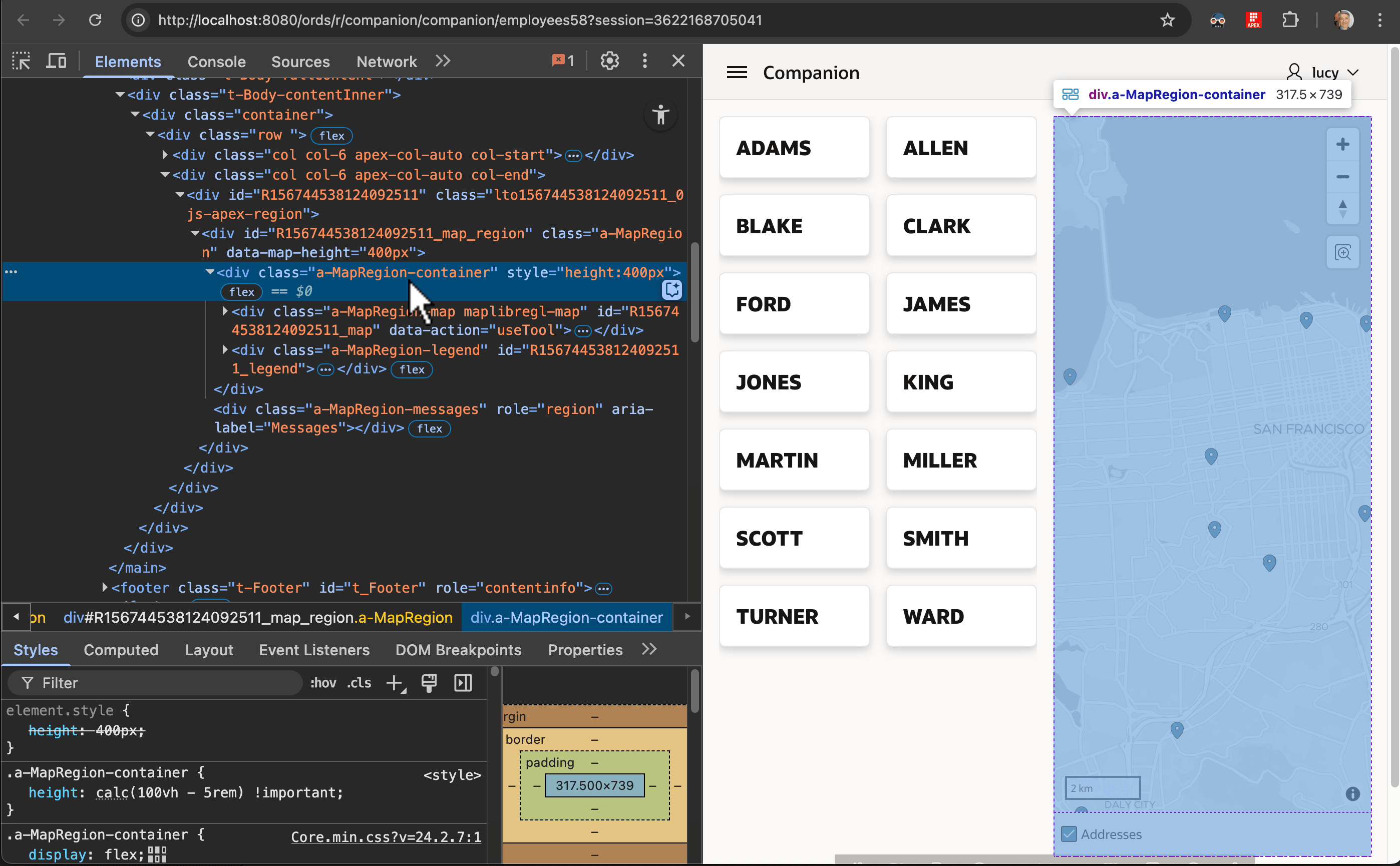
Vertical stretching requires inspecting the web page to determine an appropriate container element to target in your CSS rules.
Right click the page and choose the Inspect context menu option to activate
your browser's Developer Tools. As shown below, use the Elements tab to
identify which element sets the component's height. For example, here the map region's
<div> element with class
a-MapRegion-container explicitly sets the height to 400 pixels
(400px).
Figure 15-13 Determining the Element or Class to Target with a CSS Rule
Parent topic: Stretching to Fill Vertical Space