15.1.7.3.3 Calculating Height in Inline CSS
CSS rules can use calculated expressions.
The following CSS rule targets the a-MapRegion-container class and
uses the calc() function to set the height of elements
with that class to expression 100vh - 5rem. Notice the class name has a
dot before it in the rule. The additional !important flag causes this rule
to take precedence over any default height specification in the page. Like a
spreadsheet formula, as the user resizes the browser the CSS height
updates instantly based on the new viewport size.
.a-MapRegion-container {
   height : calc(100vh - 5rem) !important;
}
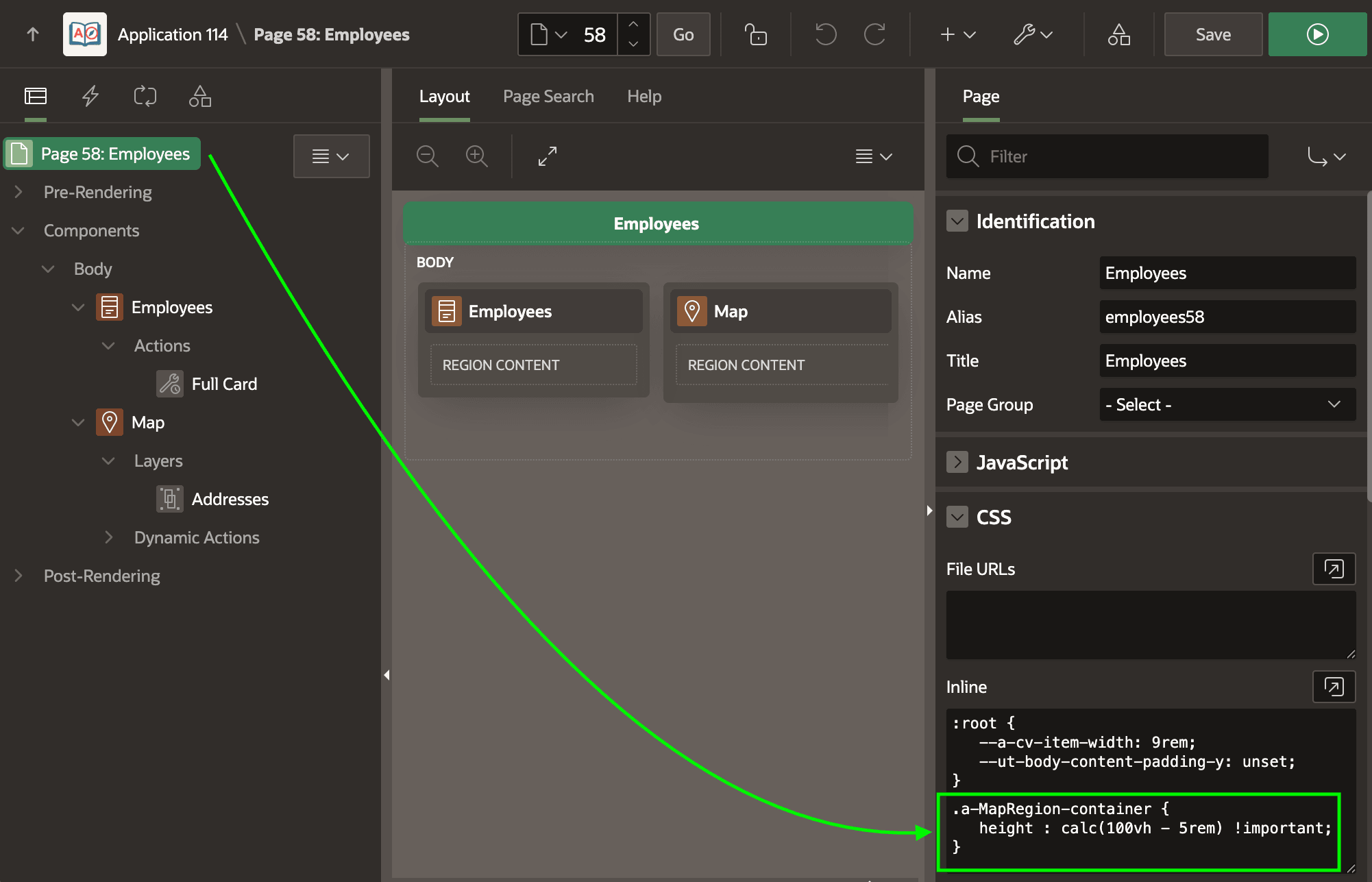
After selecting the page in the component tree, you can add this rule to the page-level CSS > Inline section as shown below.
Figure 15-14 Adding Inline CSS Rule to a Page
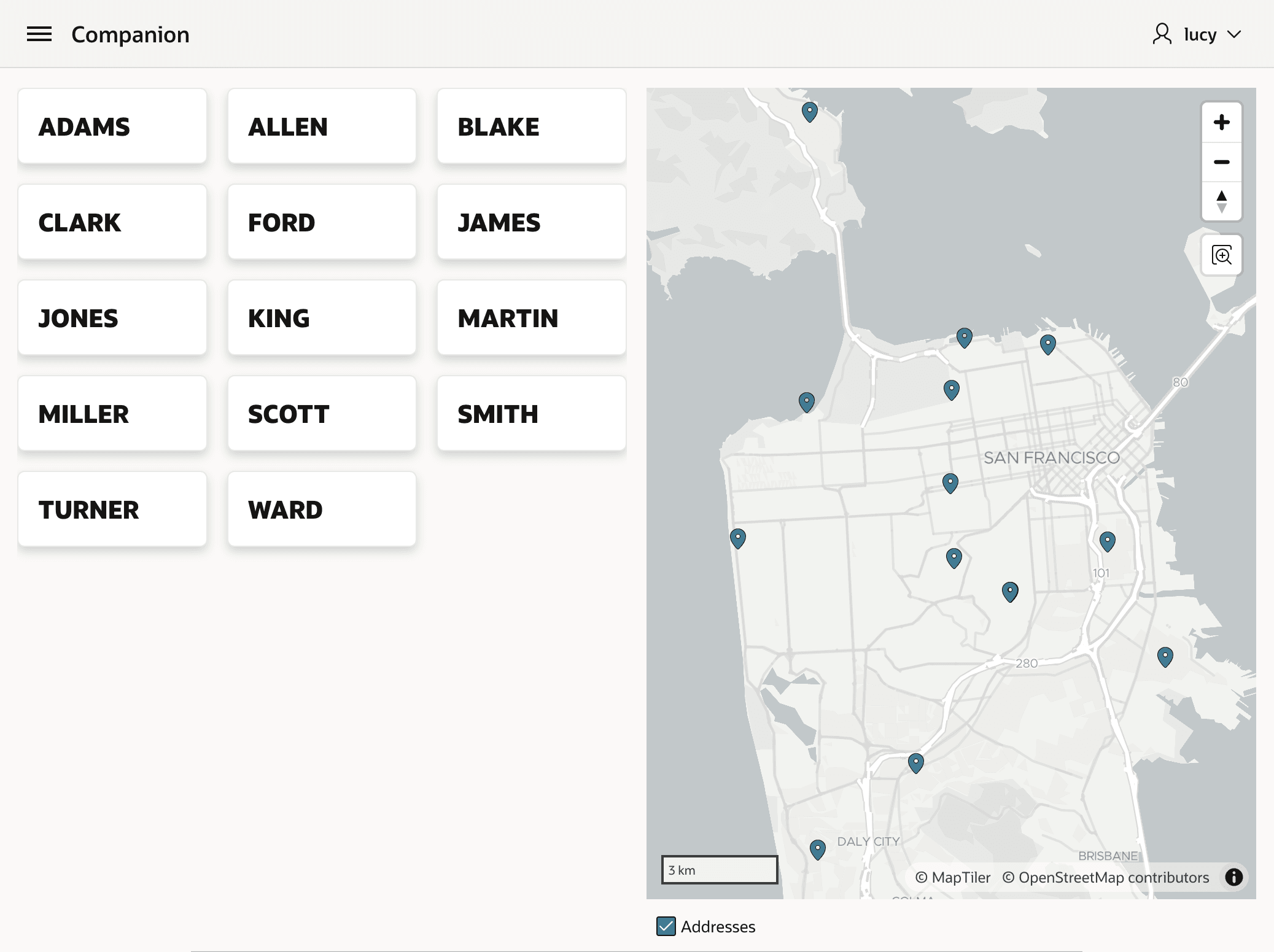
This produces the outcome below. Notice in the figure that map uses all the remaining vertical height available to give users a better view.
Figure 15-15 Vertical Stretch in Action on a Map Region in a Normal Page
Since you use the relative CSS rem units, as shown below the
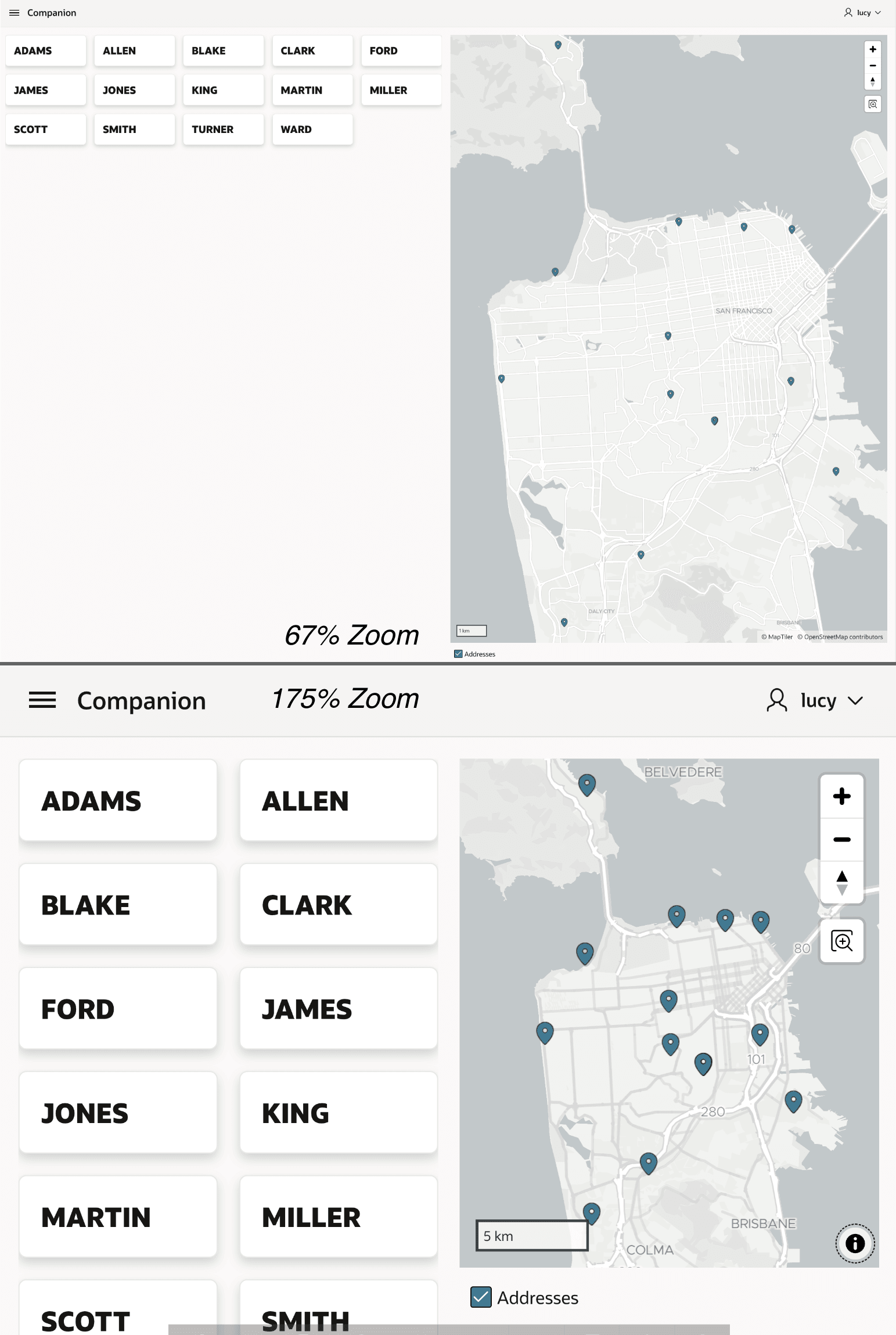
calculated expression works correctly whether the user zooms the font smaller or larger.
The figure shows two versions of the same cards and map page of employees. The first is
zoomed to 67% and the map uses all the remaining vertical space as expected. The second is
zoomed to 175% and the map has adjusted appropriately in that case as well.
Figure 15-16 Relative CSS rem Unit Works Correctly at Any Zoom Percent
Parent topic: Stretching to Fill Vertical Space