15.1.7.3.4 Applying Vertical Stretch in a Dialog
Use CSS to stretch a component vertically in a modal dialog.
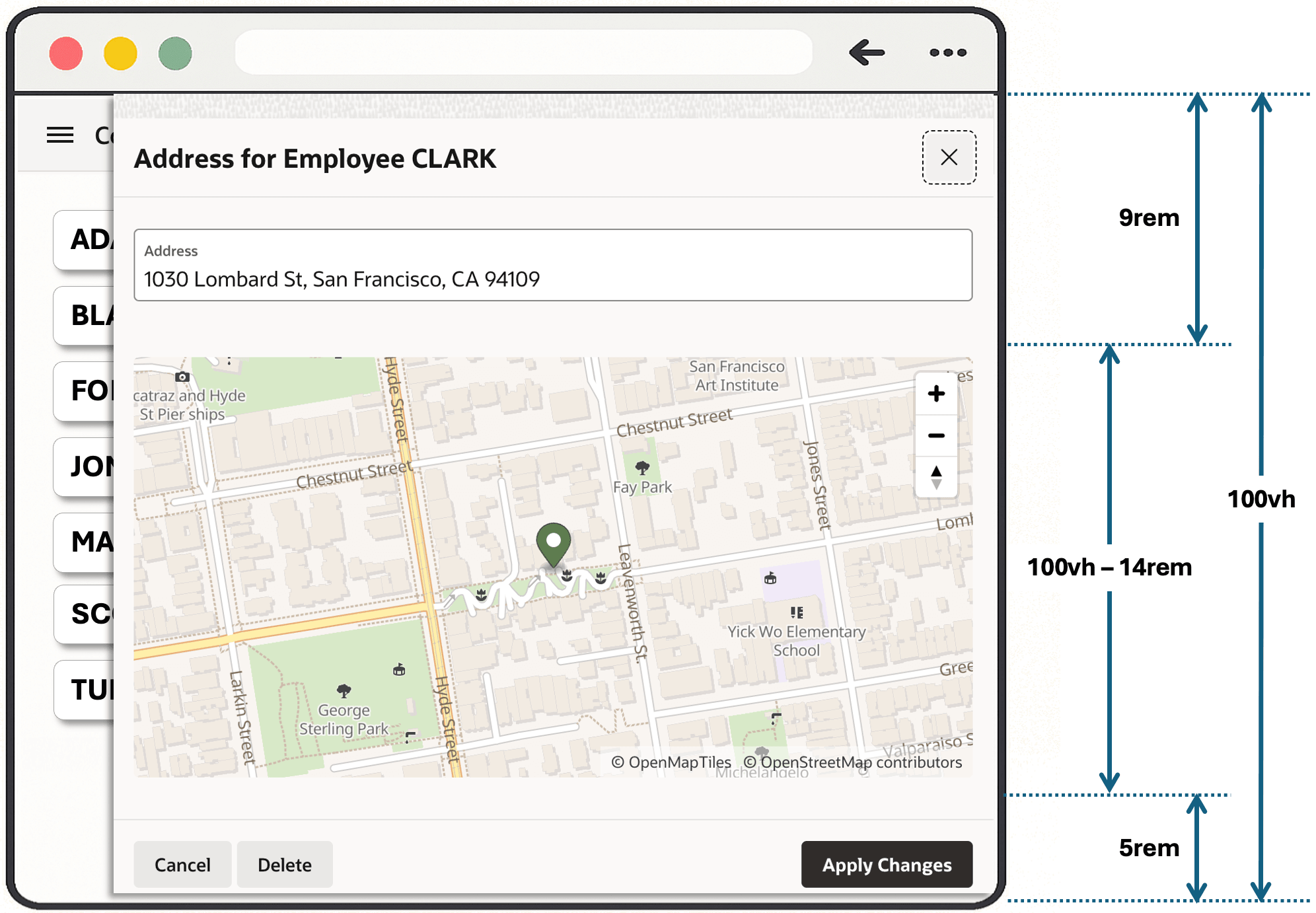
As shown below, to stretch the Geocoded Address map in the modal drawer page,
the fixed amount of page contents includes the title bar and Address field at the
top as well as the dialog footer containing the buttons at the bottom. After some
experimentation you settle on 100vh - 14rem as the expression that best
approximates the remaining vertical space. This example highlights the approach: the
actual amount to subtract for a specific dialog you build depends on your use case. The
figure illustrates the empirical heights in CSS rem units of the dialog
footer (5rem), the viewport (100vh), and the header and
other contents above the map (9rem), along with the calculated height of
the map component to stretch vertically.
Figure 15-17 Vertical Stretching May Need to Account for Fixed Content Above and Below
a-GeoCoder-map class as the one to target, so you add the following rule to the modal drawer page's CSS > Inline section:.a-GeoCoder-map {
height : calc(100vh - 14rem) !important;
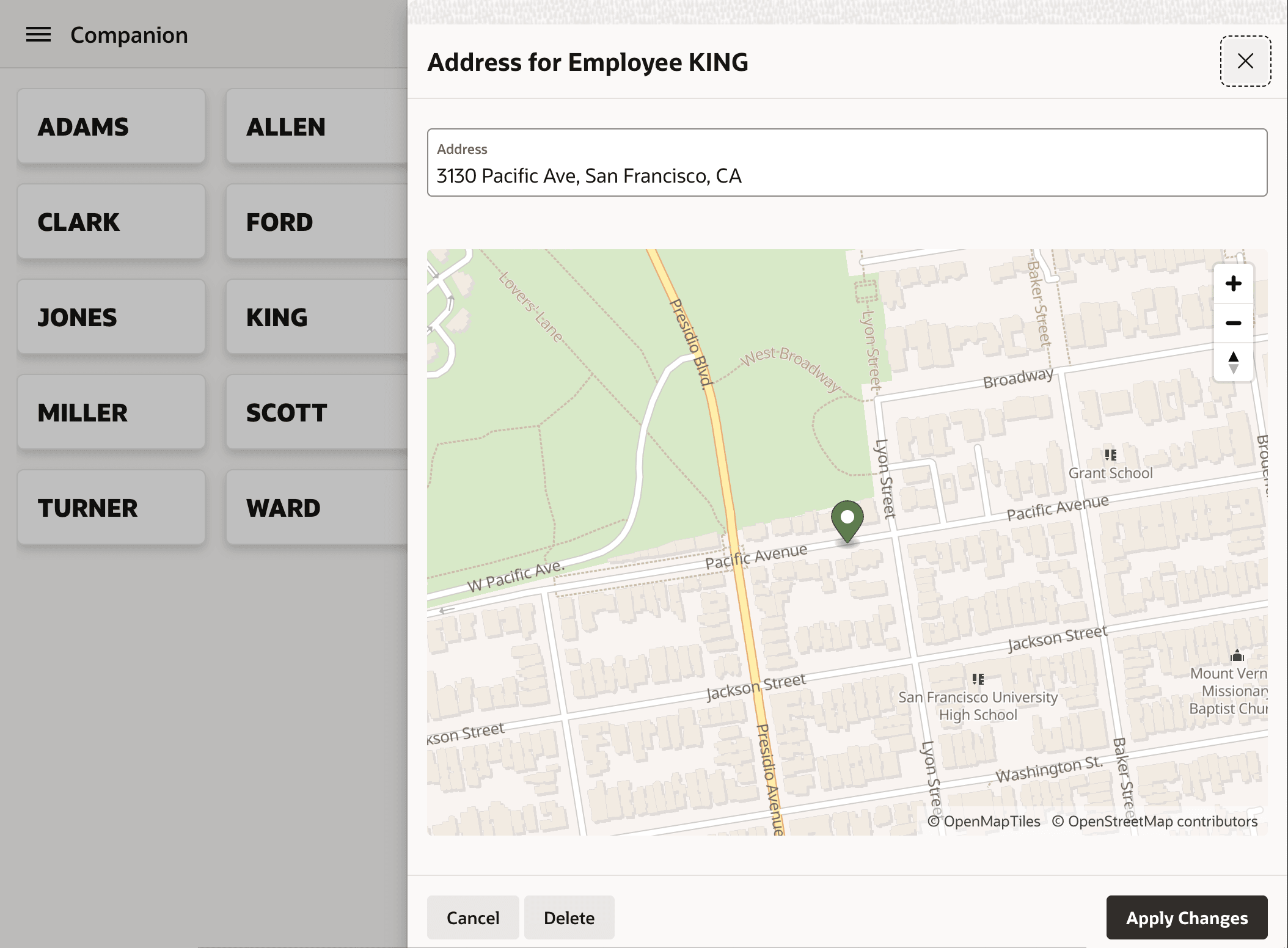
}In no time, as shown below, your modal dialog's Geocoded Address map is now also efficiently using the remaining vertical space. The figure shows the Geocoded Address map occupying the entire space below the Address text field and above the dialog footer.
Figure 15-18 Vertical Stretch in Action in a Model Drawer for a Geocoded Address Map
Parent topic: Stretching to Fill Vertical Space