13.4 Invoking a REST Operation Declaratively
Use the Invoke API page process to call a REST Data Source operation with no code.
As shown below, set the API Type to REST Source, pick a REST Data Source, and choose an operation. Then configure parameter values to provide input values or map output values to page items. Your workflows can do the same with the Invoke API activity configuring parameters using workflow variables.
As shown below, the Onboard New Employee page process type is Invoke API. It is configured to invoke the Onboard New Employee operation of the Employee Onboarding REST Data Source.
Figure 13-19 Calling a REST Data Source Operation with Invoke API Page Process
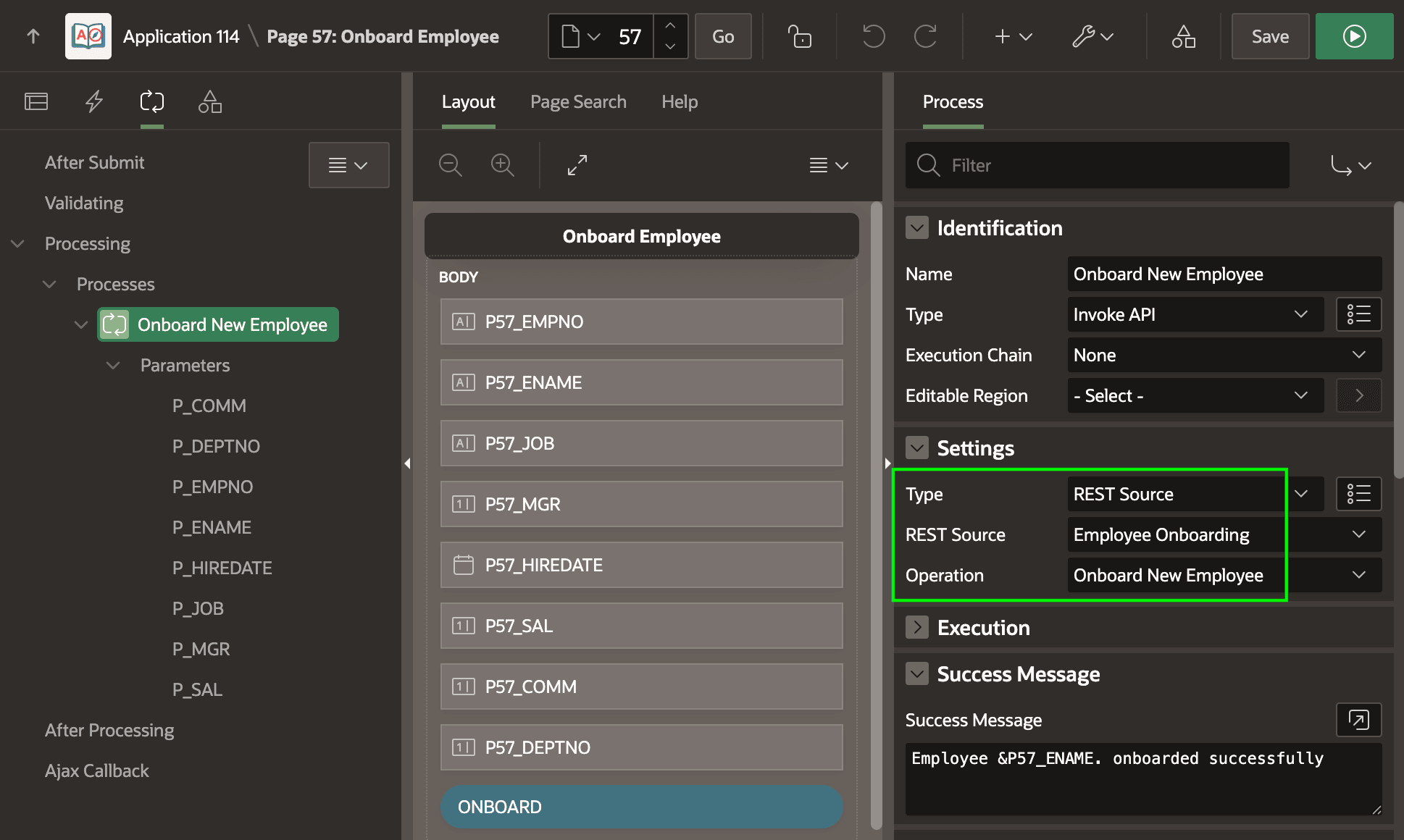
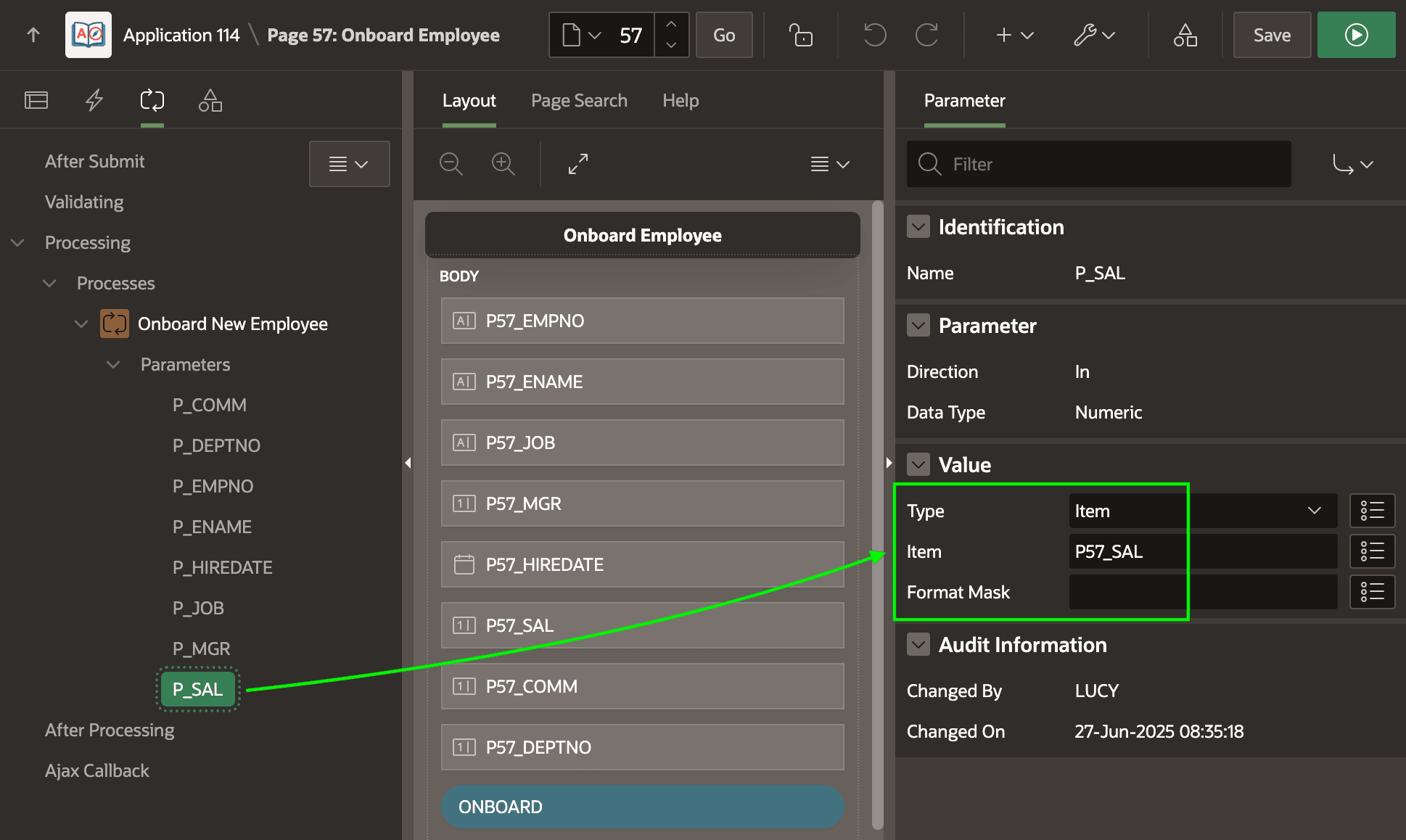
Indented below the Onboard New Employee page process, notice the Parameters heading. Each updatable operation parameter appears there. As shown below, you can source the value of a parameter like P_SAL from a page item like P57_SAL.
Figure 13-20 Configuring REST Data Source Parameter Using a Page Item
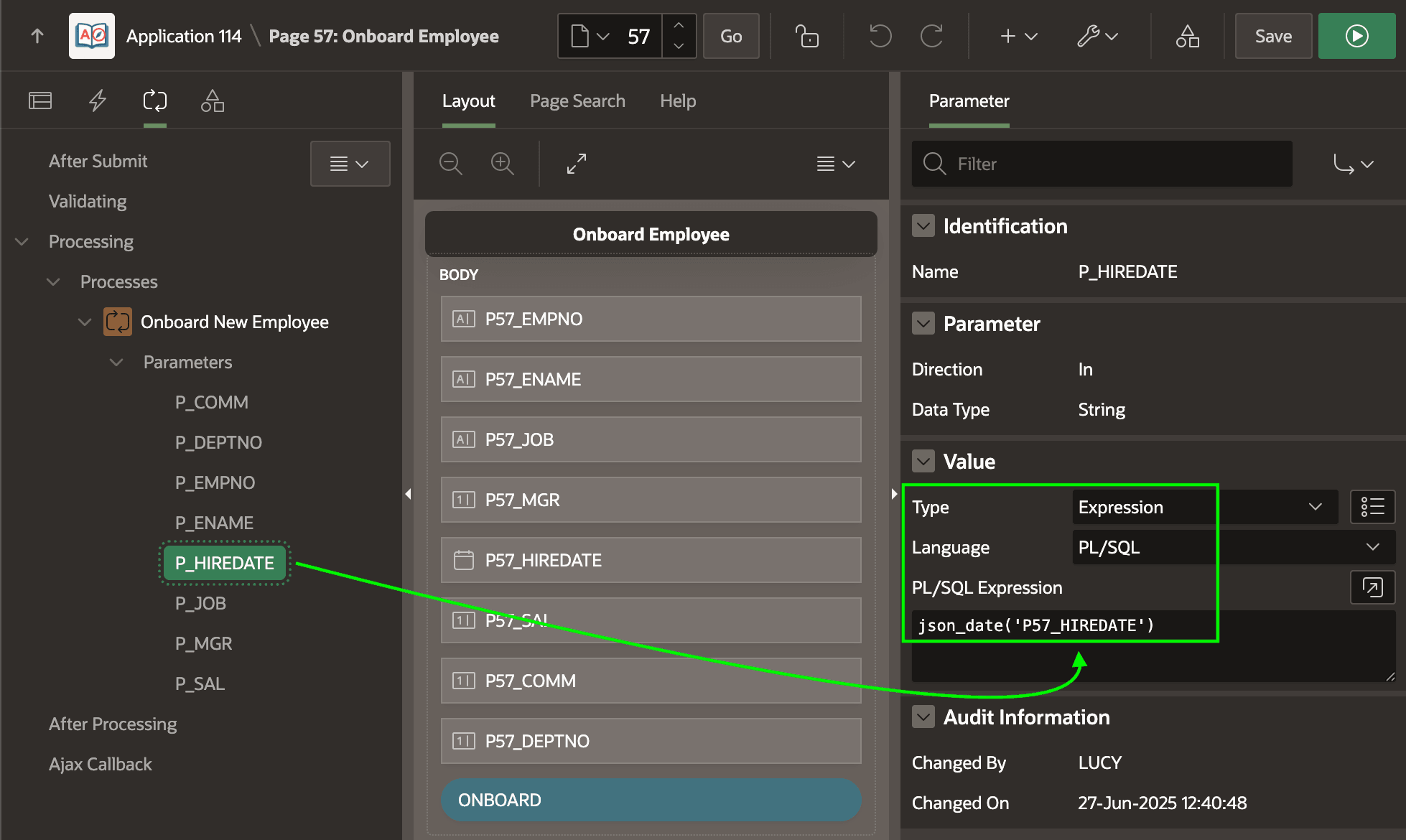
When useful, as shown below you can also provide a parameter's value using an expression. For example, as shown below the value of the P_HIREDATE parameter is the result of calling an application-specific helper function json_date(). It accepts the name of a page item or workflow version variable and returns a date value for substitution into a JSON payload. Its result is the unquoted four characters null if the item's value is null or the double-quoted date in the ISO 8601 format. Many REST APIs expect their date values in this standard 2025-06-28T13:25:32Z format.
Figure 13-21 Configuring Invoke API Page Process Parameters
json_date() helper function looks like this:create or replace function json_date(
p_item in varchar2)
return varchar2
is
l_value varchar2(255) := apex_session_state.get_timestamp(p_item);
begin
return case
when l_value is null then 'null'
else
apex_string.format(
'"%s"',
to_char(
apex_session_state.get_timestamp(p_item),
apex_json.c_date_iso8601))
end;
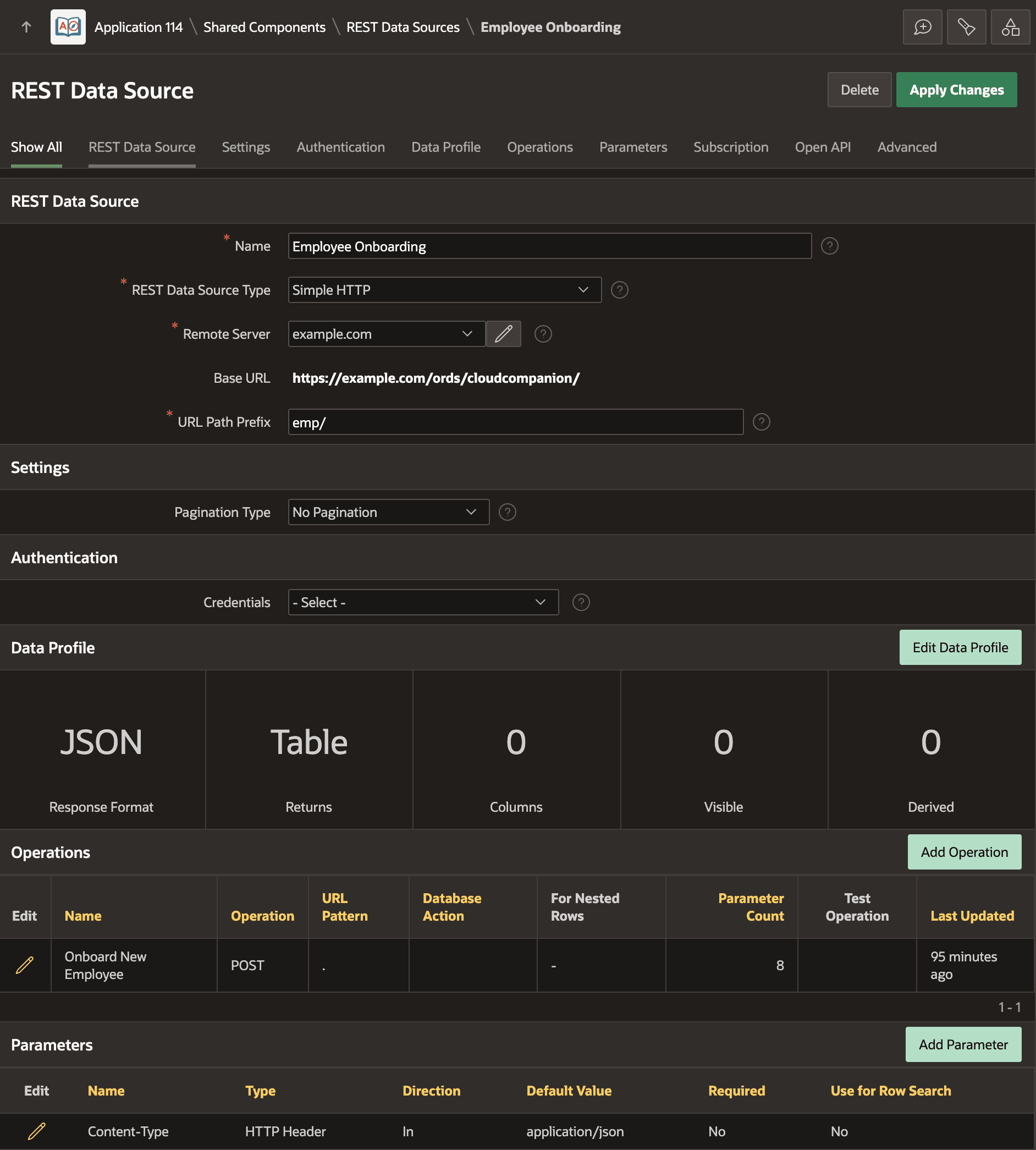
end;As shown below, the Employee Onboarding REST Data Source has just the one Onboard New Employee operation the page invokes. If a REST API you're integrating with returns no response payload, or you have no need to reference values from it, then no Data Profile is needed. Notice that this REST Data Source has zero (0) Data Profile columns. It defines a single, static HTTP Header type parameter to send the Content-Type header with the value application/json.
Figure 13-22 REST Data Source with an Operation Used by Invoke API
- Each payload value is explicitly defined as a Request Body parameter, and
- Value substitutions do not automatically include double quotes.
Notice the operation parameters below corresponding to each value the Request Body Template requires.
Figure 13-23 REST Data Source Operation for Invoke API
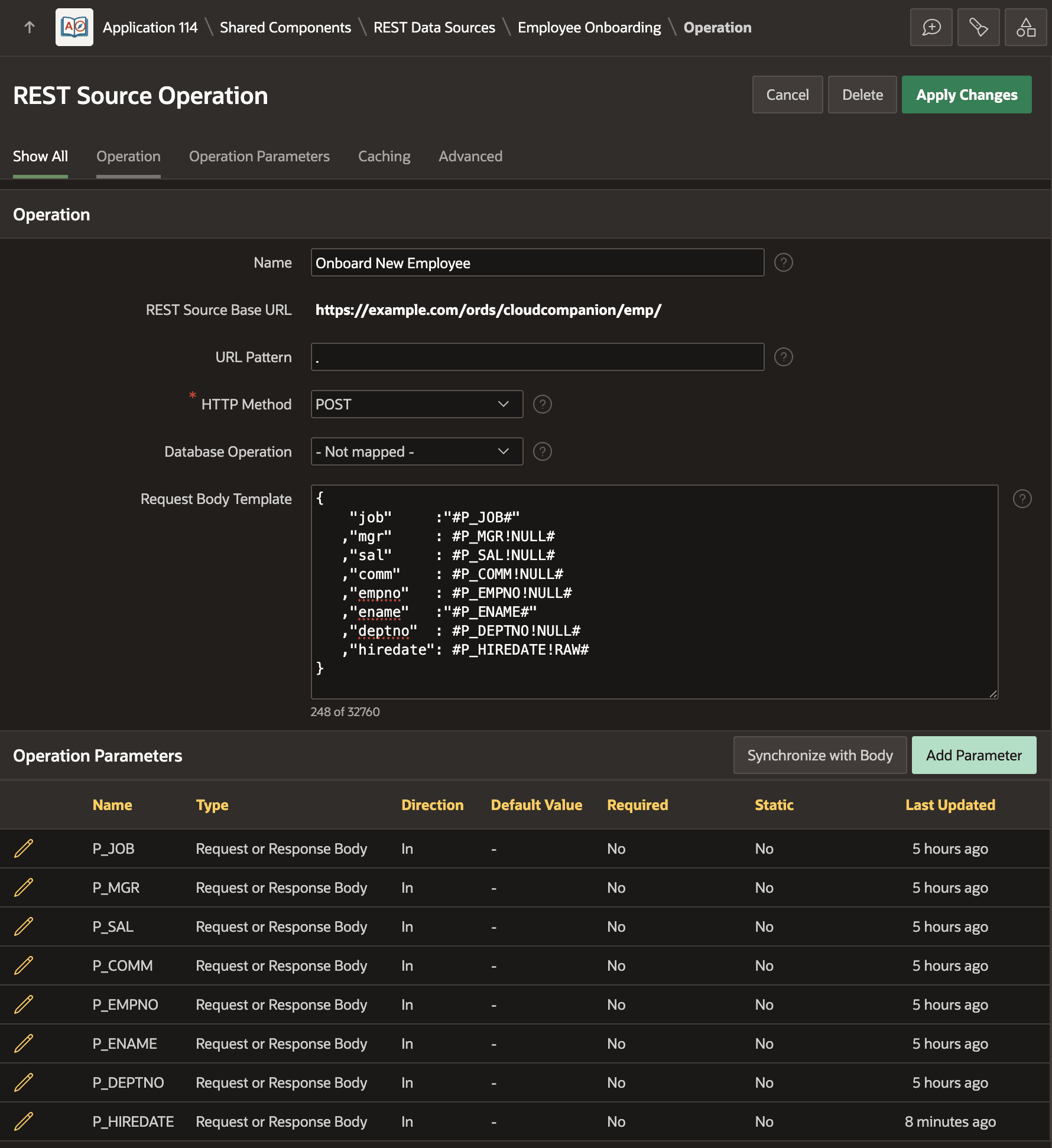
P_JOB and P_ENAME parameter
substitutions include explicit double quotes in the Request Body Template. The
page supplying the parameter values computes P_HIREDATE using the
application-specific json_date() function. That returns either the
unquoted four characters null if the date value is null or a value like
"2025-06-29T00:00:00Z" that is already double-quoted. The
!RAW modifier on the #P_HIREDATE!RAW# substitution
ensures that APEX does not perform further JSON escaping on the parameter value when building
the payload at runtime.{
"job" :"#P_JOB#"
,"mgr" : #P_MGR!NULL#
,"sal" : #P_SAL!NULL#
,"comm" : #P_COMM!NULL#
,"empno" : #P_EMPNO!NULL#
,"ename" :"#P_ENAME#"
,"deptno" : #P_DEPTNO!NULL#
,"hiredate": #P_HIREDATE!RAW#
}Parent topic: Integrating Remote Data