5.7.4 Joining In Additional Info Using a View
Customize additional information in a calendar using a view.
To show additional information in the calendar for each event like the name of the employee invited to the meeting, you could create an EMP_MEETINGS_V view to join the EMP_MEETINGS table with EMP to retrieve the inviting employee name and the invited employee name like this:
create or replace view emp_meetings_v as
select m.id,
       m.purpose,
       m.starts_at,
       m.ends_at,
       m.calendar_for_empno,
       cal_e.ename  as calendar_for_ename,
       m.meet_with_empno,
       meet_e.ename as meet_with_ename
  from emp_meetings m
  join emp cal_e  /* inviting emp */
    on cal_e.empno = m.calendar_for_empno
  join emp meet_e /* invited emp  */
    on meet_e.empno = m.meet_with_empno
You could then change the region to be based on the SQL Query below that selects from
this new view. It uses a CASE expression as part of a FORMATTED_TITLE column
to show either the MEET_WITH_ENAME or the CALENDAR_FOR_ENAME
value, depending on the value of the P19_CALENDAR_FOR page item.
select id,
       purpose||' with '||
          case to_number(:P19_CALENDAR_FOR)
             when calendar_for_empno then meet_with_ename
             else calendar_for_ename
          end as formatted_title,
       starts_at,
       ends_at
  from emp_meetings_v
where calendar_for_empno = :P19_CALENDAR_FOR
   or meet_with_empno    = :P19_CALENDAR_FOR
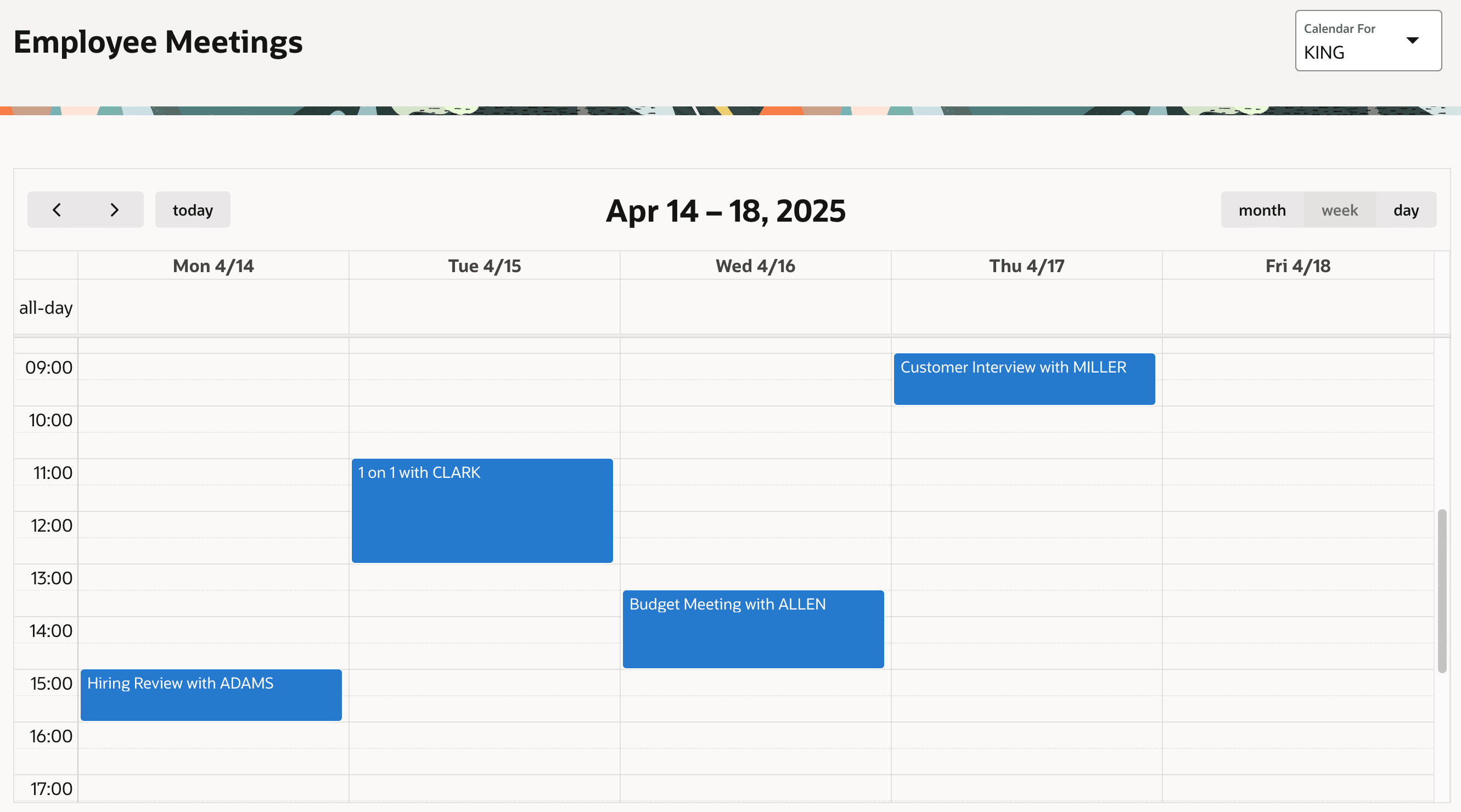
After changing the event title to use the new FORMATTED_TITLE column, the calendar looks like the figure below showing the name of the person KING is meeting with.
Figure 5-18 Events Showing Purpose and Meeting With Employee Name
Parent topic: Placing Events on a Calendar