25.3.1 Learning the Medical Procedure Lifecycle
Understand the patient procedure lifecycle tracked by the
STATUS column.
In your Woods Clinic application, once a patient's initial procedure request is approved, you track the medical procedure for the patient as a new row in the Patient Procedures table. You can see below how it fits into the application data model. The figure shows an entity relationship diagram of the business entities involved in the Woods Clinic application. This scenario focuses on the Patient Procedure. It tracks a particular Patient's visit at which a selected clinic Doctor performs a certain Medical Procedure they need. Each patient has an Insurance Provider and can make Patient Referrals to help bring in new patients. Multiple doctors might perform a given procedure, so Doctor Procedures tracks that skills matrix. Finally, a patient procedure might have one or more Invoices to bill the insurance provider and the patient who pays the uncovered amount.
Figure 25-110 Patient Procedures Table in the Woods Clinic Data Model
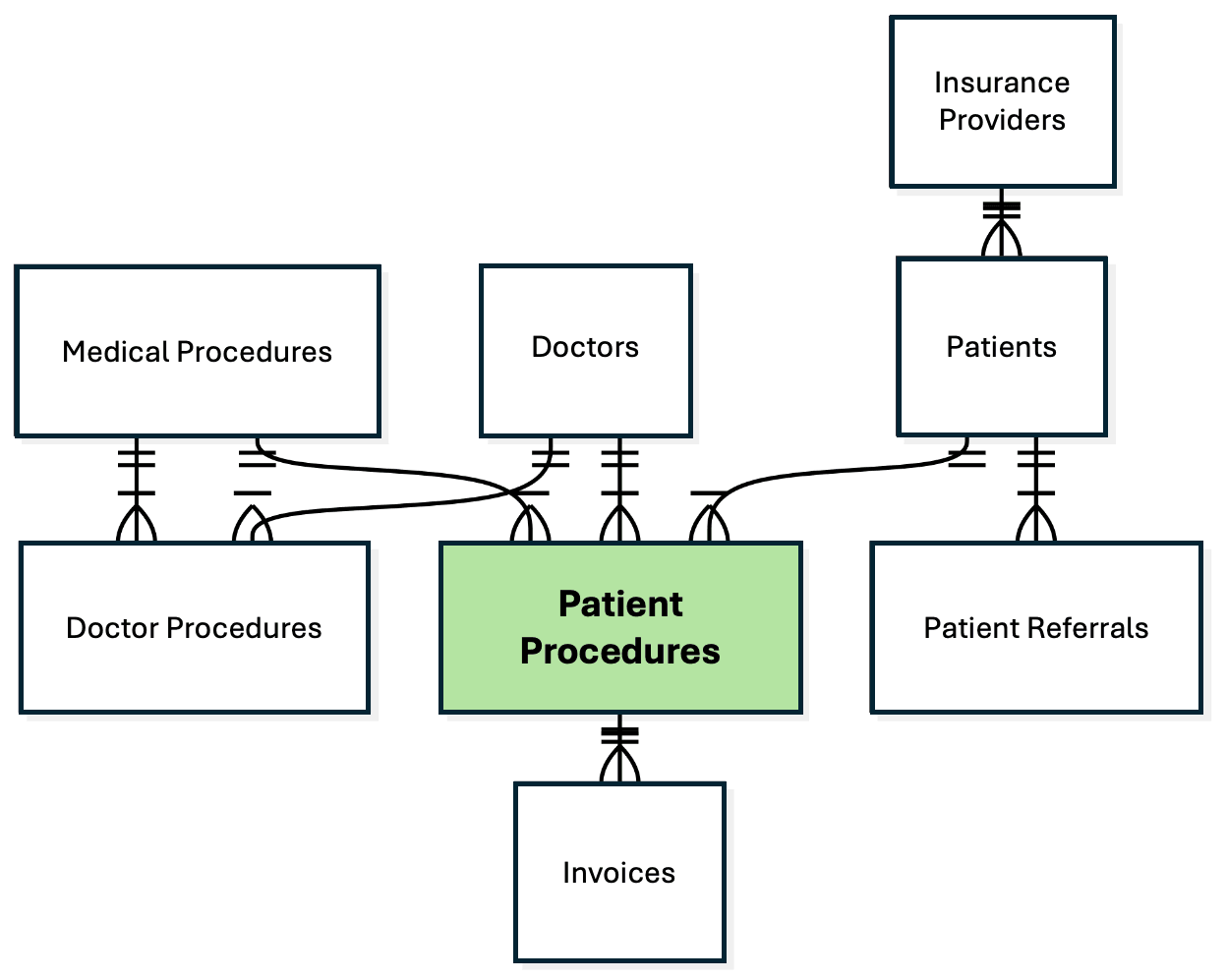
Your FRC_PATIENT_PROCEDURES table has a STATUS column whose value reflects the current status of the "Patient Procedure" business entity.
- The procedure starts out "Awaiting Schedule".
- When staff set a date, time, and doctor for the procedure, it becomes Scheduled.
- Once performed, the procedure becomes Completed
- After receiving the insurance reimbursement, the balance is Invoiced to the patient.
- As soon as the patient pays, it's finally marked Paid.
Figure 25-111 Patient's Medical Procedure Statuses Define its Lifecycle

Parent topic: Automating Business Entity Lifecycle Logic