16.5.2.1.2 Opening Dialog URL Passing Client Data
Add JavaScript helper functions that simplify opening modal dialog and drawer pages from generated URLs.
Expanding on the technique explained in Providing App-Wide Helper Functions, you can add additional ones to the application's app.js JavaScript file in Static Application Files to simplify opening modal drawer and dialog pages by URL.
P29_MODAL_PAGE_URL, as shown below a subsequent Execute JavaScript Code triggered action uses that item's value to open the drawer. It calls the app.openDrawerURL() function, passing in values for the url and title parameters by name:app.openDrawerURL({
url: $v('P29_MODAL_PAGE_URL'),
title: "Submit New Referral"
});Figure 16-45 Calling JavaScript Helper Function to Open Dialog
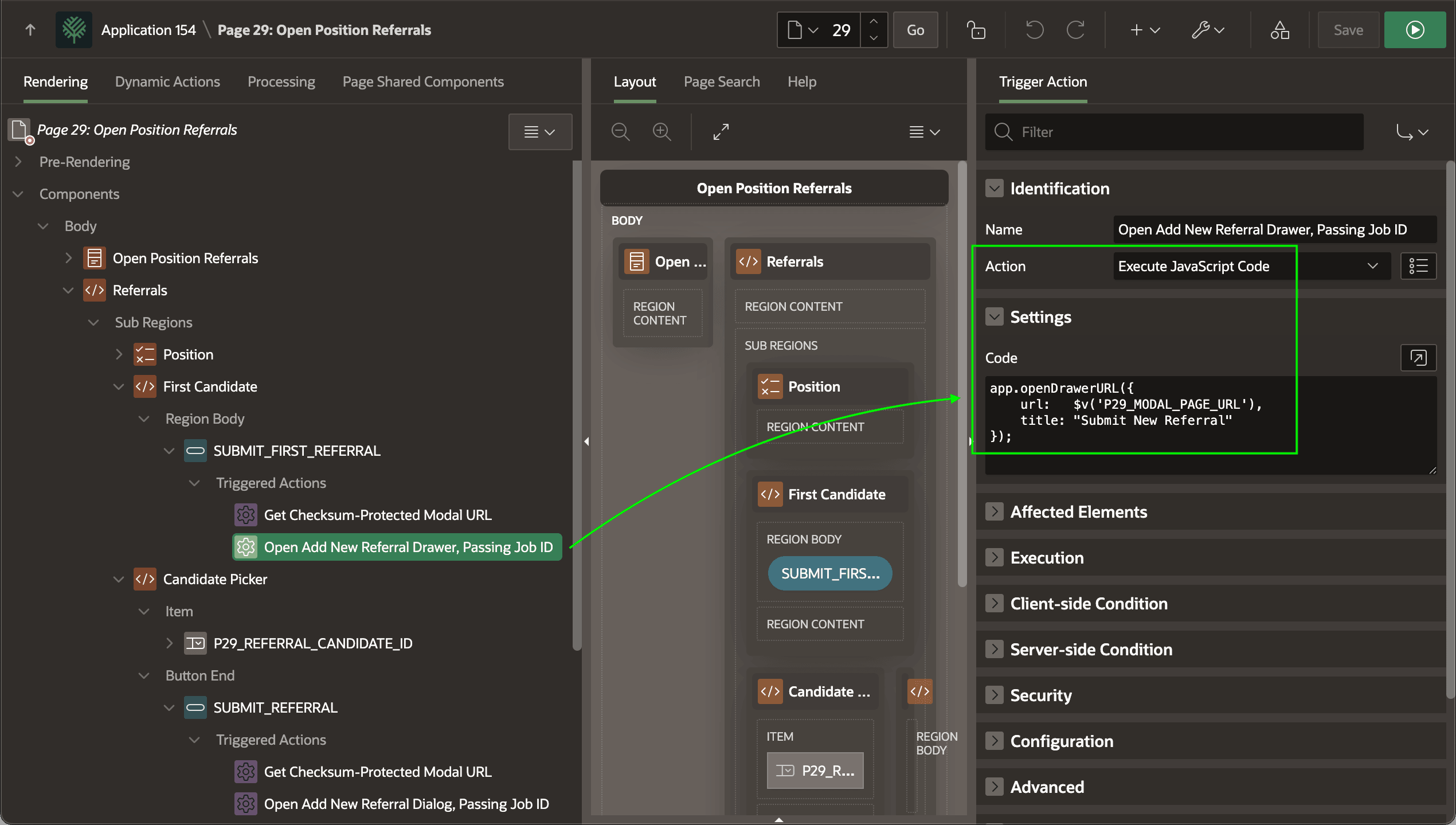
SUBMIT_REFERRAL button uses a similar helper function to open a modal dialog. It calls the app.openDialogURL() function, passing in values for the url and title parameters by name:app.openDialogURL({
url: $v('P29_MODAL_PAGE_URL'),
title: "Submit New Referral"
});The source of these two helper functions appears below. They both call the standard APEX JavaScript API apex.navigation.dialog function, but let some common arguments like width, maxWidth, and triggeringElement get defaulted. This simplifies their use throughout your application.
Tip:
The openDialogURL and openDrawerURL functions use a handy JavaScript feature to accept "destructured" arguments. This lets you specify default values for different optional parameters. It also lets a caller pass parameters using a named notation. Default values assigned in the function get automatically used if the caller omits those optional parameters.
// In app.js static application file
//----------------------------------------------------
// Open modal dialog
//----------------------------------------------------
function openDialogURL({
    url,
    title,
    width = 400,
    maxWidth = 1000,
    triggeringElement = $('body')[0]
}) {
    apex.navigation.dialog(
    url,
    {
        title: title,
        height: "auto",
        width: width,
        maxWidth: maxWidth,
        modal: true,
        resizable: true
    },
    "t-Dialog-page--standard",
    triggeringElement
    );
}

//----------------------------------------------------
// Open Drawer URL
//----------------------------------------------------
function openDrawerURL({
    url,
    title,
    width = 400,
    triggeringElement = $('body')[0]
}) {
    apex.navigation.dialog(
    url,
    {
        title: title,
        width: width,
        modal: true
    },
    "t-Drawer-page--standard t-Drawer--pullOutEnd",
    triggeringElement
    );
}
Parent topic: Opening Server-Generated Dialog URL