5.8.4 Parent/Child Data in a Tree
You can show parent/child data in a tree by using a UNION
ALL query and cleverly adjusting the foreign key value.
For example, consider the task of creating the tree shown below. Employees appear in alphabetical order indented under a tree node representing the department they work in. The task is simple, but requires thinking like the APEX tree region to make it happen.
Figure 5-24 Exploring Parent/Child Data in a Tree
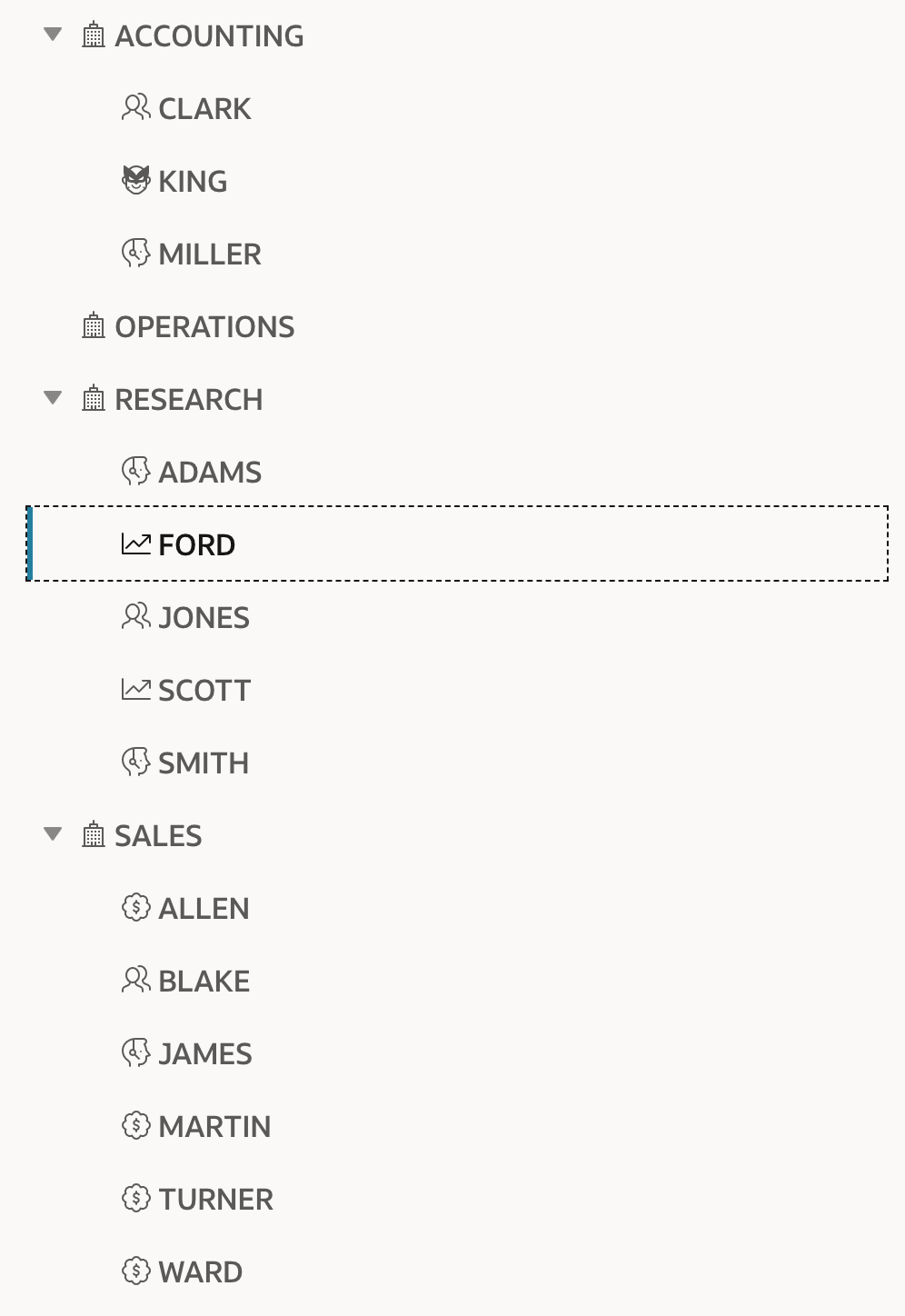
The tree region needs three basic elements: a node label, a node id, and a parent id.
When querying hierarchical data from a single table like EMP, you
know that the node id EMPNO and the parent id
MGR are both employee IDs. However, when creating a
hierarchy combining department and employee numbers, it's important to ensure that
the node id values don't overlap. You can achieve this by performing a math
operation on the department numbers to be sure they cannot clash with the employee
numbers. For example, you could multiply the DEPTNO column value
by -1 so that the department numbers are negative values, while
the employee numbers remain positive values.
The SQL query below uses this technique while combining rows from the EMP_WITH_ICONS_V view and the DEPT table using the UNION ALL set operator. Notice the department rows alias the expression DEPTNO * -1 as the value of the NODE_ID column, and use a NULL value for the PARENT_KEY. Then, in the employee query the same expression is used as the value of the PARENT_KEY.
create or replace view dept_emp_tree_v as
select -1 * deptno        as node_id,
       dname              as node_label,
       null               as parent_key,
       'fa fa-building-o' as icon
 from dept
union all
select empno              as node_id,
       ename              as node_label,
       -1 * deptno        as parent_key,
       icon
 from emp_with_icons_v
Then, you simply need to configure the tree region to be based on this SQL query, configuring the appropriately-named columns as Node ID, Node Label, and Parent Key. Using the Hierarchy setting of Computed in SQL and the Start Tree With property set to Value is NULL, you get a tree whose first level are the department nodes, and whose first level beneath those are the employees who work in the respective department. By setting Order Siblings By to the NODE_LABEL column, you ensure both the departments and employees nodes get sorted alphabetically.
Parent topic: Exploring Hierarchical Data in a Tree