5.8.3 Adding Icons to the Tree
You can use more meaningful node icons to communicate additional information to end users. To control the icon of every node in the tree, provide an additional column whose value indicates the Font APEX icon name to use.
You can review the available icon names in your browser in Icons page of the
Universal Theme Reference App at oracleapex.com/ut.
For example, if you define the following EMP_WITH_ICONS_V view, it uses a CASE statement to return a different icon name based on the JOB column value of each employee:
create or replace view emp_with_icons_v as
select empno,
       ename,
       job,
       deptno,
       mgr,
       hiredate,
       sal,
       comm,
       'fa '||case job
            when 'PRESIDENT' then 'fa-badgerine'
            when 'ANALYST'   then 'fa-line-chart'
            when 'CLERK'     then 'fa-user-headset'
            when 'SALESMAN'  then 'fa-badge-dollar'
            when 'MANAGER'   then 'fa-users'
       end as icon
from emp
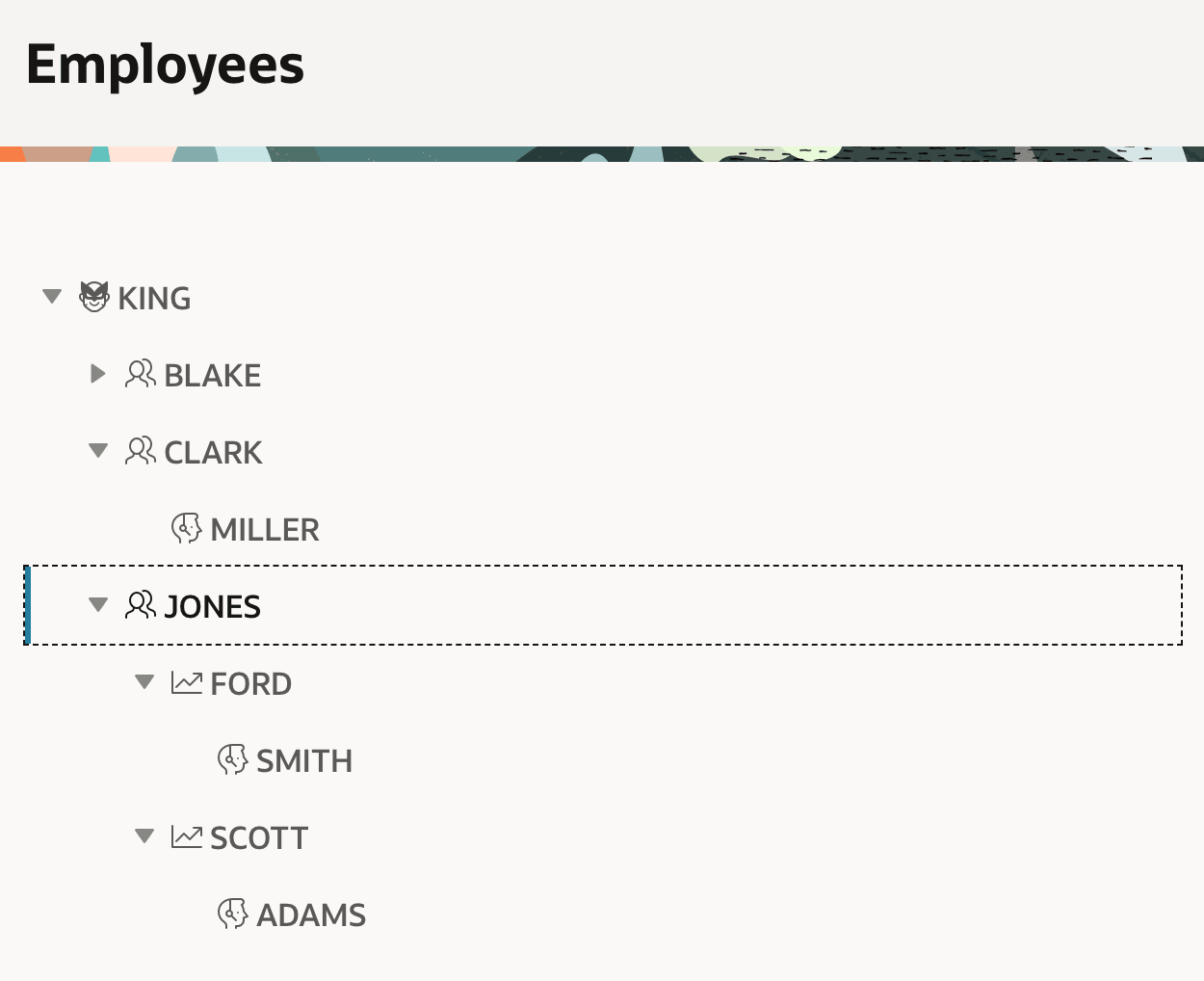
After changing the tree region to be based on EMP_WITH_ICONS_V and
setting its Icon CSS Class Column property to ICON, the tree
changes to look like the figure below. Each node in the tree renders with a
job-appropriate icon.
Figure 5-23 Employee Hierarchy with Icons Based on Job
Parent topic: Exploring Hierarchical Data in a Tree