7.1.7 Presenting Grouped Data
When you make your template component available as a Multiple
(Report) region, it can present the rows from its data source grouped by common
values. Define the HTML markup that should appear for each distinct group using the
Report Group template that includes the rows in the group using
#APEX$ROWS#.
When using the template component, configure the data source and enable the Group switch on one or more columns based on whose values you want the component to group its rows. All columns for which you enable the Group switch must appear in the region data source's ORDER BY clause. Your component will format a new group for each distinct combination of the grouping columns.
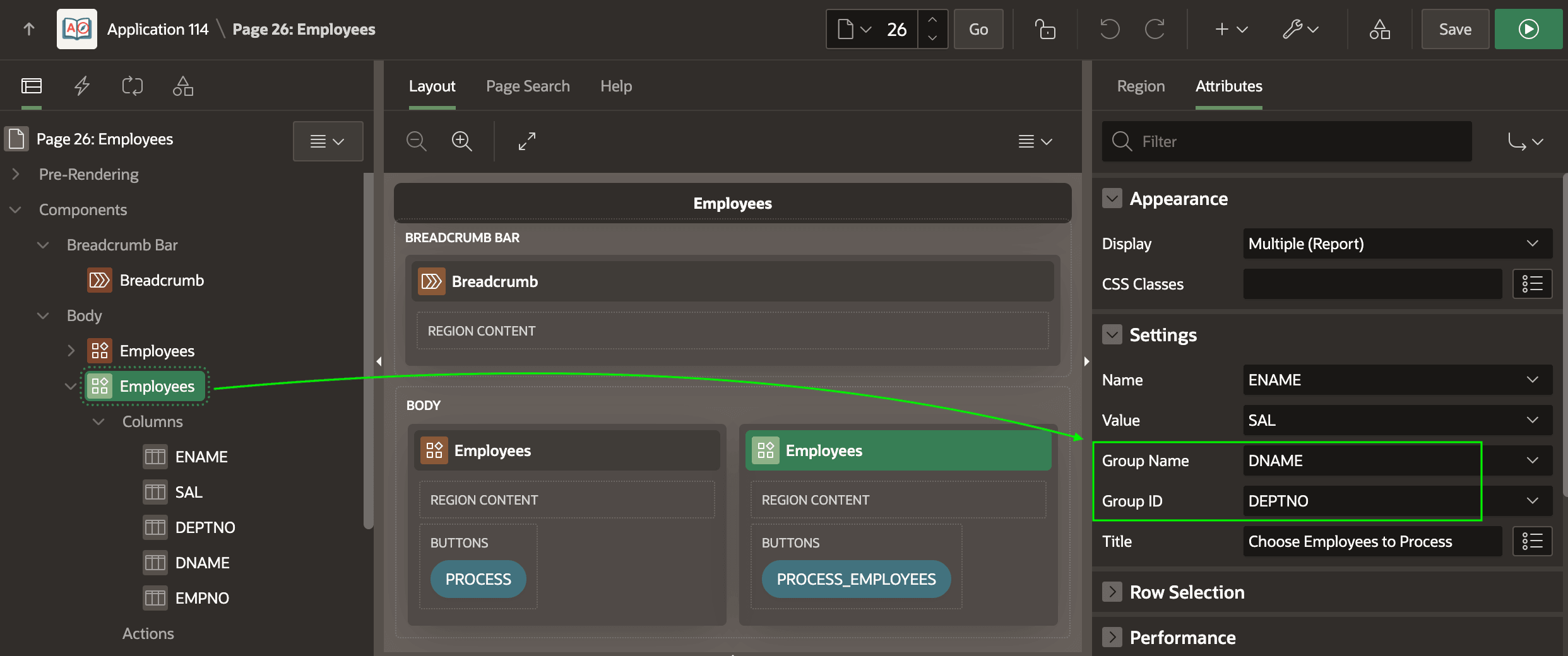
Once at least one column has the Group switch enabled, as shown below, additional Report Group attributes display in the Property Editor.
Figure 7-8 Report Group Attributes in the Property Editor
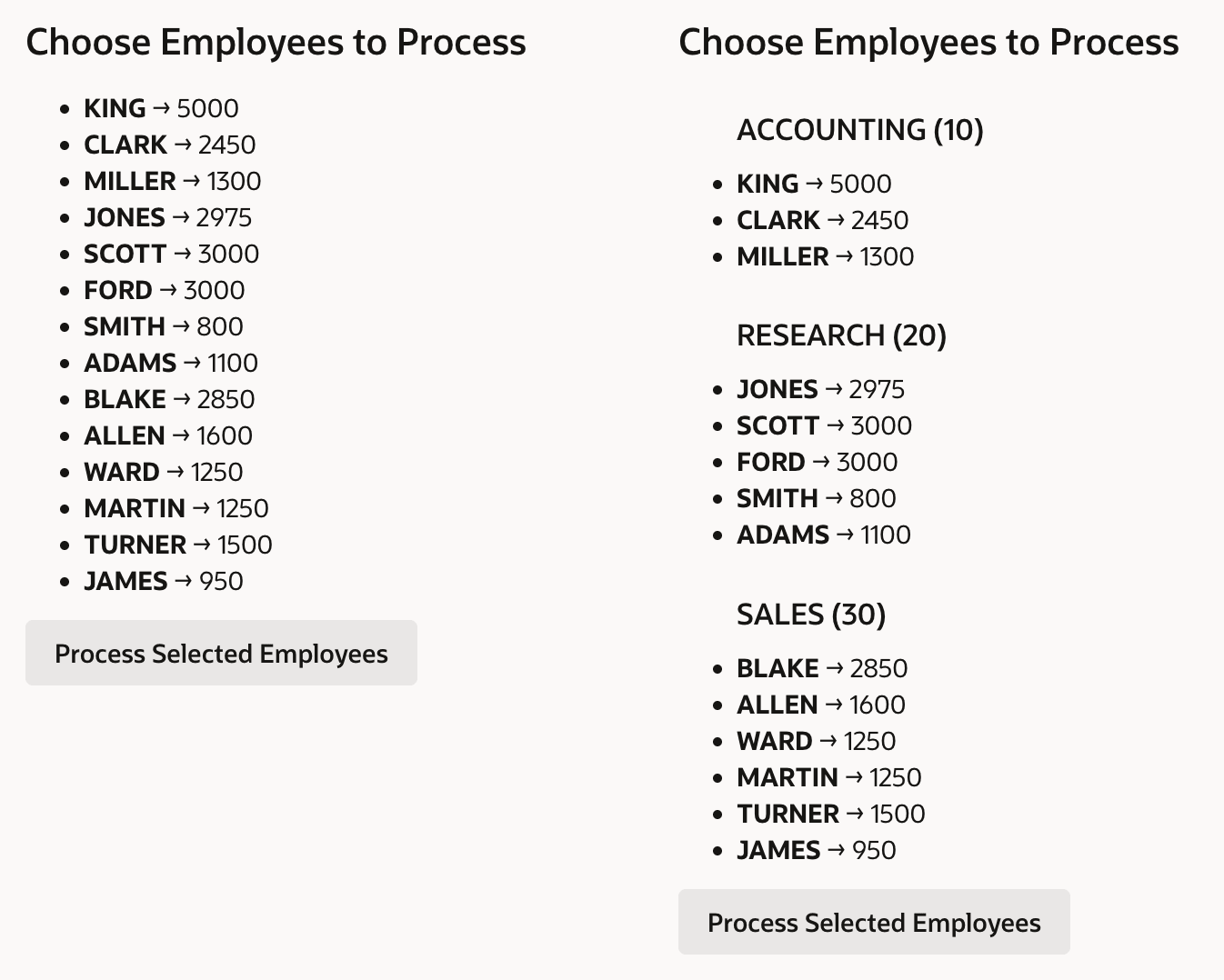
As shown below, the same component can present both normal or grouped results.
When developers configure Group columns in a particular usage, the Report
Group template automatically participates to format the output. The figure shows
side-by-side usages of the same template component. On the left, no columns in the data
source have been configured for grouping. On the right, the Group setting on the
DNAME and DEPTNO columns has been enabled, and
their values used for the component's group attributes Group Name and Group
ID.
Figure 7-9 Template Component Without and With Grouped Data
Parent topic: Reusable Components Using HTML Skills