25.3.5.5.1 Printing Documents from a Workflow
Print documents from a workflow by combining a Report Query and Report Layout.
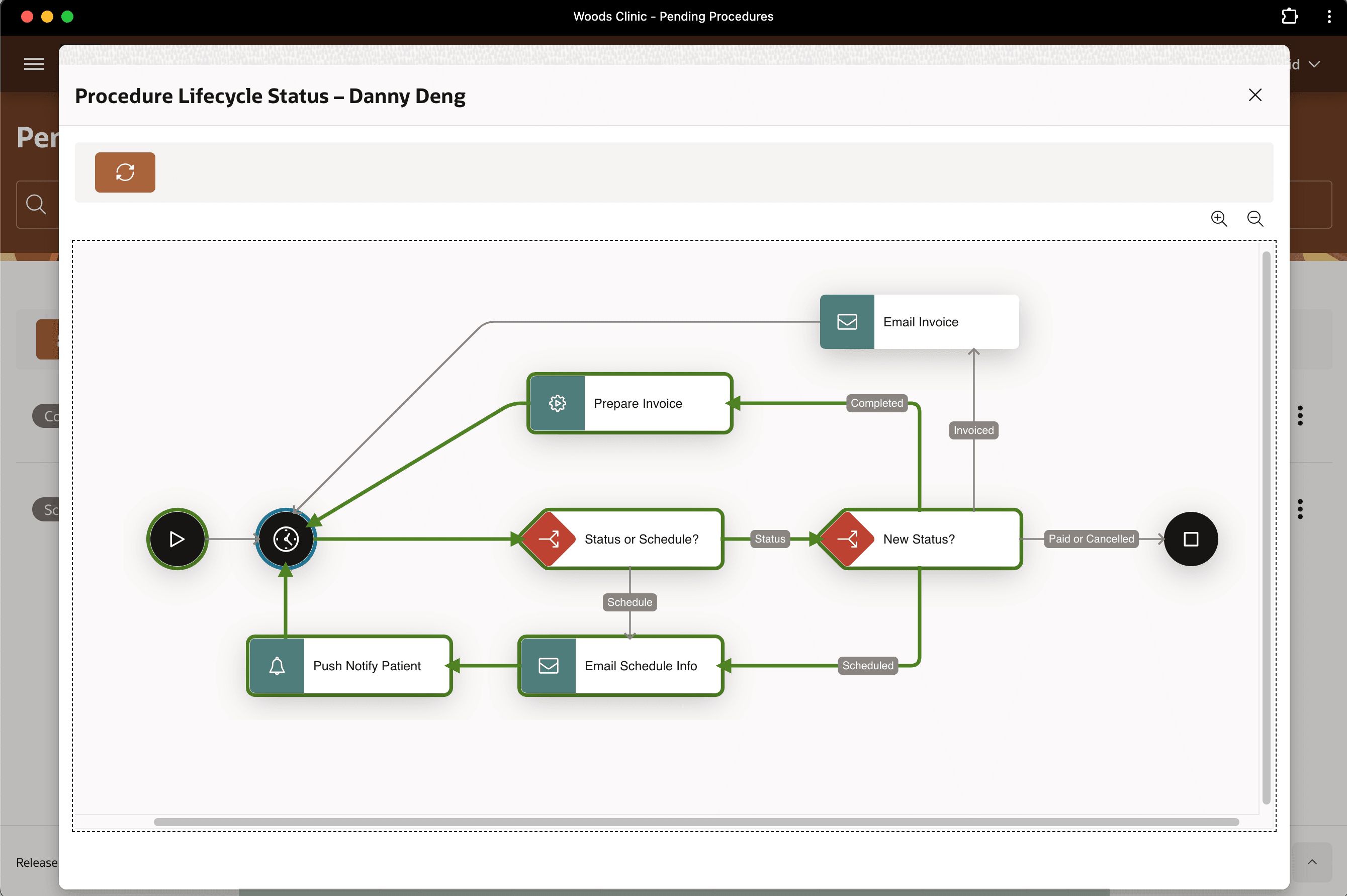
As David sees from the lifecycle diagram below, in the background, your Procedure
Lifecycle workflow reacts when Danny Deng's medical procedure status changes to
"Completed". It prepares a draft invoice for Woods Clinic
staff to review with Danny's insurance provider.
The workflow's Prepare Invoice activity invokes the
PREPARE_PROCEDURE_INVOICE procedure in the
FRC_CLINIC package. First, it inserts a row in the
FRC_INVOICES table with a reference to the medical procedure ID.
Then, it generates the pixel-perfect invoice by combining two shared components: a
Report Query and a Report Layout.
Figure 25-127 Invoice Prepared After Procedure Completed
Parent topic: Preparing Pixel-Perfect PDF Invoice