8.6.8 Refreshing List On Dialog Close
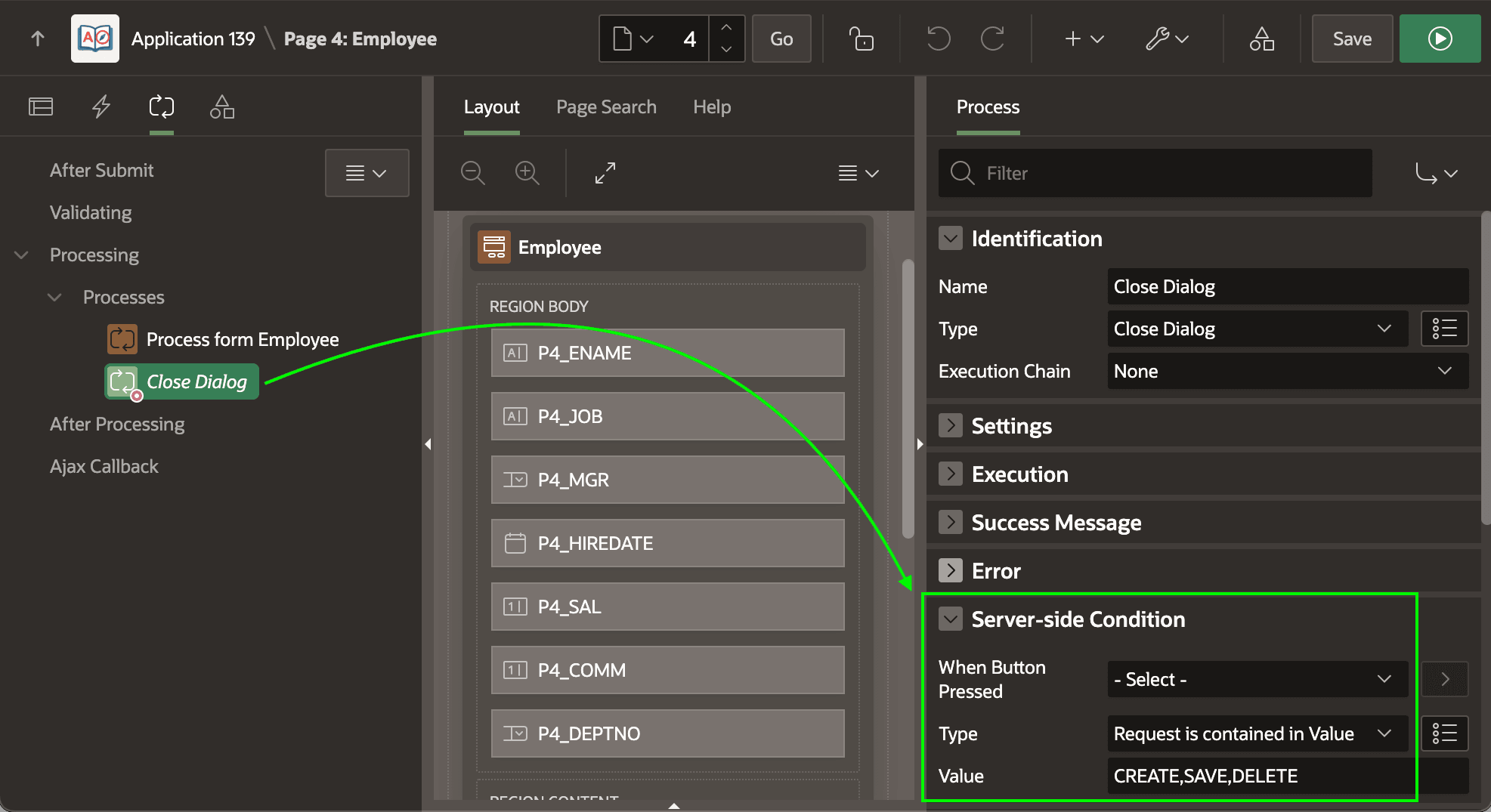
The wizard configures a native Close Dialog page process sequenced after the DML process.
Since the (Create), (Apply Changes), and (Delete) buttons
should all close the dialog, it uses an appropriate server-side condition to achieve
this. The APEX engine stores the name of the submitted button in the REQUEST
substitution string. The process executes when REQUEST is one of the
three button names in the comma-separated list containing CREATE,
SAVE, or DELETE. The figure shows the
Server-side Condition settings of the Close Dialog page process in Page
Designer.
Figure 8-44 Wizard-configured Close Dialog Page Process
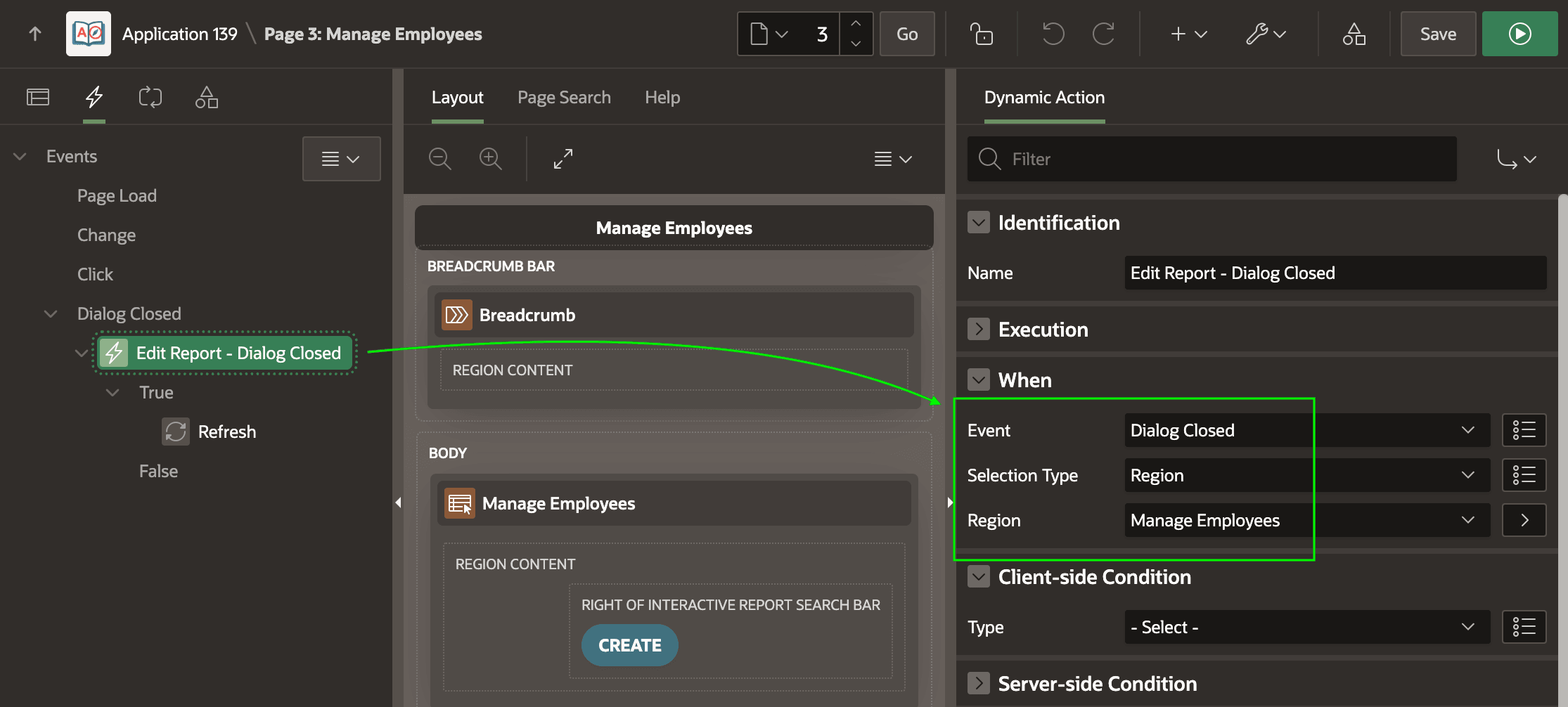
When the modal dialog closes, the end user might have inserted, updated, or deleted an employee so they expect the list page to reflect that change. As shown below, the wizard configures a dynamic action in Employees list page to handle the Dialog Close event by refreshing the interactive report region. Using the Selection Type and Region properties, it sets the handler to listen for any Dialog Closed events that were from a dialog originally opened by the Manage Employees region.
Figure 8-45 Dynamic Action Event Handler for the Close Dialog Event
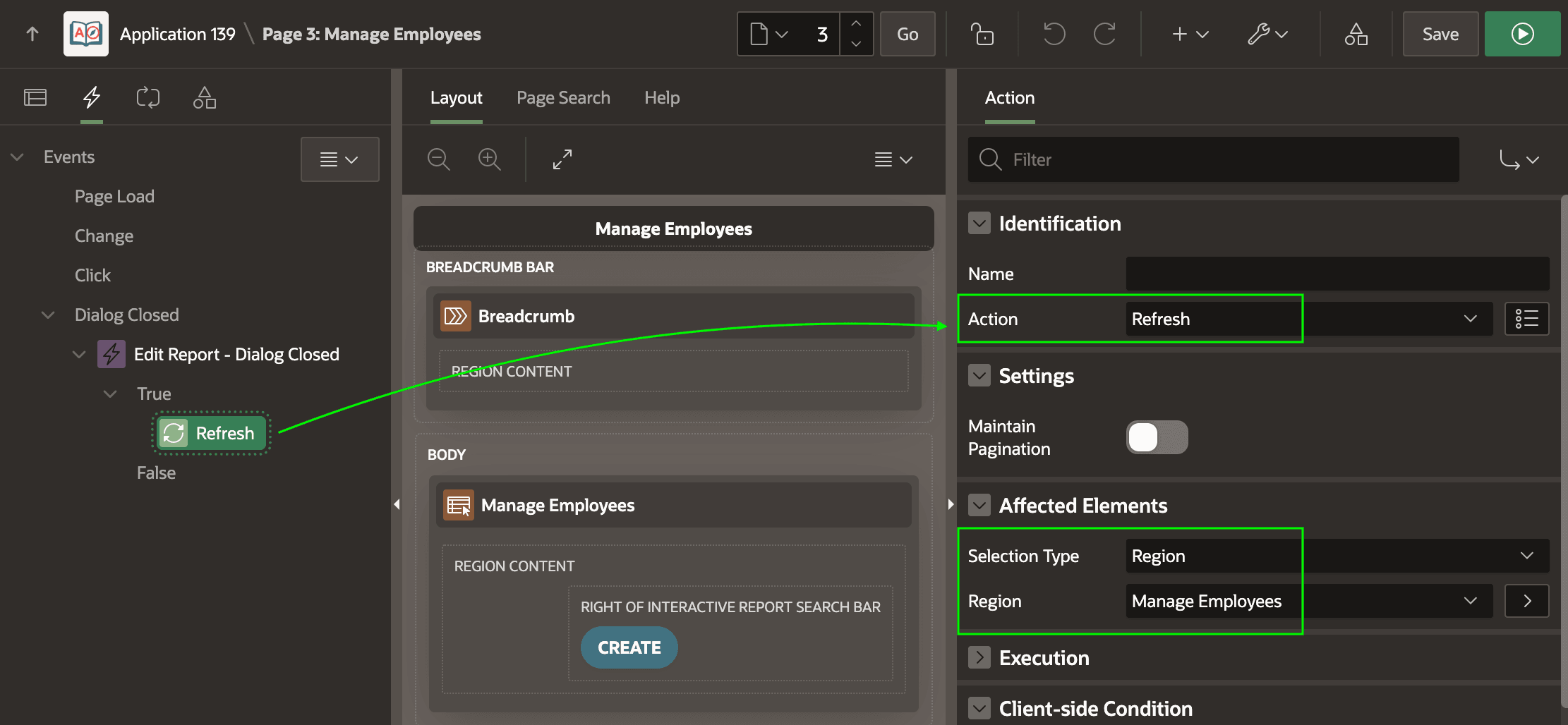
When this event occurs, you refresh the interactive report region using a native Refresh dynamic action step as shown below and indicating the desired region as the affected element.
Figure 8-46 Dynamic Action Step to Refresh the Interactive Report
Parent topic: Studying a List and Edit Flow