8.6.7 Conditional Database Action Buttons
The wizard configures several important button properties affecting runtime behavior.
On a button whose Action is set to Submit Page, the Database Action setting indicates which SQL operation the Form Automatic DML page process executes. Failure to set this property results in no DML operation. The wizard configures four buttons on the page as follows:
Table 8-2 Wizard-Created Form Page Button Settings
| Button | Behavior | Execute Validations | DB Action | Server-side Condition |
|---|---|---|---|---|
CREATE |
Submit Page | Yes | INSERT | P4_EMPNO is null
|
SAVE |
Submit Page | Yes | UPDATE | P4_EMPNO is not null
|
DELETE |
Submit Page | No | DELETE | P4_EMPNO is not null
|
CANCEL |
Dynamic Action | No |
- (Cancel) always displays
- (Create) displays when the primary key page item is null
- (Save) and (Delete) display when the primary key page item has a value
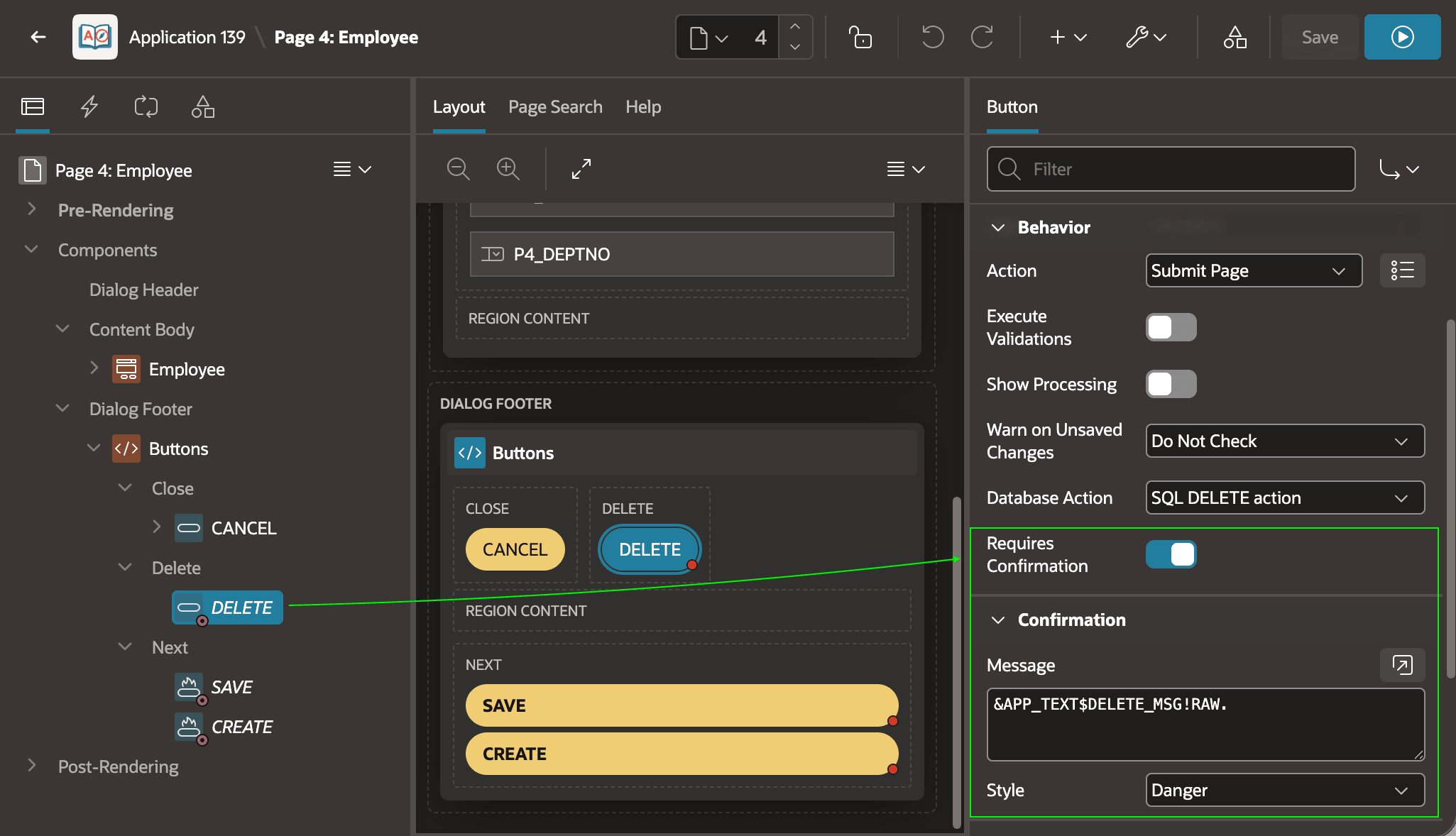
As shown below, the wizard also configures the (Delete) button to require a
confirmation message to be shown in the Danger style. It uses the special
substitution string &APP_TEXT$DELETE_MSG!RAW. to include the
translatable text message with key DELETE_MSG. The
!RAW modifier lets the text include HTML markup without being
escaped. APEX defines a default runtime message for this message key, but you can customize it by
creating a shared component text message with the same key having its Used in
JavaScript property enabled.
Figure 8-42 Wizard-Created Form Page Delete Button
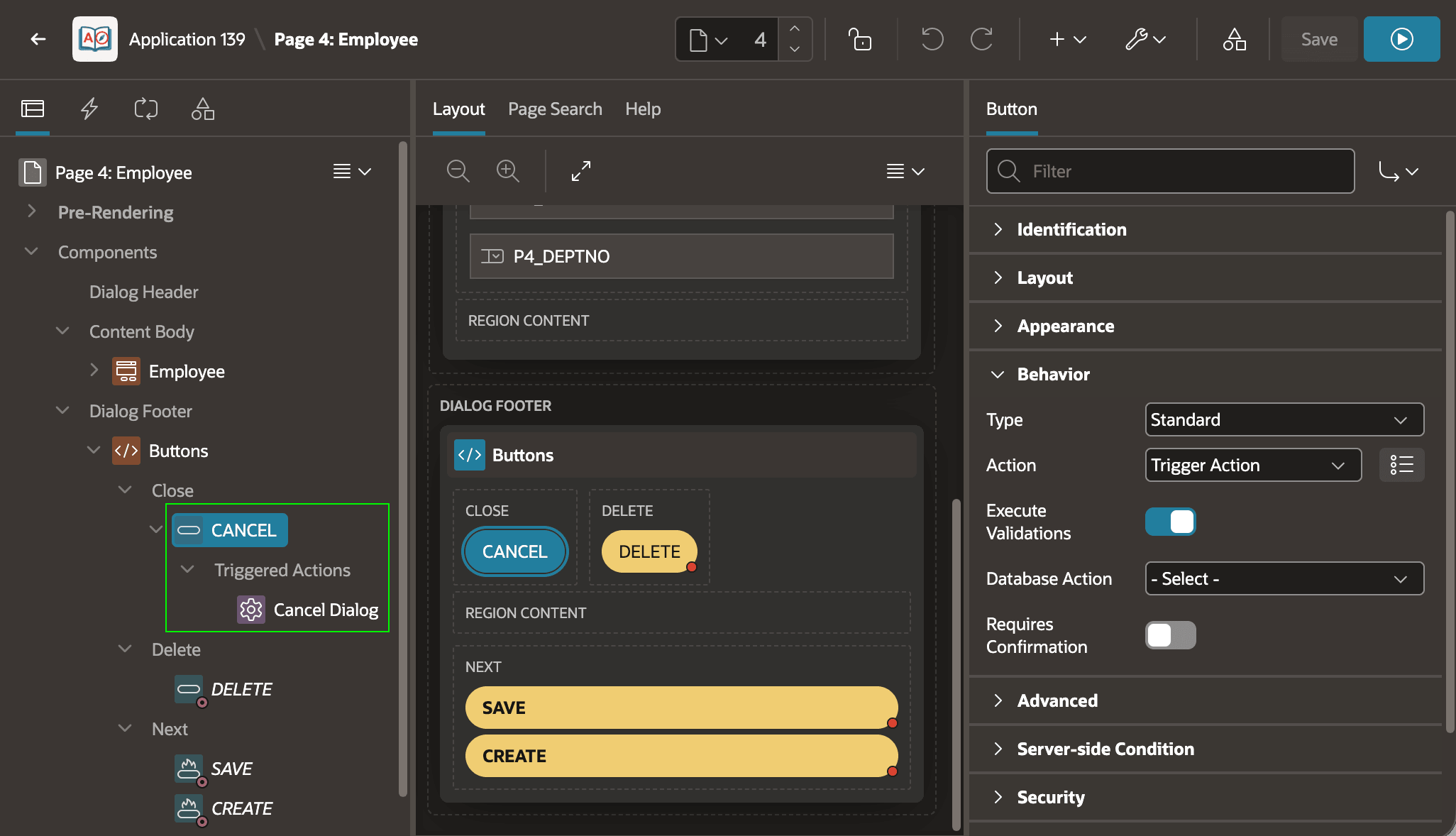
In a modal form page the wizard configures a Cancel Dialog triggered
action to fire as shown in the figure below. If you opt for a normal edit page instead
of a modal page, then the wizard configures the (Cancel) button to submit the
page, and a branch with its When Button Pressed condition set to the
CANCEL button to return to the list page.
Figure 8-43 Wizard-Created Modal Form Page Cancel Button
Parent topic: Studying a List and Edit Flow