8.6.6 Saving Changes with a Page Process
The wizard configures a page process to automatically handle inserting, updating, or deleting the row in the form region.
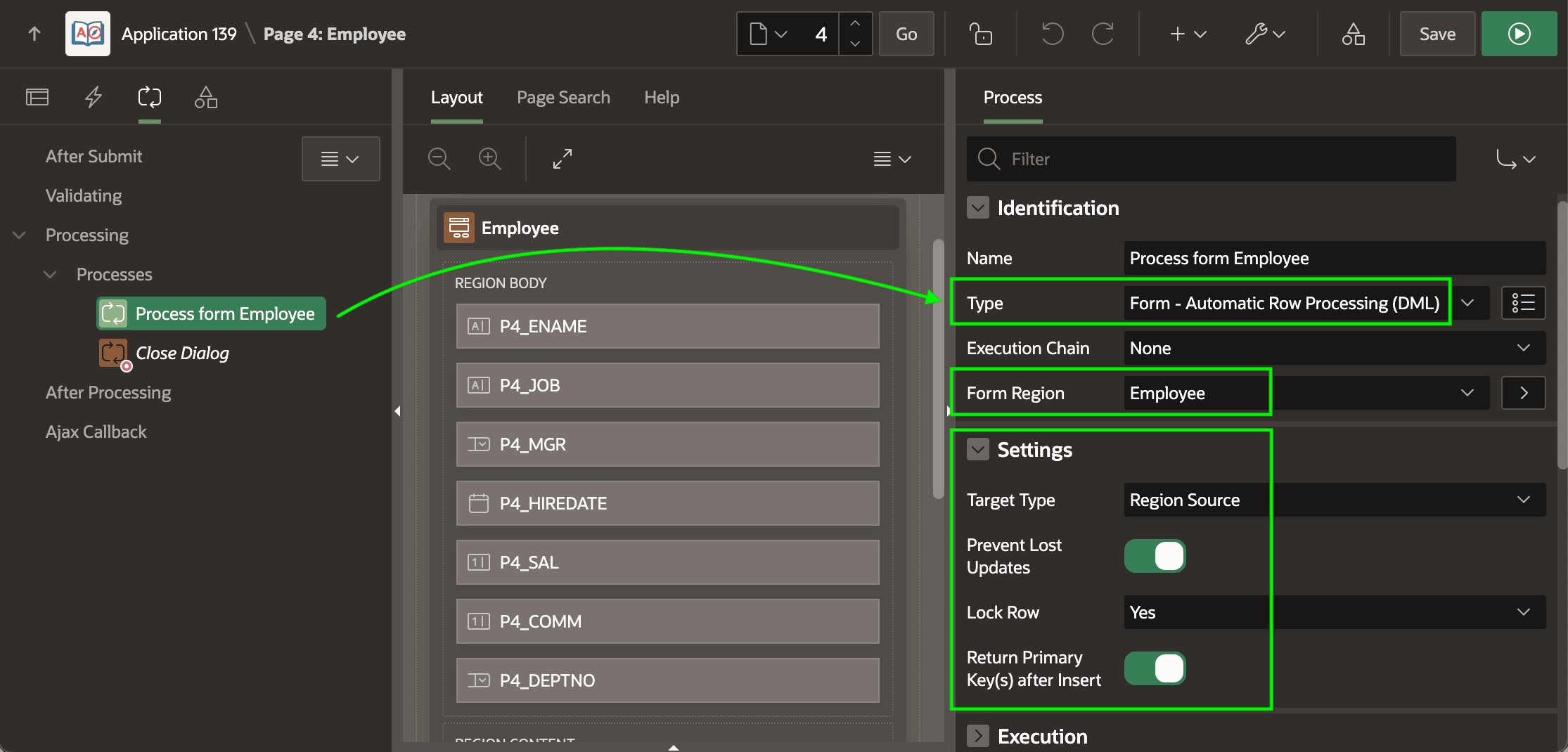
The Process form Employee page process shown below use the native page process type Form - Automatic Row Processing (DML). If the button that submits the page has a Database Action setting of INSERT, UPDATE, or DELETE, this process performs the appropriate DML operation to save the end user's changes. If the submitting button has no Database Action configured, the page process performs no action.
- Perform the DML against the form region's source,
- Prevent lost updates by checking if another user changed the row before the current user did,
- Lock the row being updated or deleted, and
- Return the primary keys into corresponding page items after insert.
The Target Type settings support two other modes that let you target the automatic DML at a different table or view from the region's source, or alternatively to perform custom DML handling yourself by using PL/SQL. The figure shows the highlighted page process that handles the DML operation for the Employee form region and its declarative settings.
Figure 8-41 Declarative Form DML Handling with Native Page Process
Parent topic: Studying a List and Edit Flow