15.1.7.2 Refreshing Region on Dialog Close
Use a dynamic action event handler to refresh a calling page's region when the user closes an edit dialog.
The user clicks a card or a map point. Page 60 opens as a modal drawer to edit that employee's address. When the user cancels the dialog by clicking the "x" icon or pressing the [Esc] key, the address remains unchanged. However, if they close the dialog by clicking the (Apply Changes) button, they might have updated the employee's address.
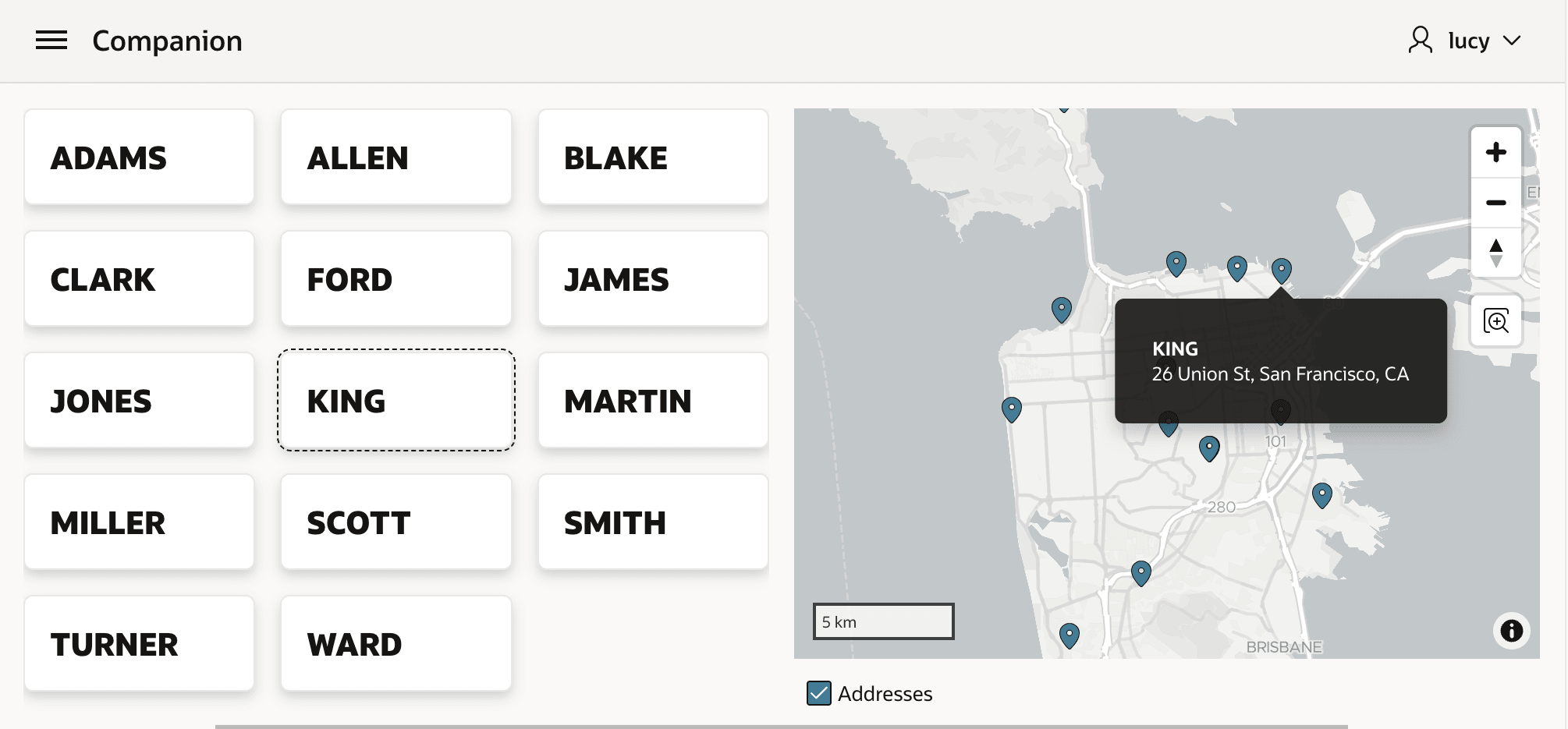
End users expect their change to immediately reflect on the map in the calling page. Just use a Refresh action for the map region in a Dialog Closed event handler. This ensures that if you update KING's address again, as shown below, the map instantly shows her new location.
Figure 15-10 Map Refreshes on Return from Dialog to Show KING's Updated Address
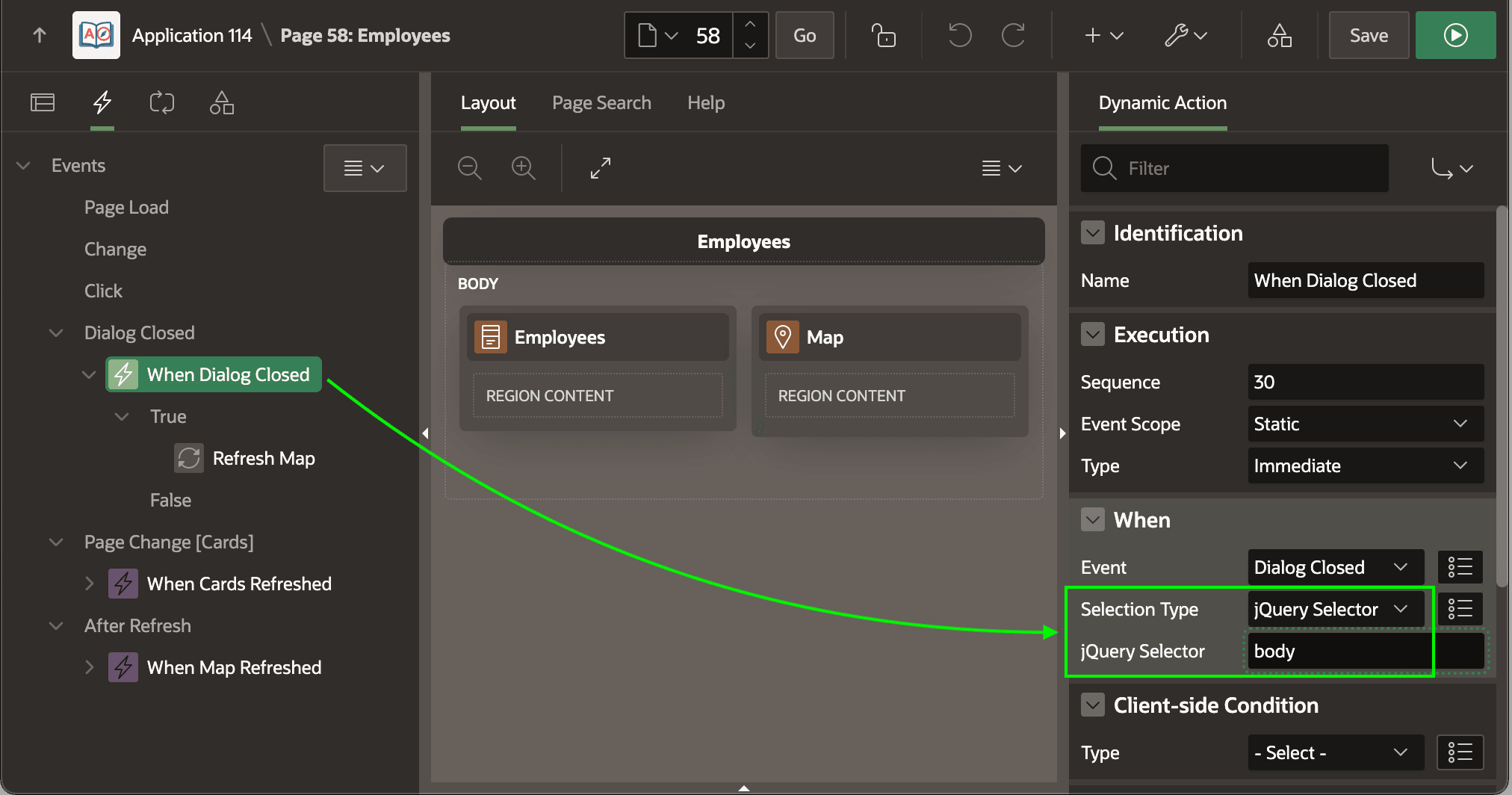
To define a Dynamic Action event handler on the Dialog Closed event, select the Dynamic Actions tab in Page Designer, right-click on the Dialog Closed event heading in the tree, and choose Create Dynamic Action.
In the When section of the Property Editor, specify which dialog's closing should trigger this action using Selection Type. For example, you can target a dialog opened by a particular button, by a component in a particular region, or by a particular element using a jQuery Selector.
To react to the closing of a dialog opened by any element in the page, target the page's <body> element that contains all other elements. As shown below, choose Selection Type of jQuery Selector with a Selector of body to do this. This ensures the map refresh occurs whether the user opened the dialog by clicking on a card or a map point.
Figure 15-11 Configuring a Dialog Close Dynamic Action Event Handler
Parent topic: Exploring Additional Page Features