3.9.2.2 Region Template Styles a Section
A region's template organizes the layout of its section of the page.
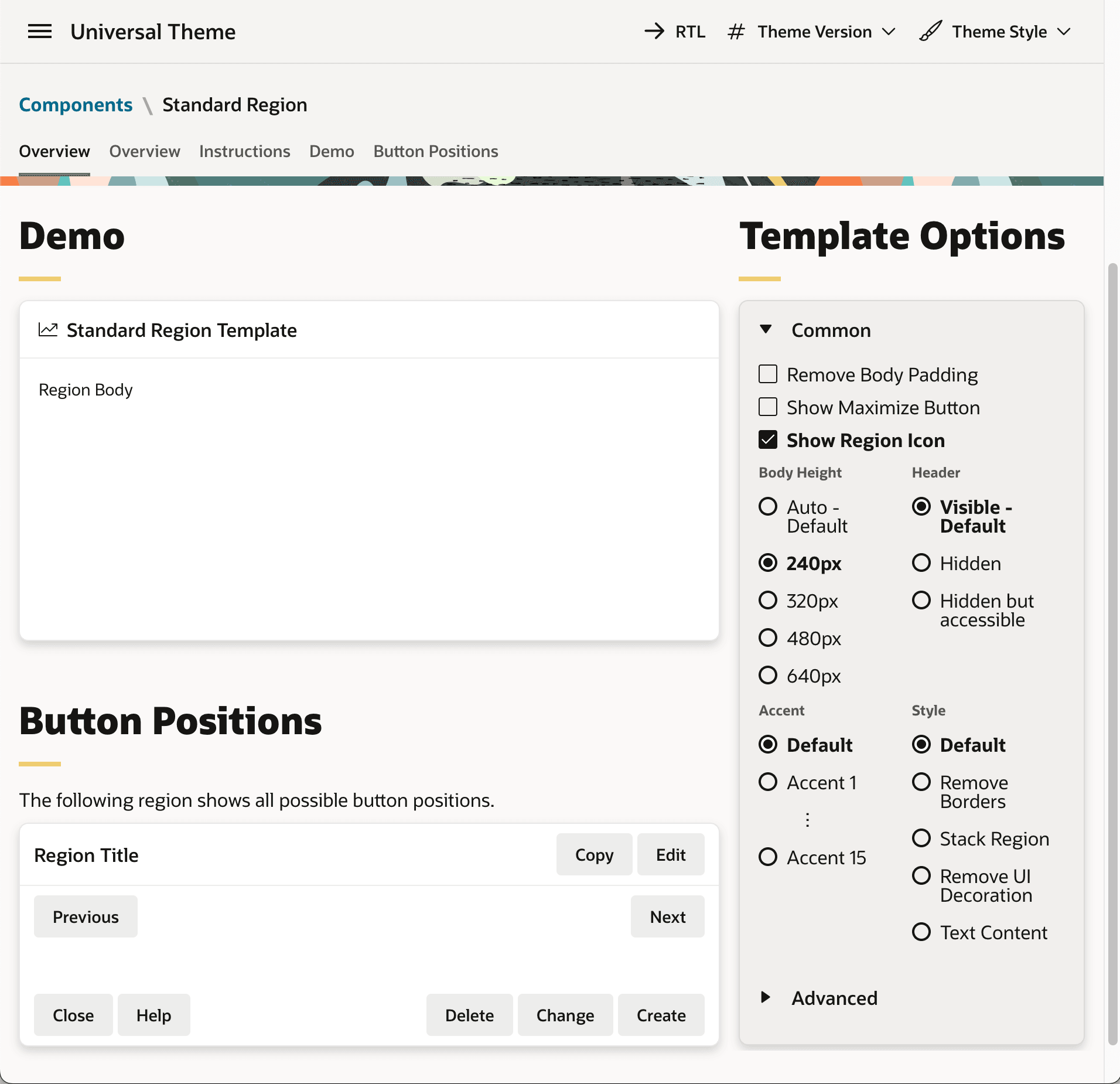
There are many different region templates to explore in the Universal Theme Reference App, but the default Standard template serves most common use cases. As shown below, its Region Body slot shows your primary contents using the 12-column grid layout. It has nine slots for positioning buttons, and simple options control its heading, border, and spacing. When appropriate, you can decide to show only the region's contents by using these options to hide its header and remove UI decoration.
Figure 3-57 Standard Region Template Options in the Universal Theme Reference App
To show region contents with no buttons or borders, the Blank with Attributes template is a one-click alternative to hiding the Standard template's header and using no UI decoration.
When you need to create a toolbar, but none of the page template's or Standard region's button slots are correct, then the Buttons Container template lets you create a toolbar somewhere else on the page.
Parent topic: Templates and Options Set Look and Feel