25.1.9.1.8.4 Requesting More Info for a Task
Request more information from the task initiator when the assigned work is unclear.
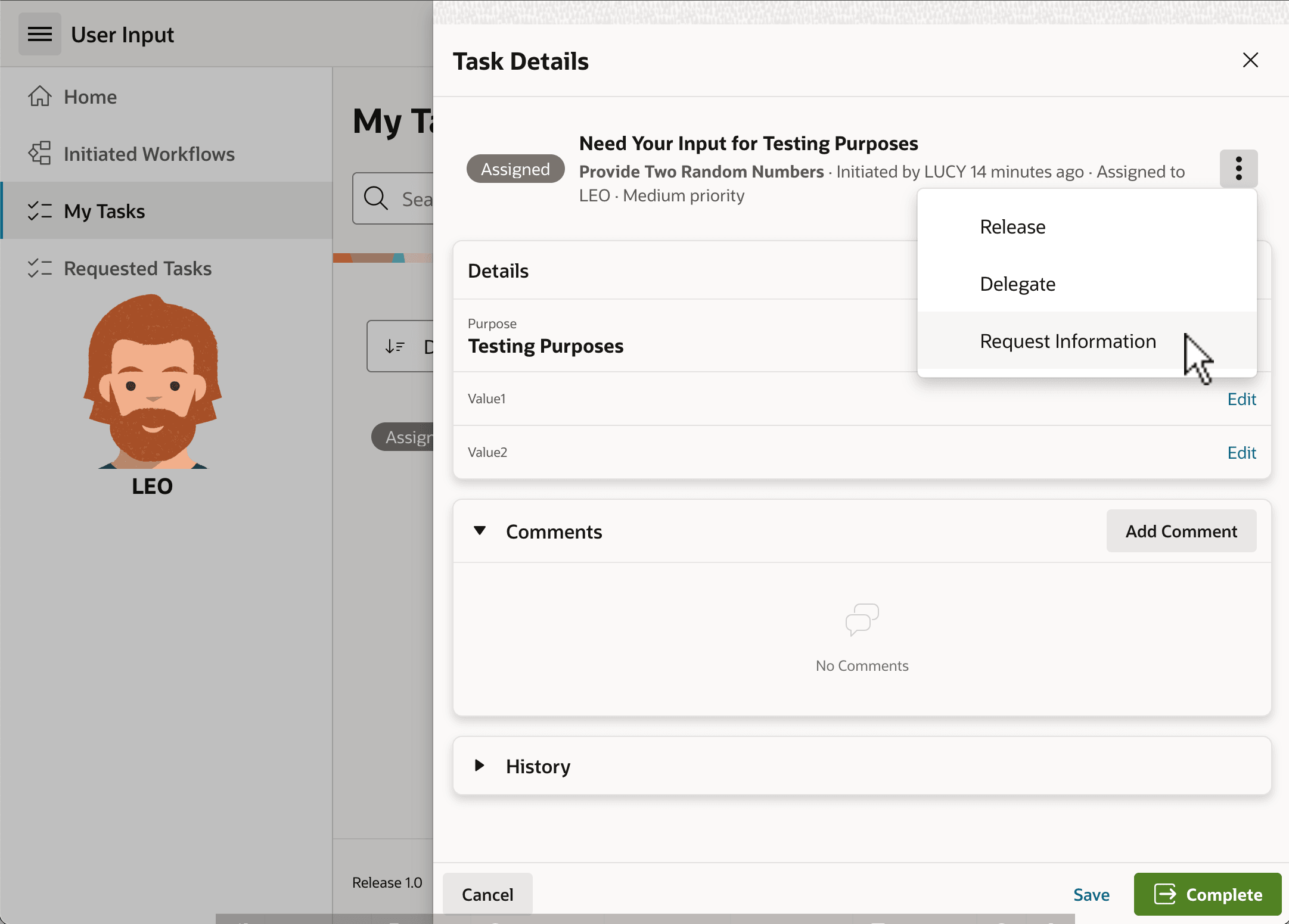
Clicking on a task Subject in the My Tasks page opens its Task Details Page. As shown below, by default, it contains sections that display the values of task parameters Purpose, Value1, and Value2, along with a Comments and History section, too. Leo notices Edit links next to the Value1 and Value2 parameters, but remains a bit confused. He clicks the three-dot menu and requests more information about the task from Lucy, the requester.
Figure 25-38 Leo Asks for More Information to Clarify the Task
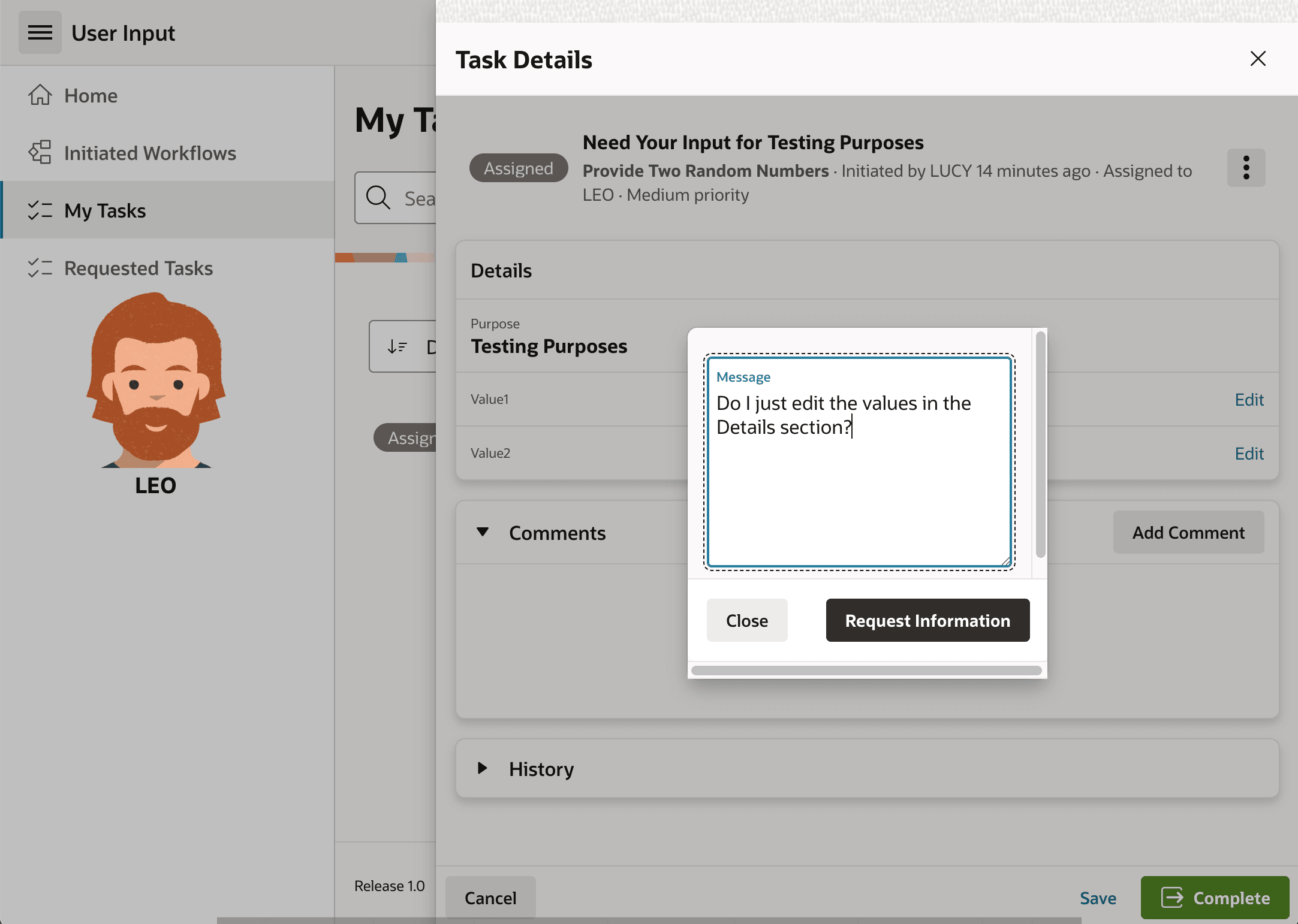
A dialog box appears and, as shown below, Leo types in his question, "Do I just edit the values in the Details section?" and clicks (Request Information).
Figure 25-39 Leo Enters His More Information Question
Parent topic: Using and Tuning the Task Details Page