25.1.4 Resolving Errors Before Saving a Workflow
Resolve any Workflow Designer errors before saving your changes.
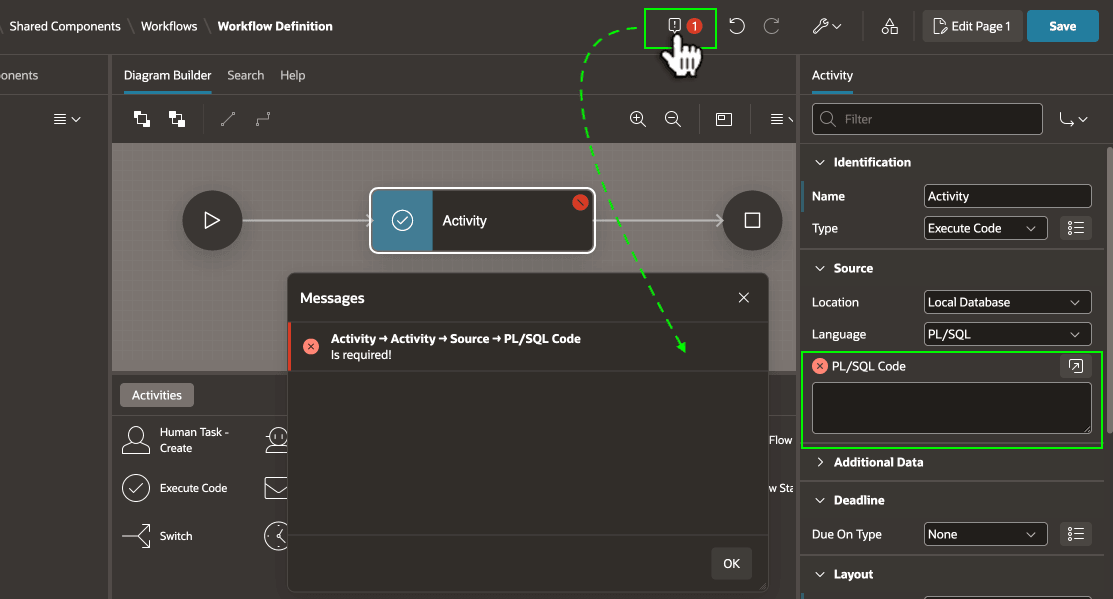
When working in Workflow Designer, if your diagram contains any errors a toolbar indicator shows the number of problems in a red circle. Click this icon to open the Messages dialog to review the details. Click a message to navigate to the item that needs fixing. When the diagram has no errors, click (Save) to make your changes permanent.
Figure 25-21 Clicking Error Indicator to Review Pending Issues
Parent topic: Automating a Process with Workflow