8.6.4 Retrieving Existing Row by Primary Key
The Form page has a page process in the Before Header phase of the Pre-Rendering section to retrieve the row to edit by primary key.
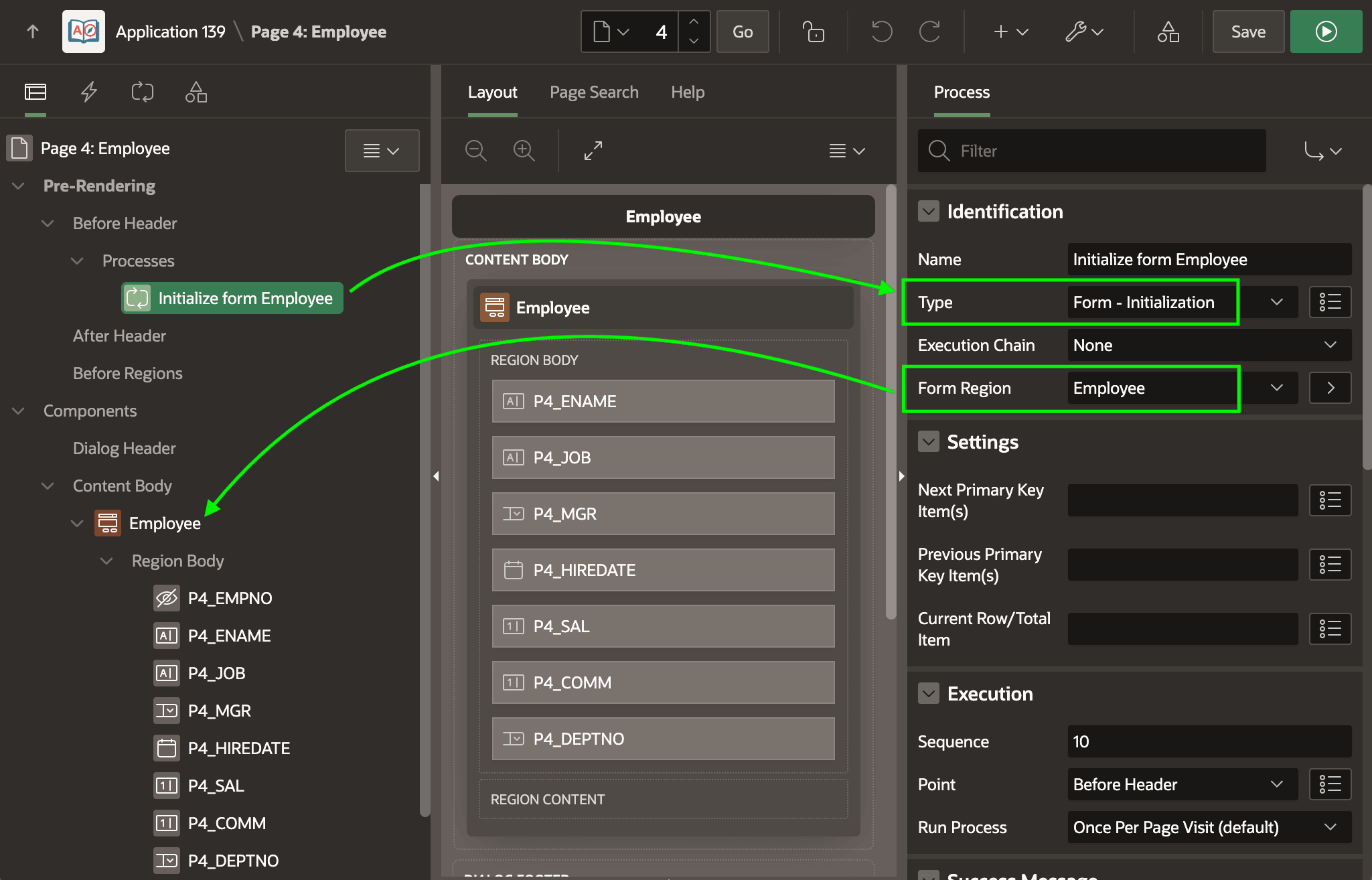
As shown below, in the Rendering tab, it uses the native Form - Initialization process type. This performs the lookup by primary key of a row to display, edit, or delete. Its Form Region property associates it with the Employees form region on the page. The page process uses this related form region to discover the data source to query and which columns comprise its primary key.
Figure 8-36 Form Initialization Page Process Retrieves Row by Primary Key
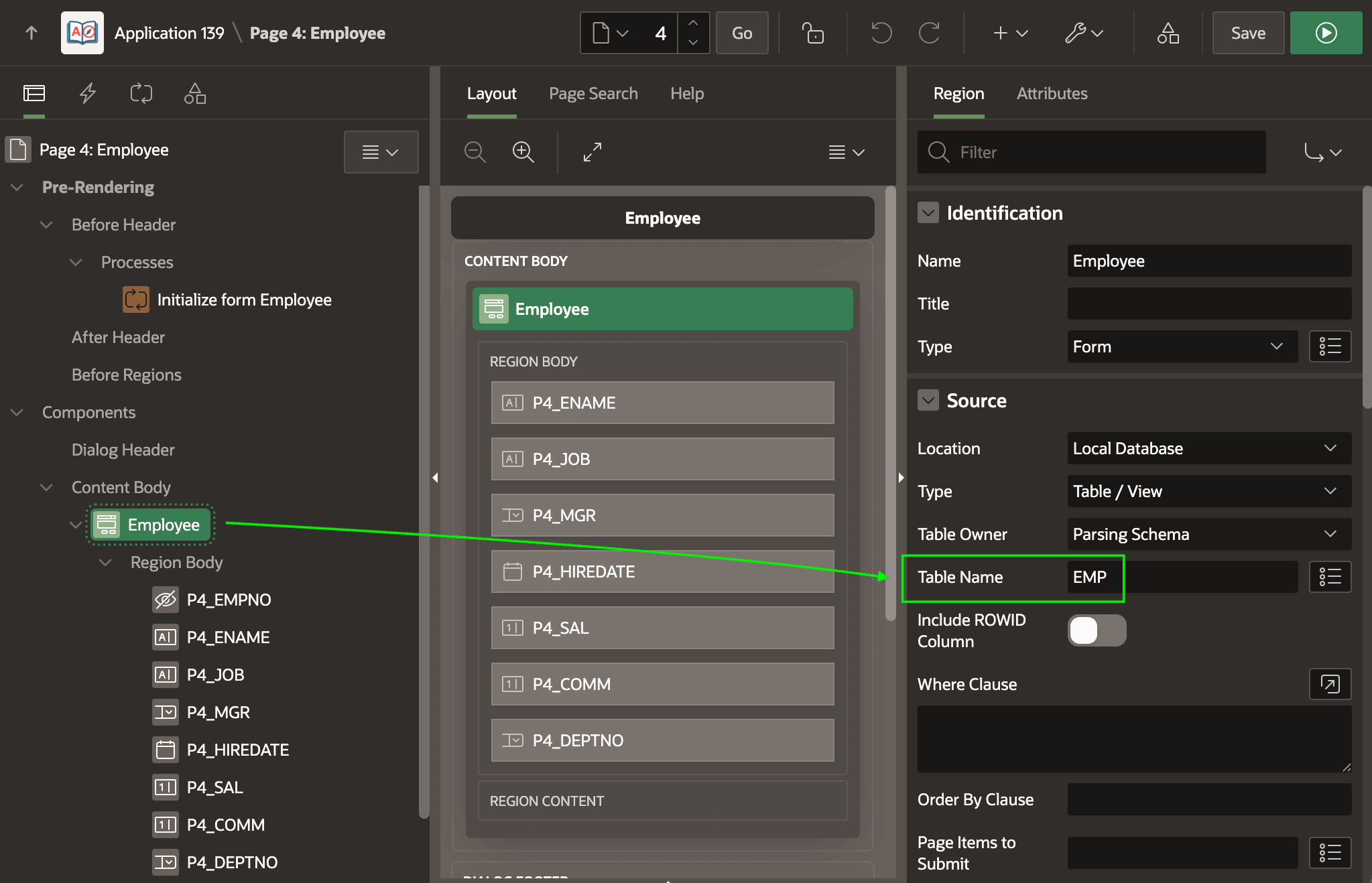
The figure below shows how the wizard configures the form region's data source. With
the Employee region selected in the component tree, the Table Name
property in the Source group shows EMP.
Figure 8-37 Form Region Using EMP Table as Data Source
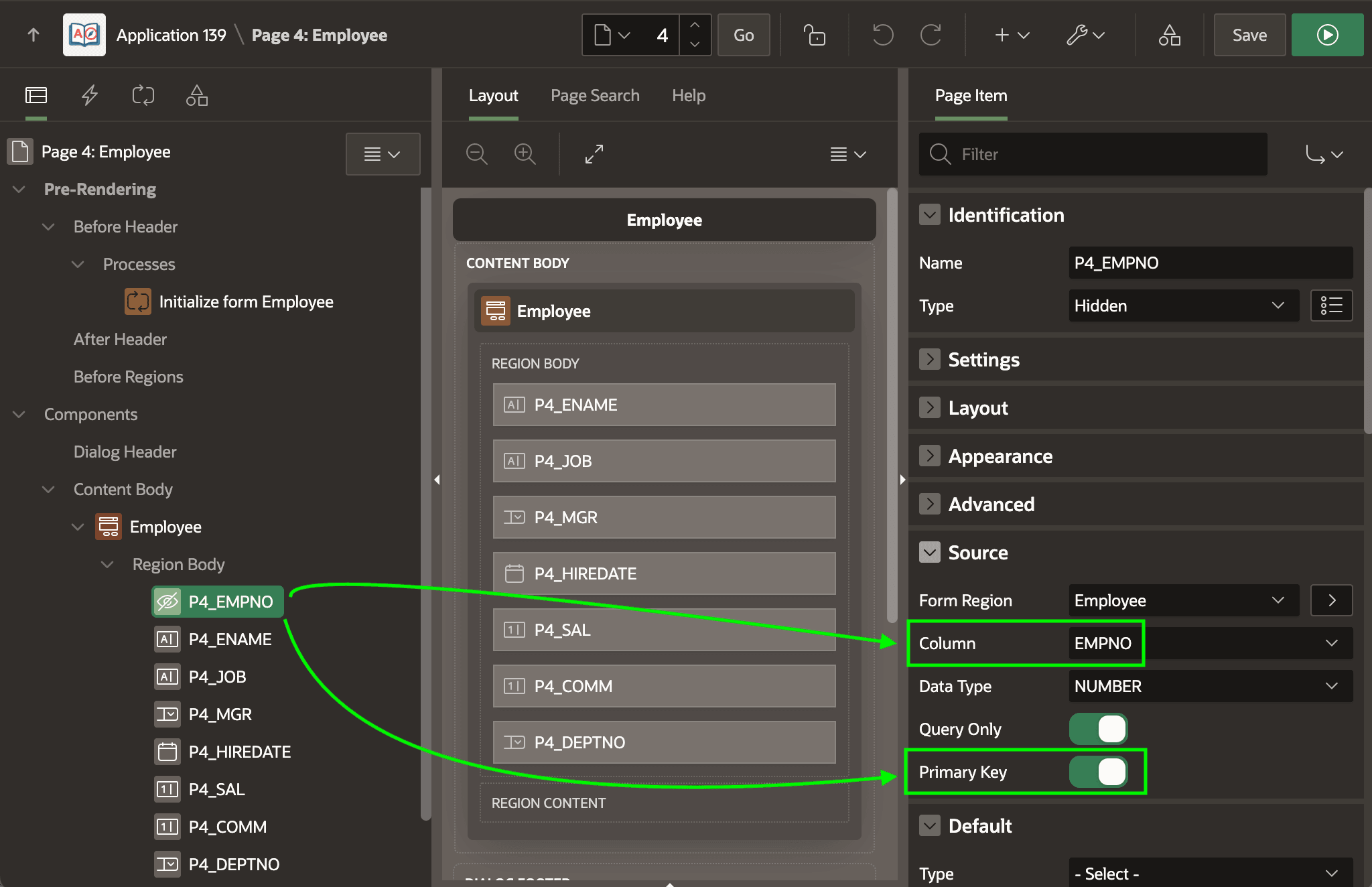
In a similar way, each page item in the form region has a corresponding Source column name configured. For example, the figure below shows the wizard configures the P4_EMPNO page item to use the EMPNO column as its source and indicates that it is the primary key.
Figure 8-38 Form Initialization Page Process Requires a Primary Key
When the Form - Initialization page process runs, it checks the values of the page items in its related form region that are marked as primary keys. If all primary key page item values have a non-null value at page render time, then this page process queries its related form region's data source to retrieve a row by primary key. In this EMP example, if P4_EMPNO has a value when the page renders, then the page process implicitly performs a SQL statement like the one below to retrieve all columns related to form page items by primary key and uses the values to populate the respective page items.
SELECT ENAME, MGR, HIREDATE, SAL, COMM, DEPTNO
INTO :P4_ENAME, :P4_MGR, :P4_HIREDATE, :P4_SAL, :P4_COMM, :P4_DEPTNO
FROM EMP
WHERE EMPNO = :P4_EMPNO
In contrast, if the P4_EMPNO primary key does not have a value when the page renders, the Form - Initialization page process does nothing.
Recall that the list page's Link Column target page link passes the value of the EMPNO column of the selected row as the value of the P4_EMPNO parameter. Before the Pre-Rendering phase occurs, the APEX engine assigns the value of the P4_EMPNO page item the value it finds in the P4_EMPNO parameter in the link URL. This ensures the primary key of the Employees form region has a value before the Initialize form Employee page process executes, which triggers its lookup of the existing employee's data to populate the form region's page items. This explains why clicking on one of the edit links for an employee row results in displaying the existing data for that employee.
Parent topic: Studying a List and Edit Flow