25.3.5.6 Reviewing Invoice with Insurance Provider
Review the prepared invoice and enter the insurance coverage amount.
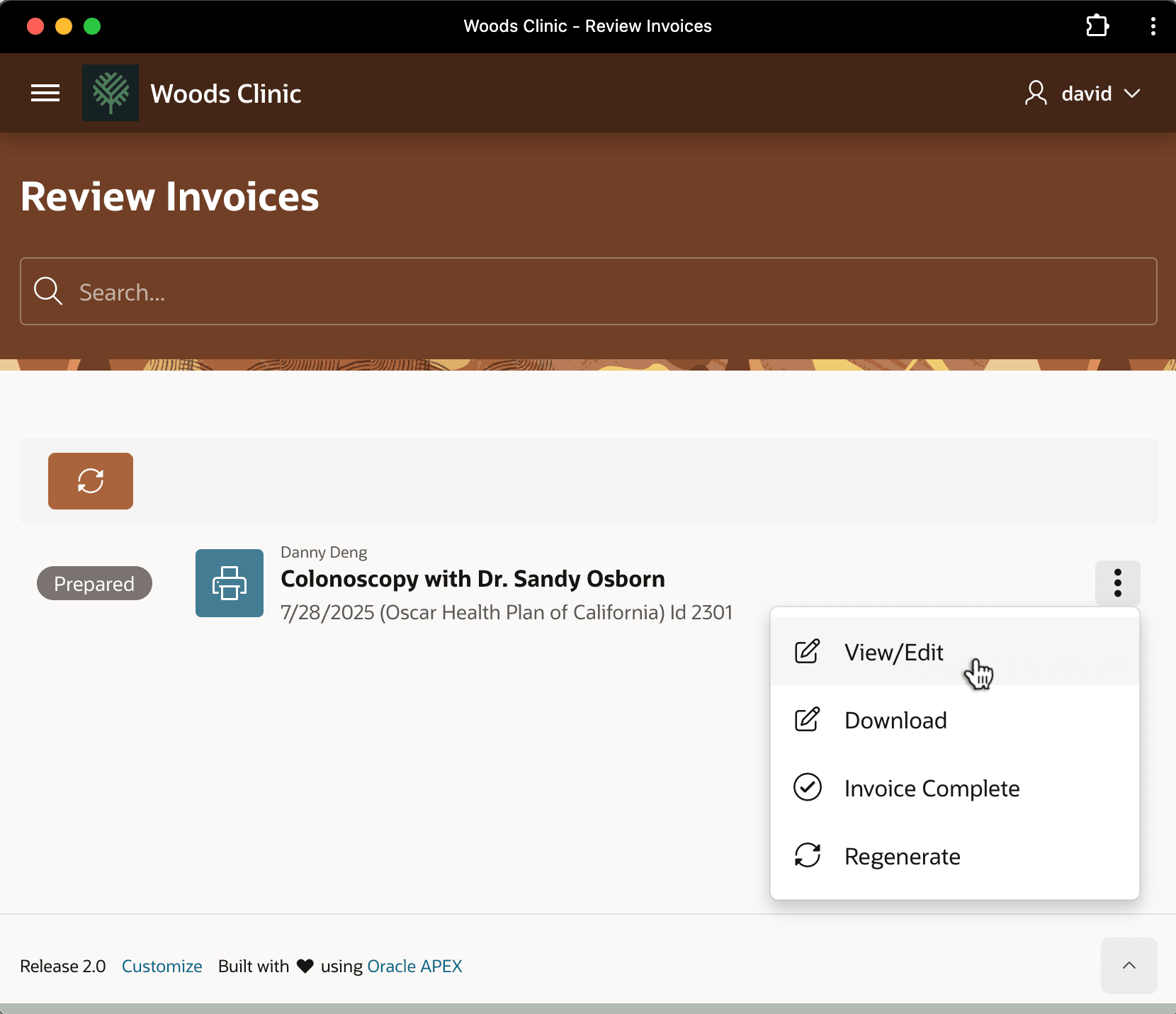
From the Review Invoices page, David sees the "Prepared" status badge on the invoice so he knows it's ready to review. He uses the three-vertical-dots dropdown menu to review the invoice details.
Figure 25-133 Opening the Prepared Invoice Details
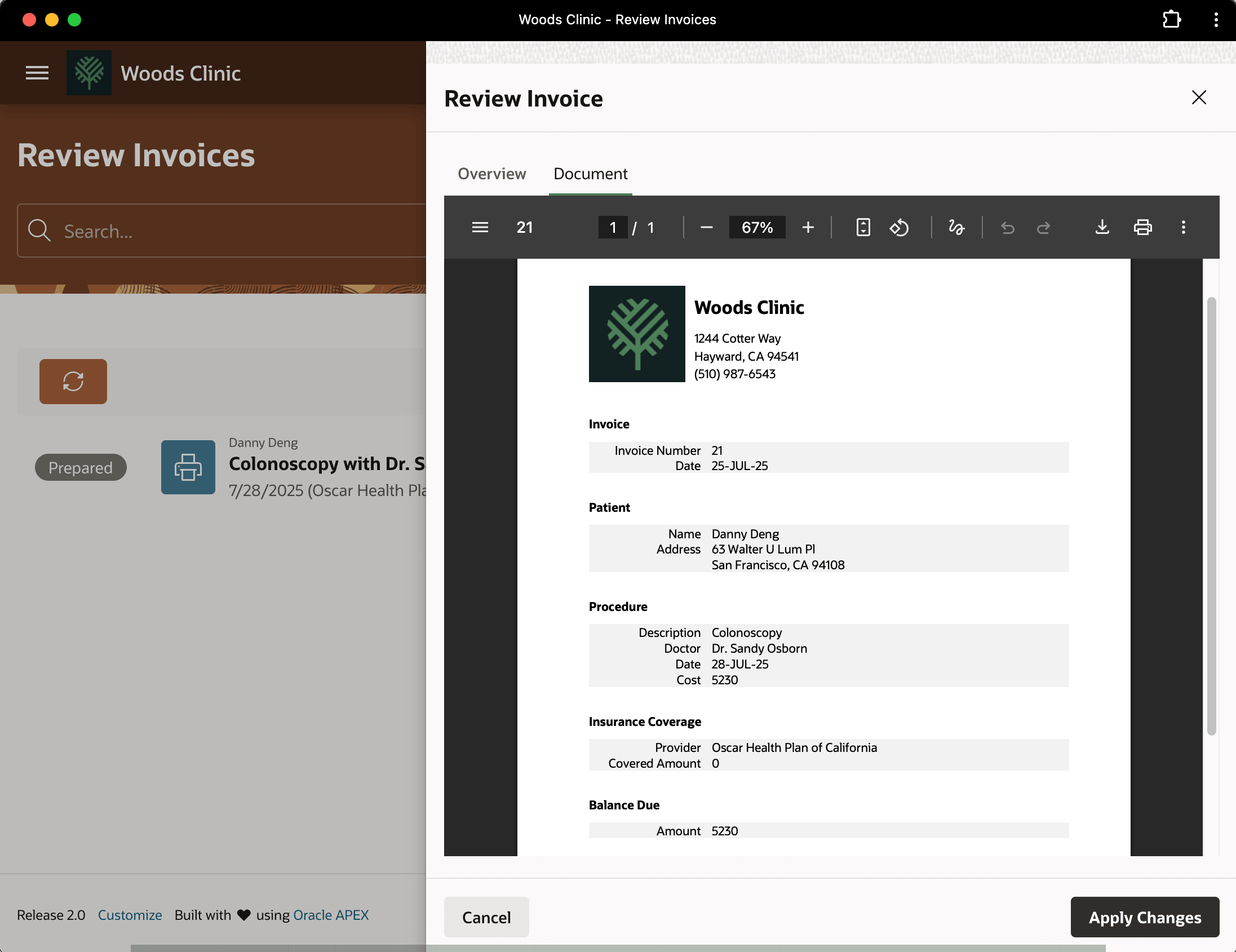
On the Document tab of the Review Invoice dialog that appears, David can inspect the PDF document the patient will eventually get. But for the moment, notice that it starts out with zero (0) dollars in the Covered Amount field.
Figure 25-134 Reviewing Pixel-Perfect PDF Invoice
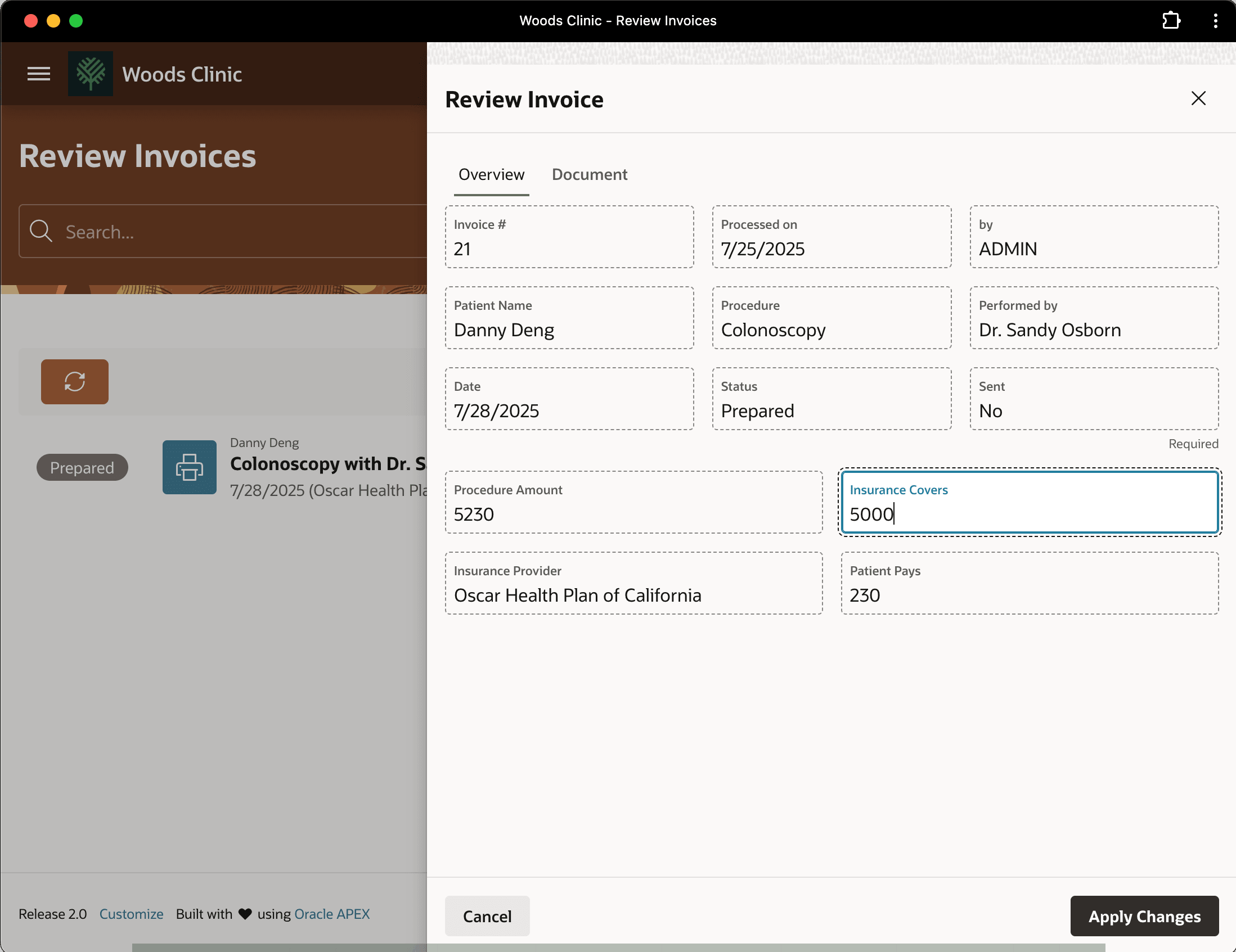
David calls Danny Deng's insurance provider and learns that they will reimburse 5000 dollars of the medical procedure, so on the Overview tab David enters that amount in the Insurance Covers field. Your page uses a dynamic action event handler on the value change of this field to recalculate the Patient Pays field as shown below.
Figure 25-135 Entering Insurance Reimbursement Amount
Parent topic: Following a Medical Procedure Lifecycle