10.1 Reviewing Master/Detail Wizard Patterns
Create master-detail pages using stacked grids, side-by-side selection, or drill-down editing.
Enterprise apps often work with related data. An application data model
usually contains many examples of tables in a one-to-many relationship. Even the simple
EMP/DEPT sample dataset contains two such relationships:
- One department can be the organization unit for many employees
- One employee can manage many other employees
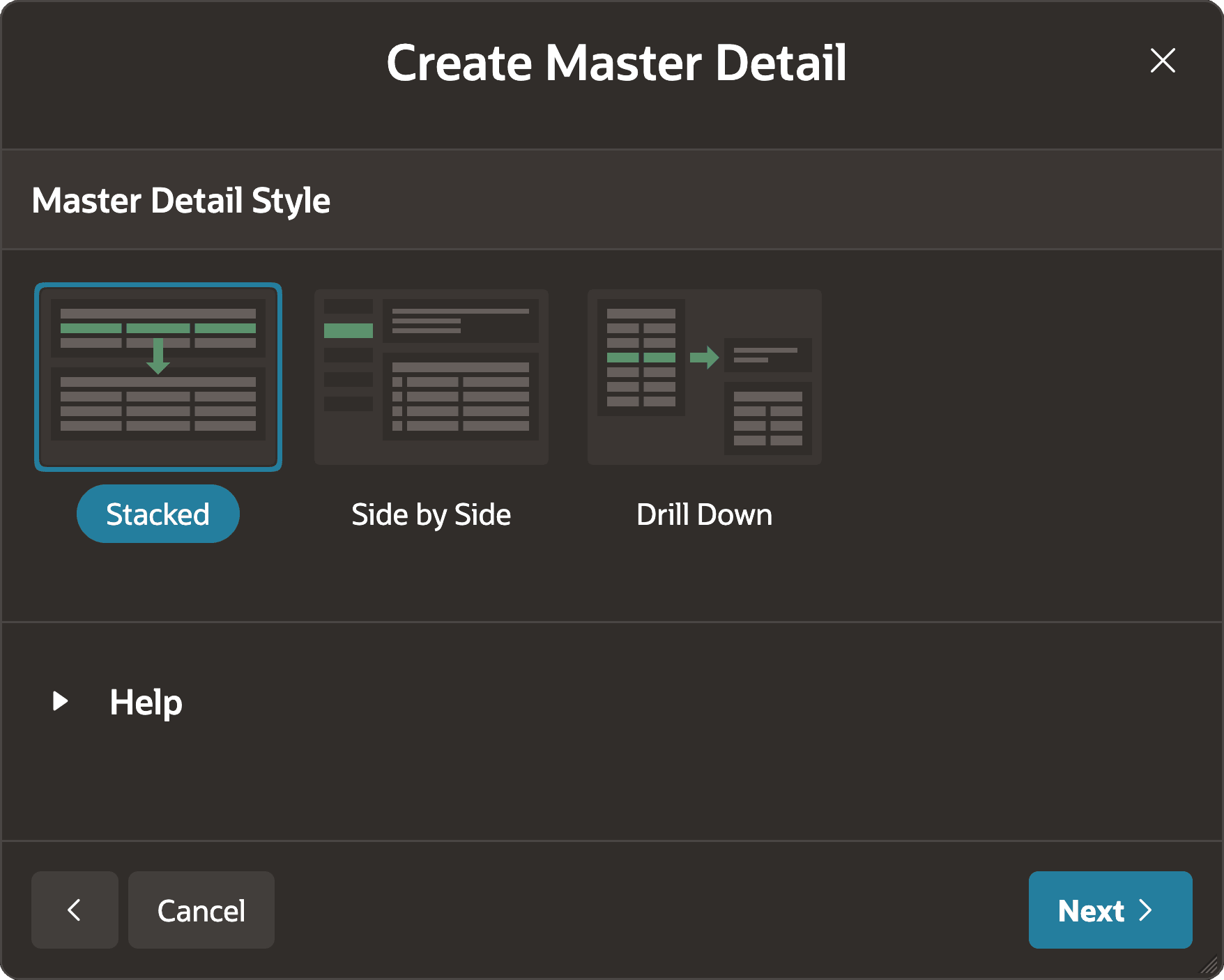
End users commonly need both master and detail data to complete a task. In the App Builder Create Page Wizard, choose a master-detail interaction pattern, then specify the
master table, detail table, and relationship. The figure shows three popular patterns as
icons on the wizard's first step:
- Stacked - Edit master and detail rows in coordinated Interactive Grids
- Side by Side - View more info and detail rows for a master selected from a compact list
- Drill Down - Edit master and detail rows for the master row selected on the list page.
Figure 10-1 Create Page Wizard Offers Three Master/Detail Patterns
Parent topic: Working with Master/Detail Data