25.1.9.1.8.9.5 Saving Page Items to Task Parameters
Save validated page item values back to updatable task parameters.
If the user's page item values pass validation, you need to save them back to the
updatable task parameters. As shown below, you can do this with an Execute Code page
process configured to fire only when the user clicks the
SAVE or
COMPLETE buttons to submit the page. The code to save the parameters looks
like
this:apex_human_task.set_task_parameter_values(
:P6_TASK_ID,
apex_human_task.t_task_parameters(
1 => apex_human_task.t_task_parameter('P_VALUE1', :P6_VALUE1),
2 => apex_human_task.t_task_parameter('P_VALUE2', :P6_VALUE2)));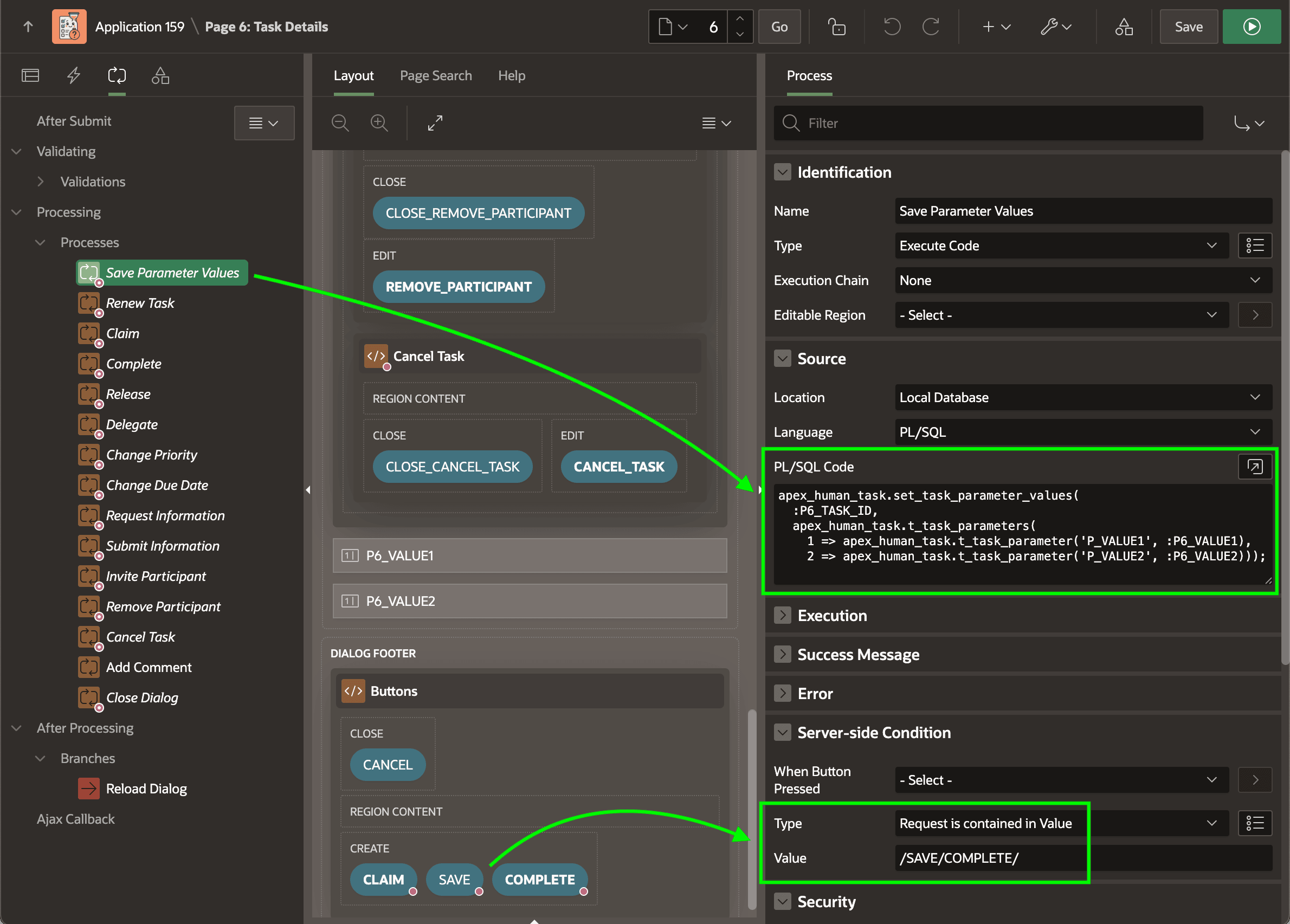
Parent topic: Fine-Tuning a Task Details Page