25.1.9.1.8.9.4 Validating Parameter Page Items
Validate task parameter page items before saving their values back to the task.
You can use other page features like validations to perform further data checks
before letting the parameter values be saved back to the task. For example, imagine a
rule that the two numbers provided must be distinct. You can enforce this by adding a
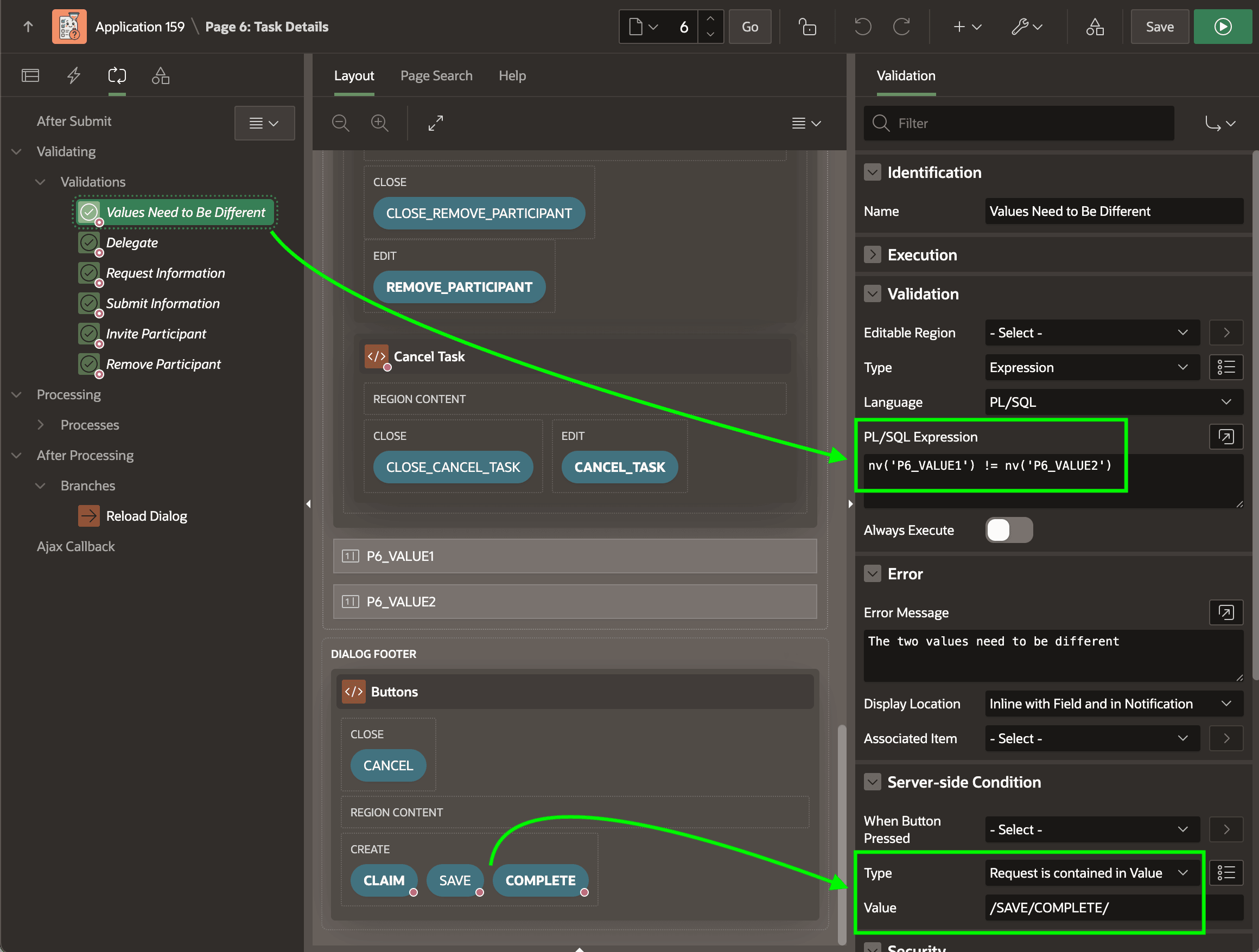
Values Need to Be Different validation as shown below. It configures an
appropriate error message and uses the following PL/SQL expression using the
NV function to reference the value of a page item as a number.
nv('P6_VALUE1') != nv('P6_VALUE2')To ensure the validation is performed only when the user clicks the SAVE or COMPLETE buttons to submit the page, you can add a Server-side Condition that the request is contained in the /SAVE/COMPLETE/ value. You can use any value separator other than slash as well.
Figure 25-51 Configuring a Custom Validator for Page Items in Task Details Page
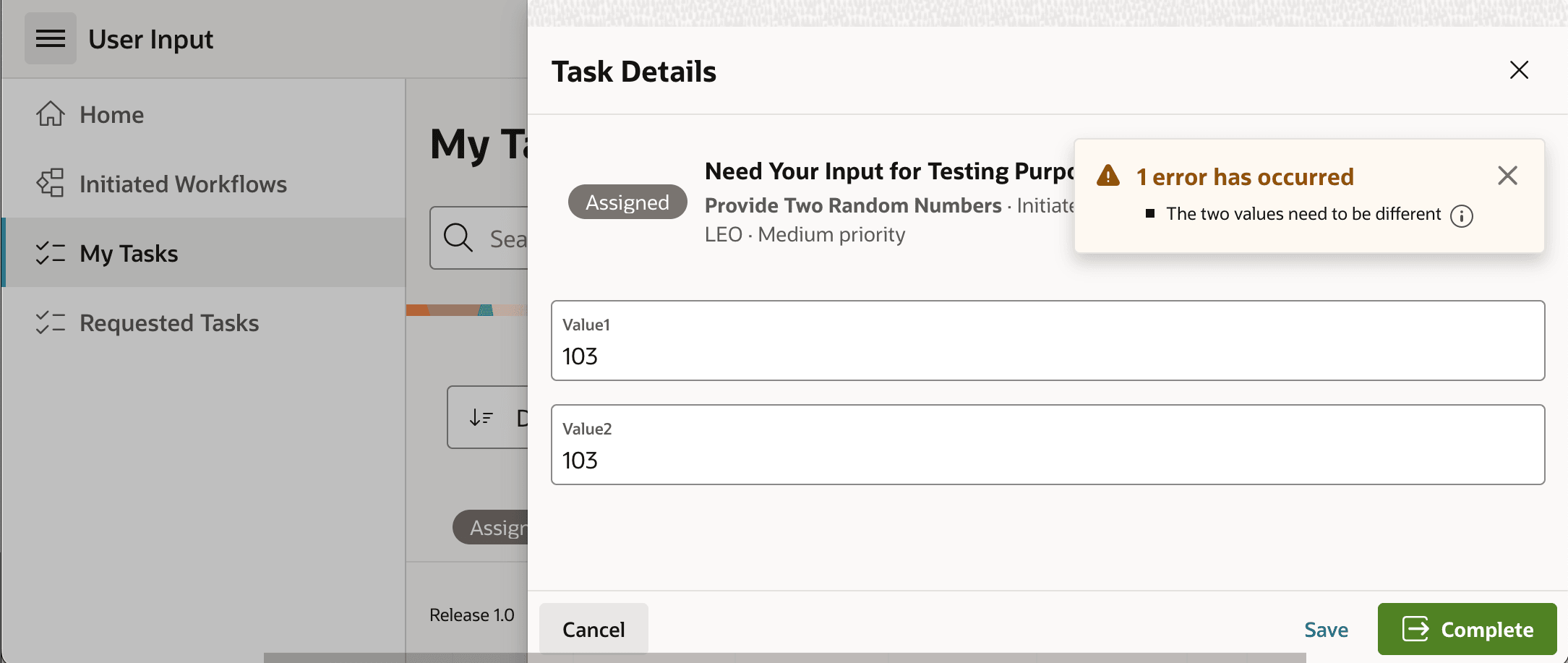
As shown below, now any user who tries to submit the same value for both page items sees an error "The two values need to be different" and must try again.
Figure 25-52 Validation Error if User Enters Same Number Twice
Parent topic: Fine-Tuning a Task Details Page