16.4.7.3 Serving Inline BLOB Images with a Page
Serve an inline image from a page process by calling
APEX_HTTP.DOWNLOAD with the image ID.
Instead of generating a URL for APEX’s native inline image handler with
APEX_UTIL.GET_BLOB_FILE_SRC, you can create your own page to serve
the image. The page calls APEX_HTTP.DOWNLOAD in a Pre‑Rendering
process in the Before Header section. For simplicity, it can use the native
X01 parameter APEX defines. The following DOWNLOAD_BREAKROOM_PHOTO procedure retrieves
the image data and MIME type from the break room photos table using the image ID. Then
it downloads the image data. Notice it passes true to the
p_is_inline parameter so the image is sent to the client in the way
the browser can use as an inline image.
-- In package eba_demo_woodshr_file
procedure download_breakroom_photo(
    p_id in number)
is
    l_file_blob eba_demo_emp_breakroom_photos.image%type;
    l_mime_type eba_demo_emp_breakroom_photos.mime_type%type;
begin
    select image, mime_type
      into l_file_blob, l_mime_type
      from eba_demo_emp_breakroom_photos
     where id = p_id;

    apex_http.download(
        p_blob         => l_file_blob,
        p_content_type => l_mime_type,
        p_is_inline    => true );
end download_breakroom_photo;
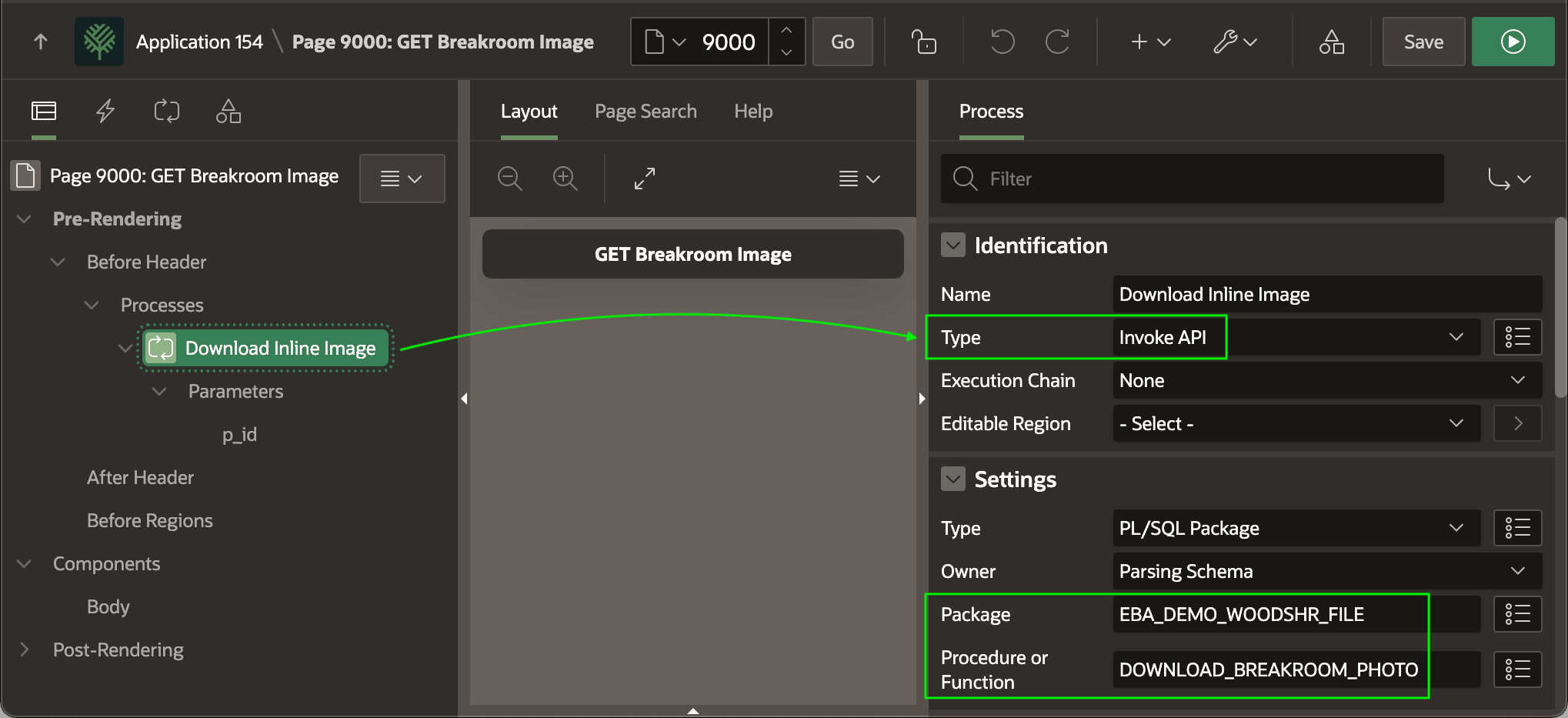
Call this procedure with an Invoke API process in the Before Header section.
The figure shows the Download Inline Image page process selected in the component tree
in Page Designer, highlighting its Type of Invoke
API and its Package name and
Procedure name to invoke the
DOWNLOAD_BREAKROOM_PHOTO routine in the
EBA_DEMO_WOODSHR_FILE package.
Figure 16-32 Pre-Rendering Invoke API Process to Download an Image
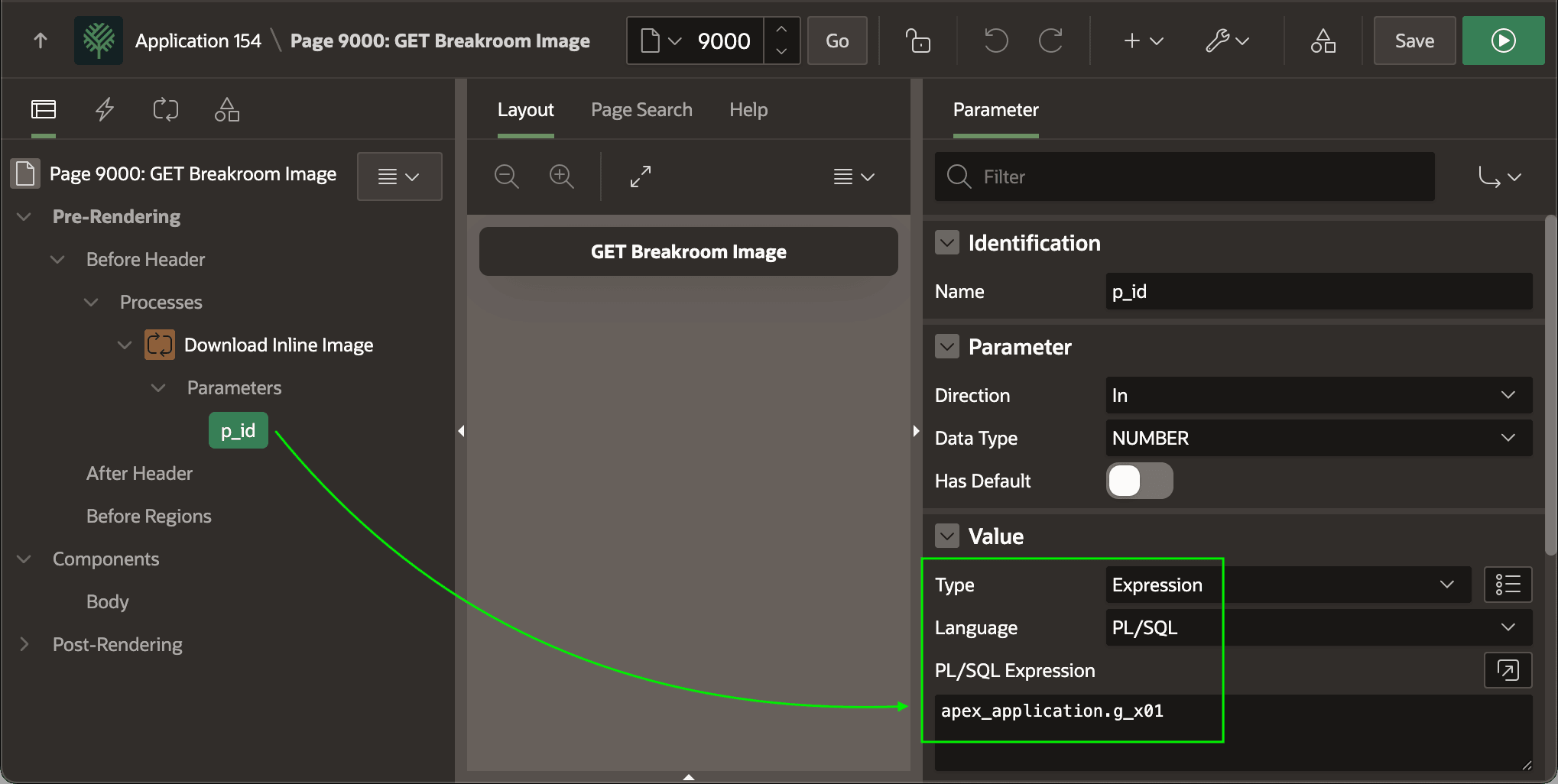
Configure the value of its p_id parameter using the PL/SQL
expression apex_application.g_x01. The figure shows the
p_id parameter of the DOWNLOAD_BREAKROOM_PHOTO routine
selected in the component tree in Page Designer, and highlights the value configured is
a PL/SQL expression to return the value of the predefined PL/SQL global variable
G_X01 in the APEX_APPLICATION package. This global
variable contains the X01 query string parameter value from the URL
that fetches the image by ID.
Figure 16-33 Configuring Break Room Image ID Parameter Value
Parent topic: Showing BLOB Images in Interactive Grid