16.4.7.4 Using an Inline Image Serving Page
Generate an image URL with APEX_PAGE.GET_URL and pass the
image ID to your image-serving page.
With the image-serving page 9000 in place, use
APEX_PAGE.GET_URL to
generate an image URL. Pass the image ID in the x01 parameter as shown
below in the modified source query for an Interactive
Grid:select id,
title,
case
when image is not null
and dbms_lob.getlength(image) > 0
then apex_string.format('<img alt="%s" title="%s" src="%s">',
apex_escape.html_attribute(title),
apex_escape.html_attribute(title),
apex_page.get_url(
p_page => 9000,
p_x01 => ID))
end as image,
file_name,
posted,
posted_by,
updated
from eba_demo_emp_breakroom_photo_vTip:
If using APEX_PAGE.GET_URL in a modal dialog or drawer page to reference an inline image, pass true to the optional p_plain_url parameter to avoid including JavaScript code to close the dialog before navigating to the supplied URL.
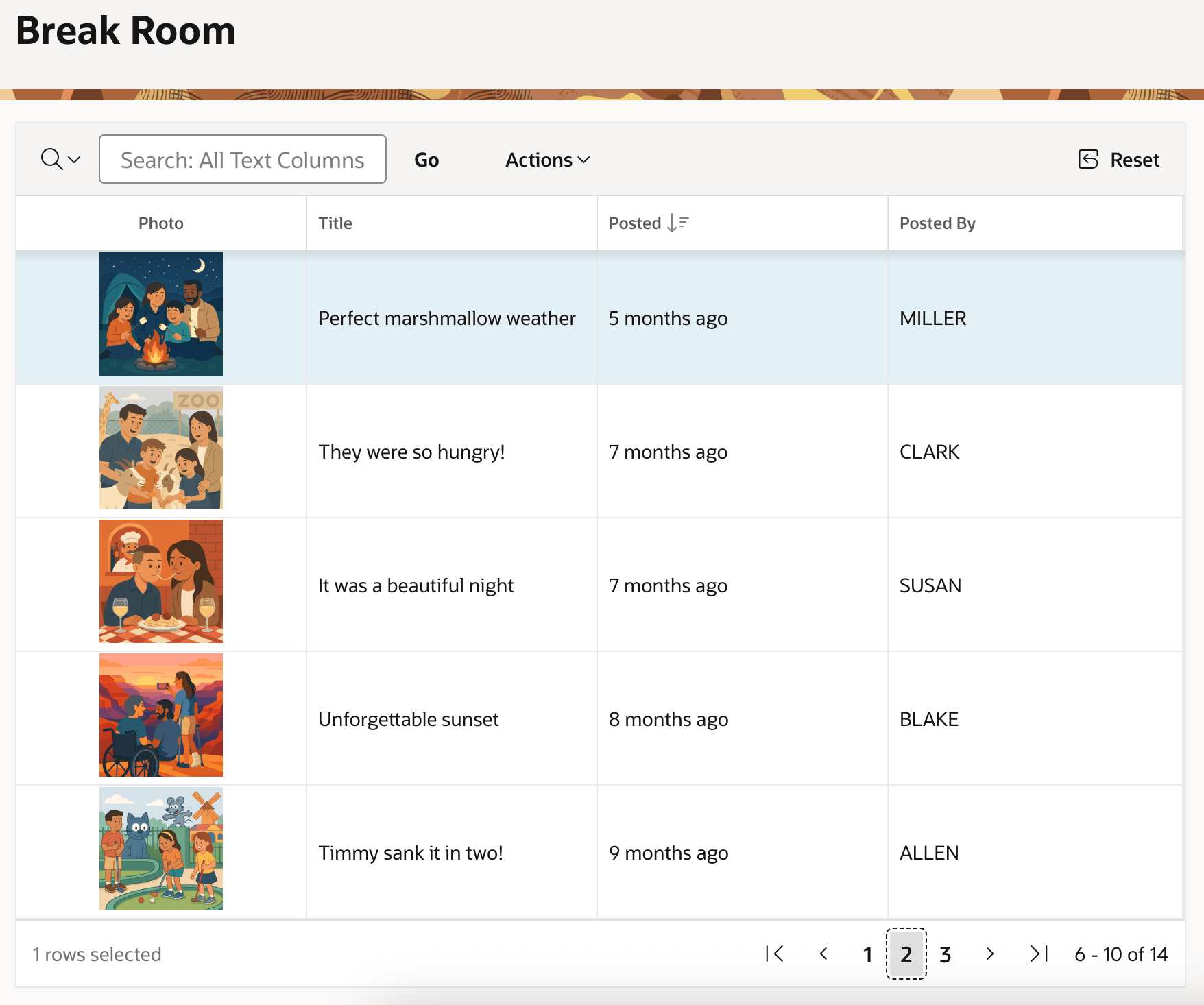
As shown below, this produces the same image-in-a-grid result as before without requiring the hidden form page item the GET_BLOB_FILE_SRC function needs.
Figure 16-34 Inline BLOB Images in an Interactive Grid Using Image-Serving Page
Parent topic: Showing BLOB Images in Interactive Grid