16.6.2 Serving an Inline PDF from a BLOB Column
Use a page to serve inline PDF data.
It calls APEX_HTTP.DOWNLOAD in a Pre‑Rendering process in the Before Header section. For convenience, it can use the native X01 parameter APEX defines. The following DOWNLOAD_REFERRAL_CV_PDF procedure retrieves the PDF file data and MIME type from the employee job referrals table using the referral ID. Then it downloads the file data. Notice it passes true to the p_is_inline parameter so the PDF is sent to the client in the way the browser can use as an inline PDF.
-- In package eba_demo_woodshr_file
procedure download_referral_cv_pdf(
    p_id in number)
is
    l_file_blob eba_demo_emp_job_referrals.candidate_cv_resume%type;
    l_mime_type eba_demo_emp_job_referrals.mime_type%type;
begin
    select candidate_cv_resume, mime_type
      into l_file_blob, l_mime_type
      from eba_demo_emp_job_referrals
     where id = p_id;

    apex_http.download(
        p_blob         => l_file_blob,
        p_content_type => l_mime_type,
        p_is_inline    => true );
end download_referral_cv_pdf;
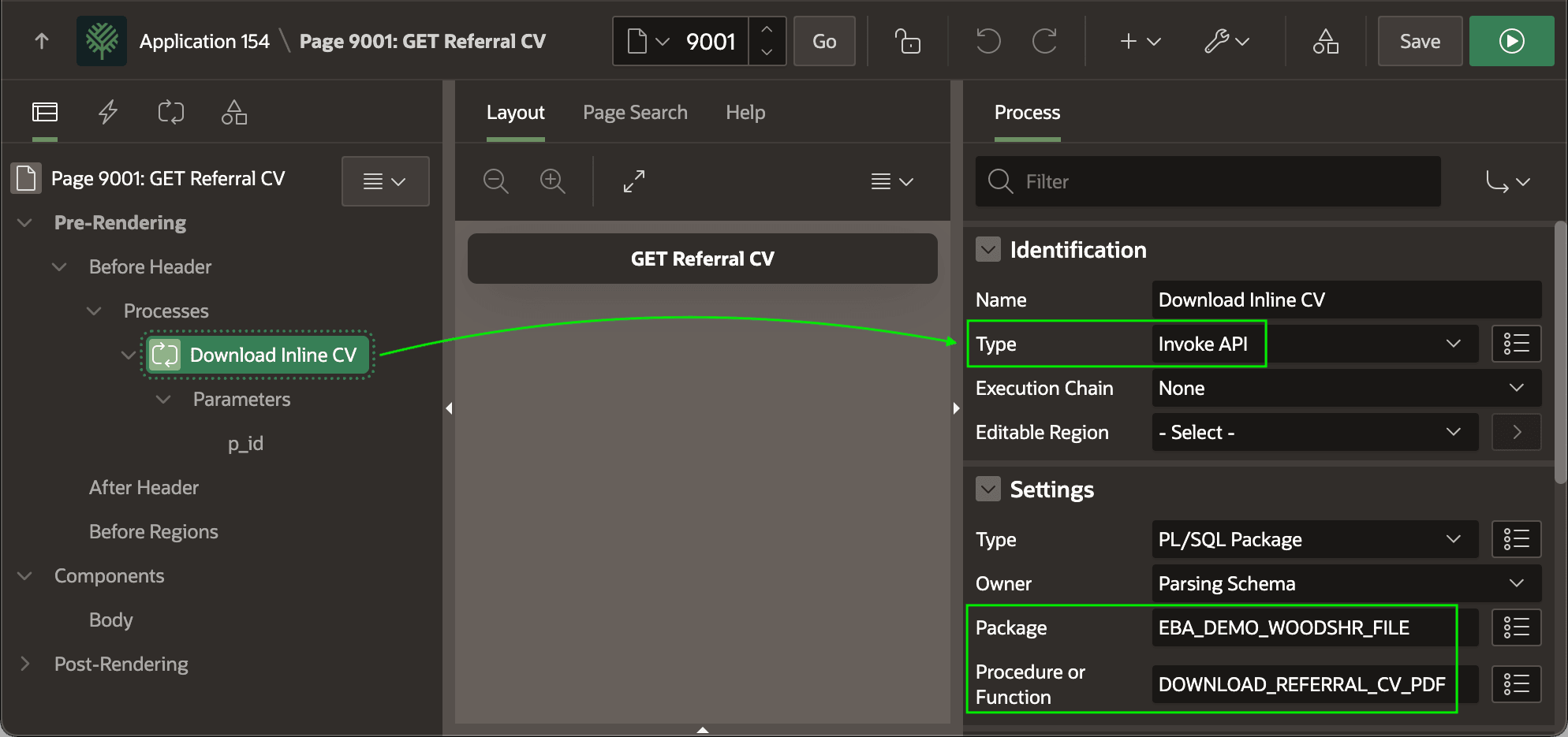
Call this procedure with an Invoke API process in the Before Header section
as shown below. The figure shows the Download Inline CV page process and highlights its
Type of Invoke API,
Package name of EBA_DEMO_WOODSHR_FILE, and
procedure name of DOWNLOAD_REFERRAL_CV_PDF.
Figure 16-60 Pre-Rendering Invoke API Process to Download a PDF
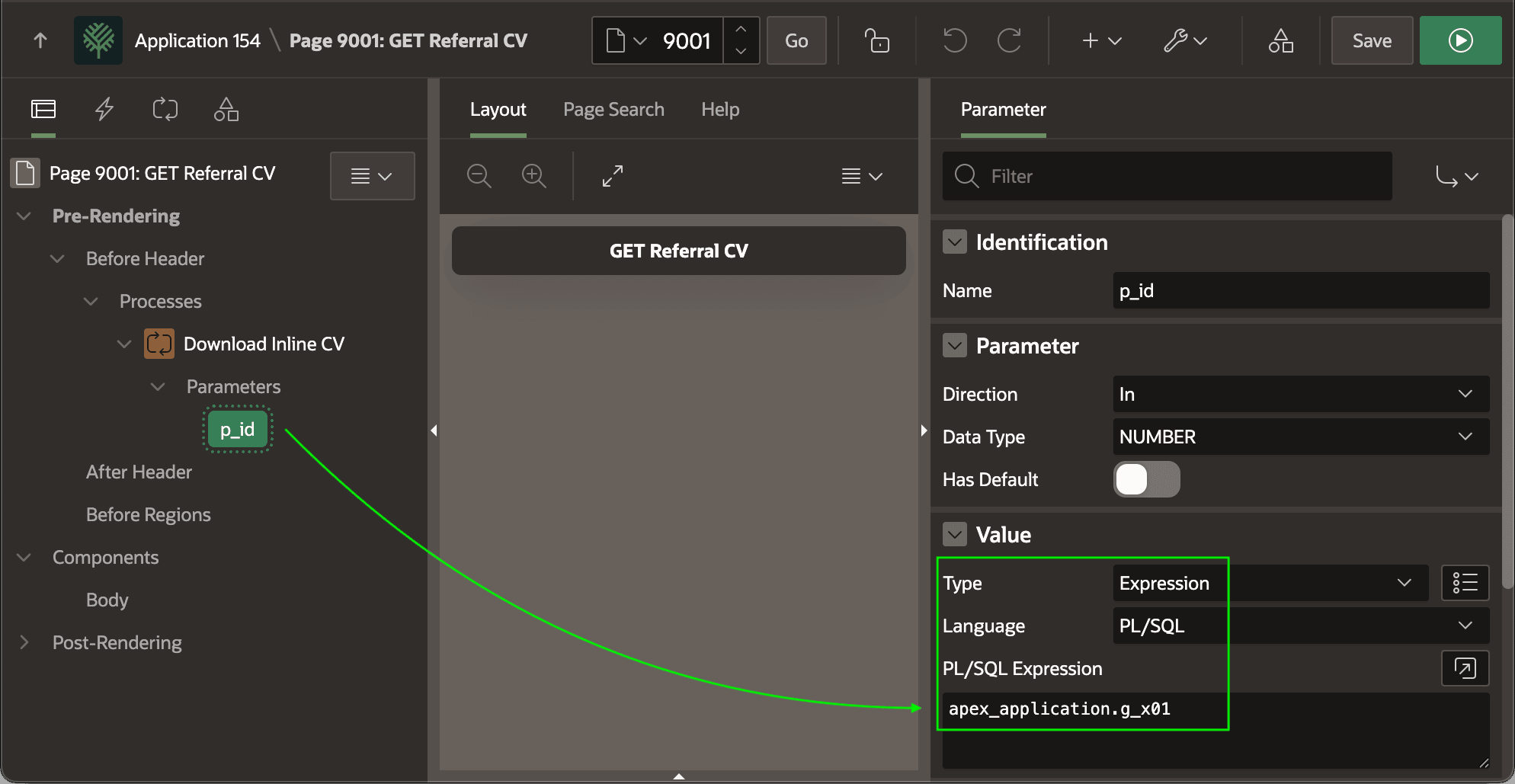
Configure the value of its p_id parameter using the PL/SQL expression apex_application.g_x01 as shown below.
Caution:
If any authenticated user can view any PDF, as in this Woods HR example, using the convenient X01 parameter is fine. However, to guarantee a generated URL referencing a particular PDF BLOB file cannot be manipulated to view a different one, use a checksum-protected hidden page item instead to pass the file ID to download.
Figure 16-61 Configuring Break Room Referral ID Parameter Value
Parent topic: Previewing BLOB Column PDF Files Inline