16.4.1 Showing BLOB Column Images on Cards
Configure a Cards region to display uploaded photos from a BLOB column with captions and preview links.
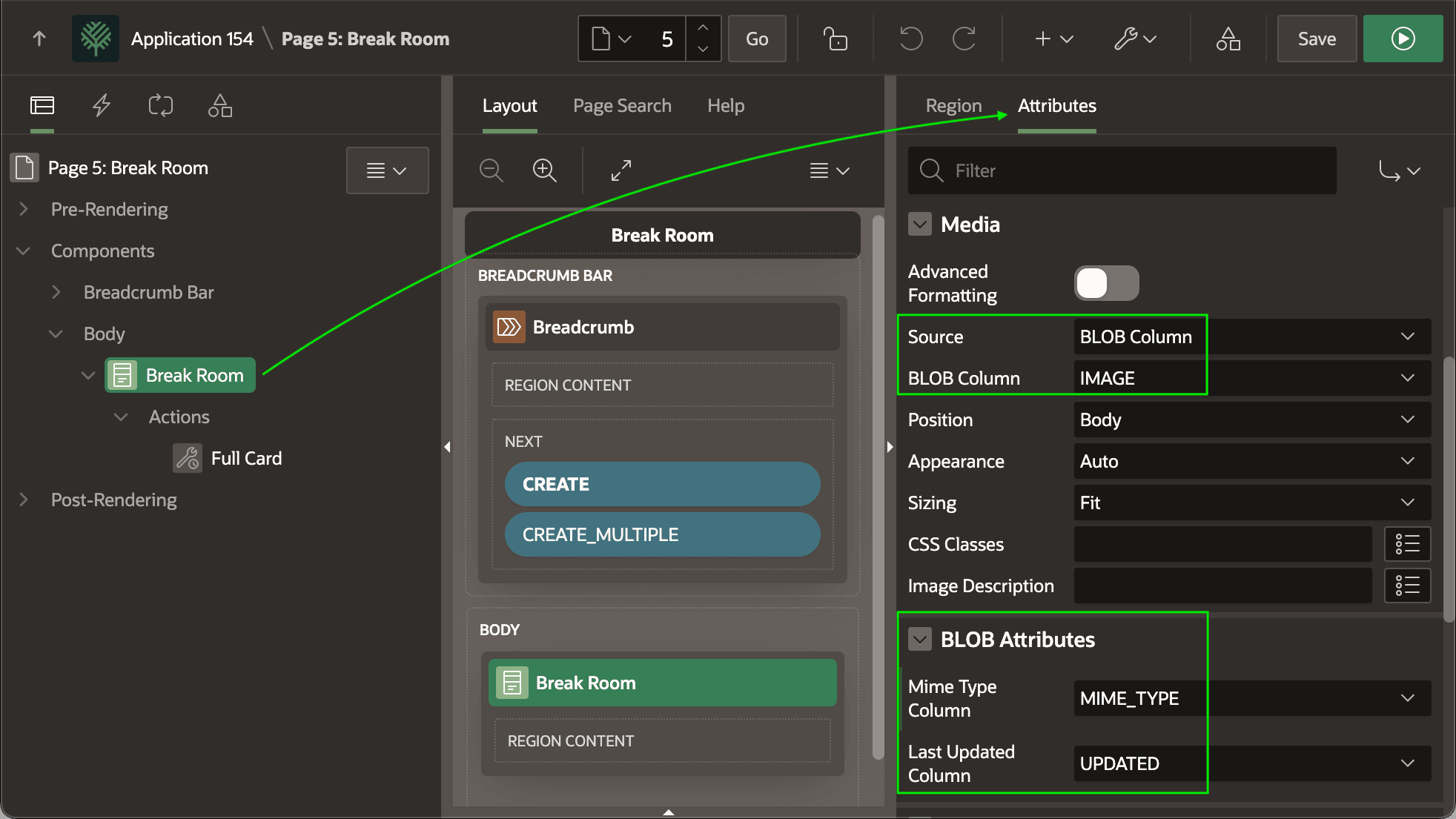
EBA_DEMO_EMP_BREAKROOM_PHOTO_V view. Set the region's Media
attributes to display the IMAGE BLOB column. As shown below, in the
BLOB Attributes section it also specifies the:
- Mime Type Column – to help the browser correctly handle the image, and
- Last Updated Column – to let it know when to reload a cached image.
Figure 16-17 Configuring Card Media Attributes to Display BLOB Column Image
To customize the presentation of the card's information, enable Advanced
Formatting in the region's Secondary Body section, and use the following
HTML with substitutions. This formats the TITLE value in bold and –
after a line break (<br>) – info on who posted the photo and when
in an extra small text body font.
<strong>&TITLE.</strong><br>
<span class="u-text-body-xs">(&POSTED. by &POSTED_BY.)</span>
The region's cards are 16 characters wide, based on the page's base font size. The app-wide CSS rule that includes the following "Card View Item Width" variable assignment establishes this behavior for all Cards regions in the application.
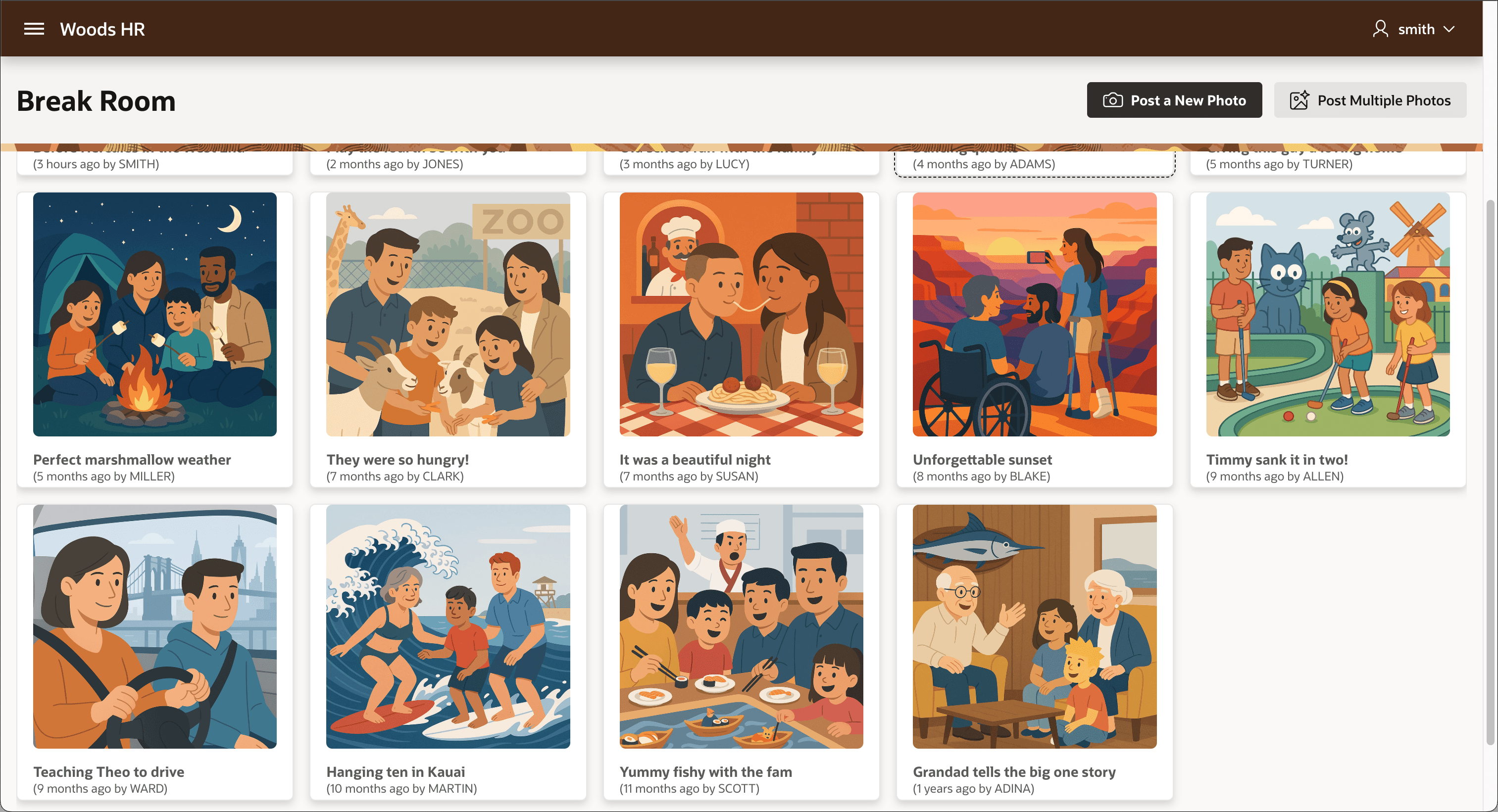
--a-cv-item-width: 16rem;To let users see any image in a larger size, a Full Card action on the region redirects the user to a Preview Break Room Photo modal dialog page, passing the selected image ID. These few settings make the Break Room photo browsing experience below.
Figure 16-18 Configuring Card Item Media from a CLOB Image Column
Parent topic: Displaying BLOB Column Images