20.1.4 Showing Messages with Dynamic Actions
Show success or error messages from dynamic actions, including eager validation messages returned by server-side checks.
Use the native Show Success Message and Show Error Message dynamic
actions to show a message to the user in reaction to an event in your page. When
necessary, set a Client-side condition to only run the action under certain conditions.
For example, suppose you have the following CHECK_EMPNO function in a
MESSAGES_APP package that validates an employee id. If the
p_empno passed in is valid, it returns null;
otherwise, it returns an appropriate error message.
-- In package messages_app
function check_empno(
    p_empno in number)
    return     varchar2
is
begin
    for j in (select null
                from emp
               where empno = p_empno)
    loop
        return null; -- valid
    end loop;
    return apex_lang.get_message('INVALID_EMPNO'); -- invalid
end;
A Change event handler on the P4_EMPNO field shown below can eagerly validate the user's entry without submitting the page. If the value is invalid, it uses the Show Error Message dynamic action step to display the message in the page.
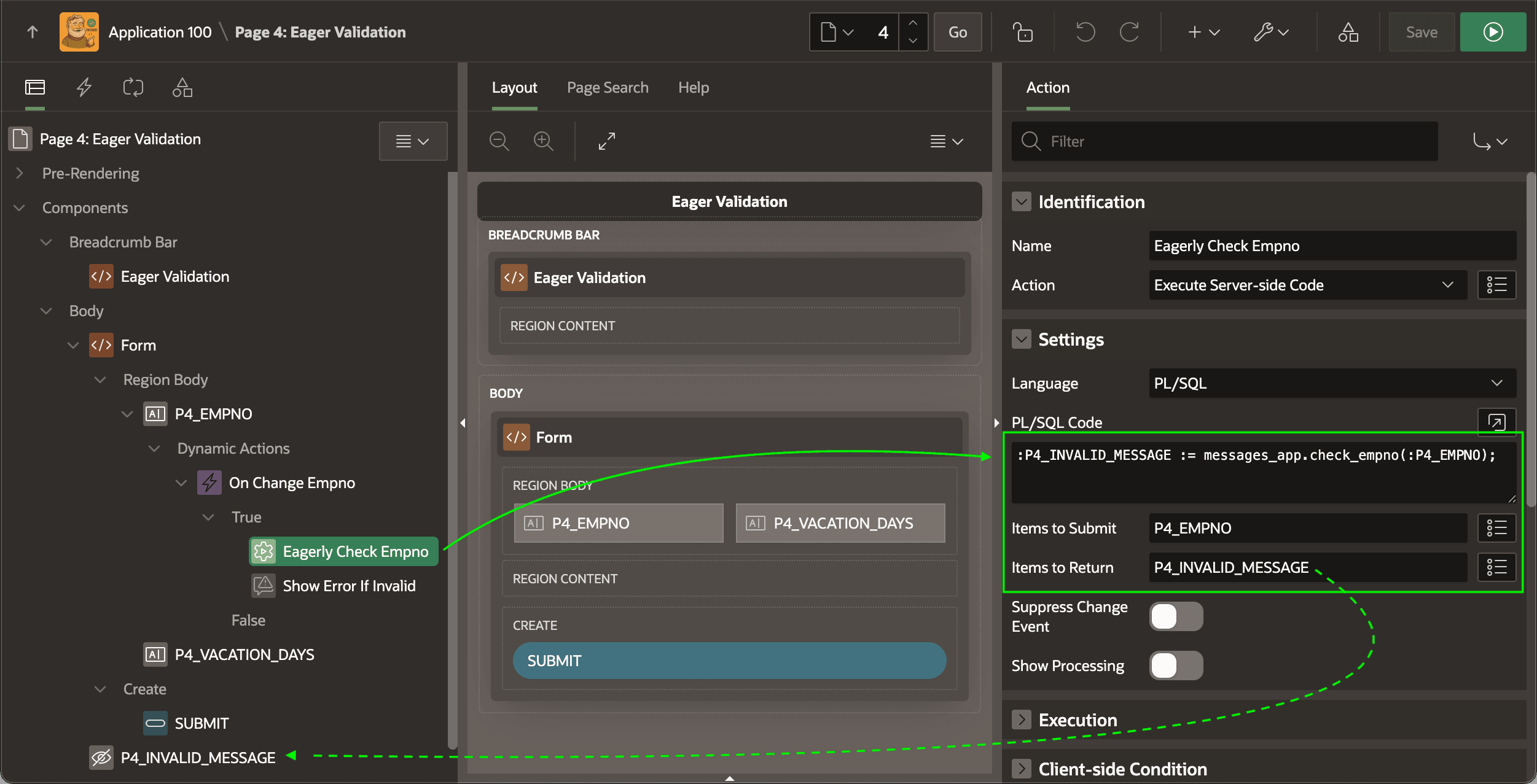
P4_INVALID_MESSAGE with Value Protected disabled is part of the recipe. First an Eagerly Check Empno dynamic action of type Execute Server-side Code runs the following line of PL/SQL to invoke CHECK_EMPNO::P4_INVALID_MESSAGE := messages_app.check_empno(:P4_EMPNO);Notice below that it configures the Items to Submit and Items to Return to send the latest value of P4_EMPNO over to the server and return the value of P4_INVALID_MESSAGE assigned there.
Figure 20-8 Dynamic Action Eagerly Calls CHECK_EMPNO Validation Function
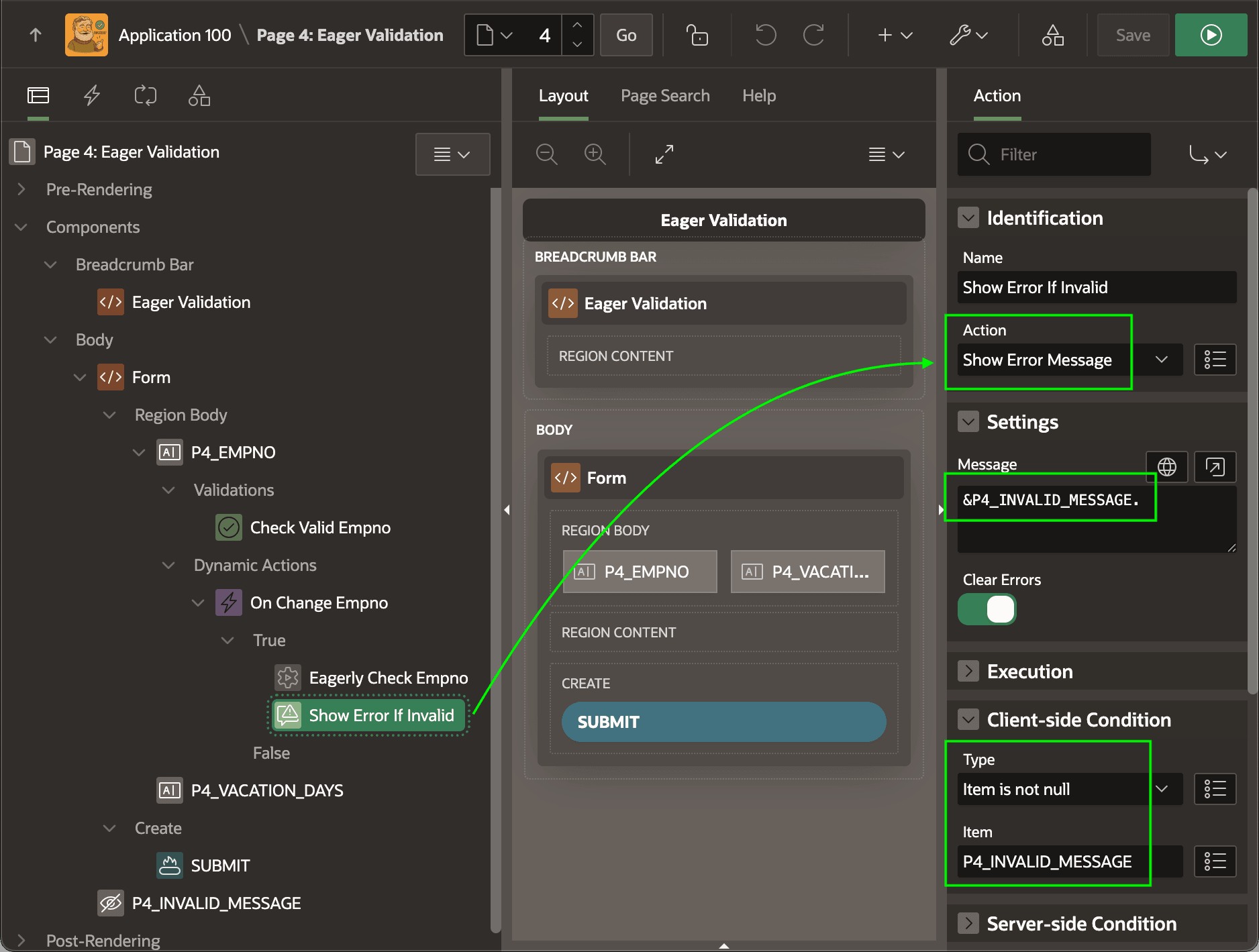
As shown below, the Show Error If Invalid dynamic action of type Show Error Message follows the eager employee ID check. It configures a client-side condition to only execute if P4_INVALID_MESSAGE hidden page item is not null. The message it shows comes from the same page item using the &P4_INVALID_MESSAGE. substitution syntax.
Figure 20-9 Conditionally Displaying an Error Message if One Was Returned
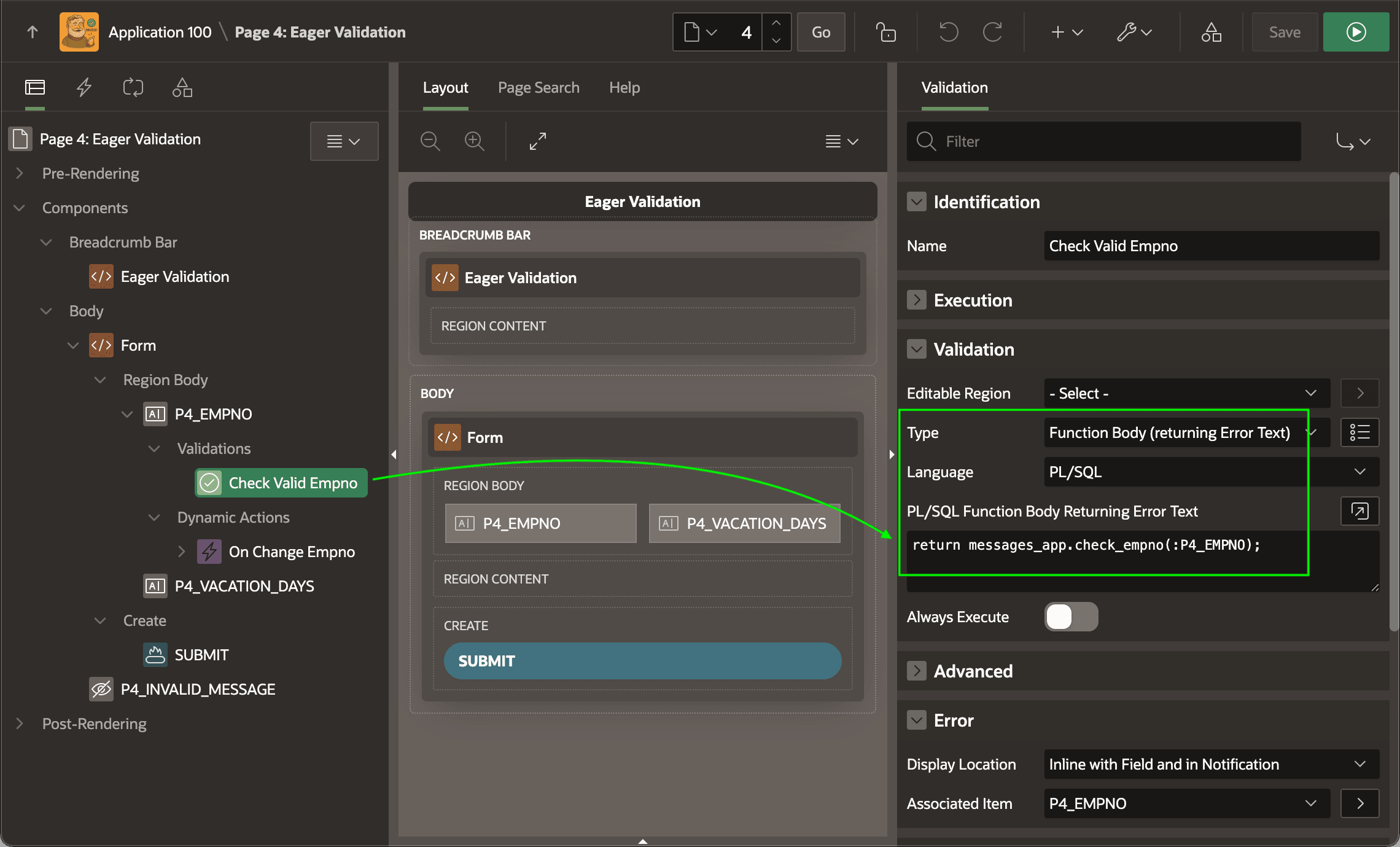
As shown below, the Check Valid Empno validation of type Function Body (returning Error Text) calls the same CHECK_EMPNO function to verify the data at page submit time as well.
Figure 20-10 Validation Performs Same Check on Page Submit
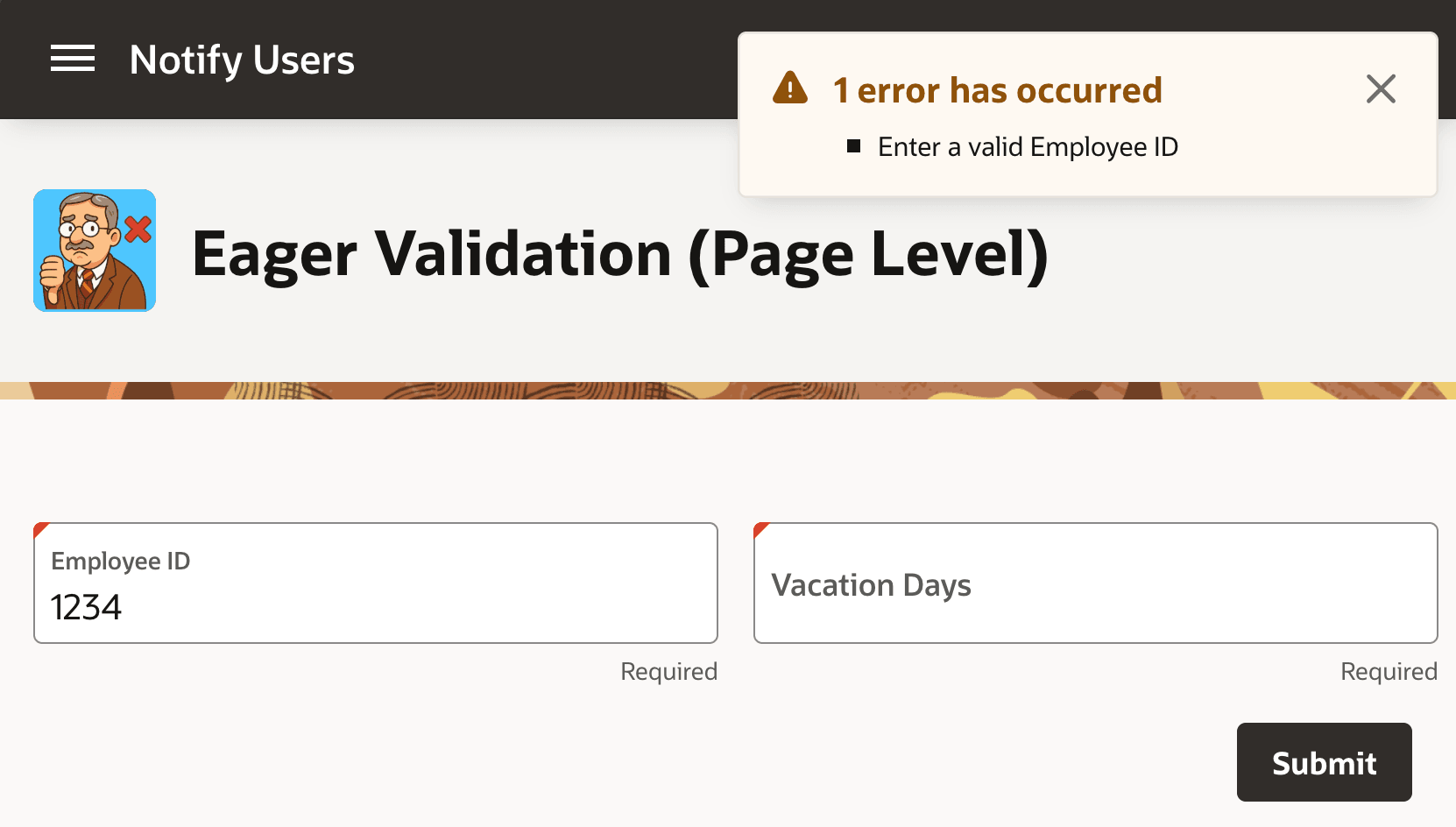
This combination yields the behavior shown below. The user sees an error message about an invalid employee ID as soon as they tab out of the Employee ID field.
Figure 20-11 Eagerly Displaying a Page-Level Error Message Before User Submits
Parent topic: Displaying Success and Error Messages