7.1.1 Template Component Overview
You can create a reusable UI component using templates with HTML tags,
#NAME# placeholder substitutions, and template directives
for conditional formatting.
Custom attributes let teammates use Page Designer to configure the data your component displays and the settings that influence its output. Your component can include slots developers see in Page Designer as areas where they can add other components of the kinds you allow.
{with/}…{apply/} directive, and optionally use it in Page Designer:
- as a custom region that can contain other components,
- to format a single row of data, or
- to render multiple rows.
When used as a multi-row report, it can automatically support grouping, row selection, and pagination as well. If your component uses Cascading Style Sheets (CSS) rules or JavaScript, you can include those files as part of the component's definition.
Imagine creating a simple template component to display NAME and
VALUE attributes using a template like:
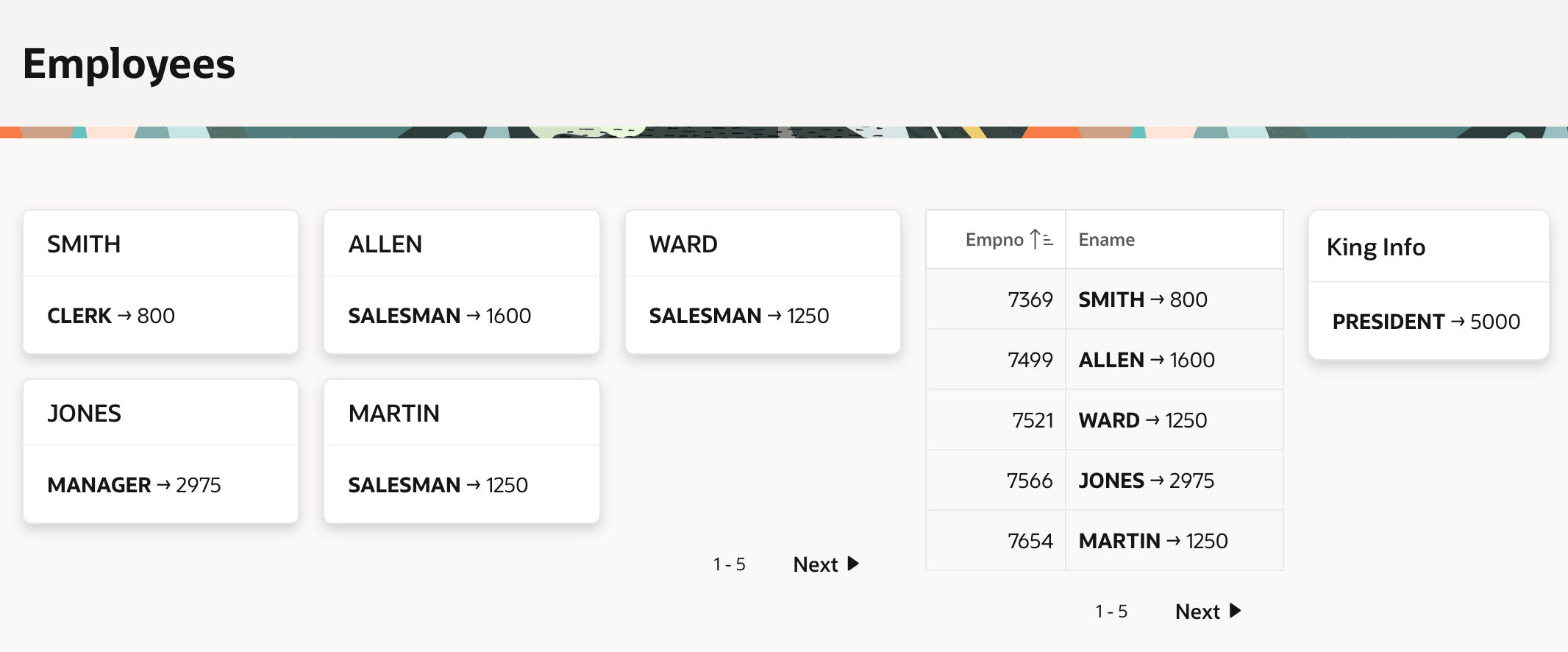
<strong>#NAME#</strong> → #VALUE#The figure below shows a page that uses this component in the body of a Cards region and in the column of a classic report to display employee names and salaries. It also uses the component as a single-row partial to display employee KING's job and salary.
Figure 7-1 Reusing a Template Component Three Different Ways
Parent topic: Reusable Components Using HTML Skills