7.2.1 Tracking Employee Training Status
Suppose your application users need to track the status of an employee's training that progresses from Enrolled to In Progress to Completed to Certified.
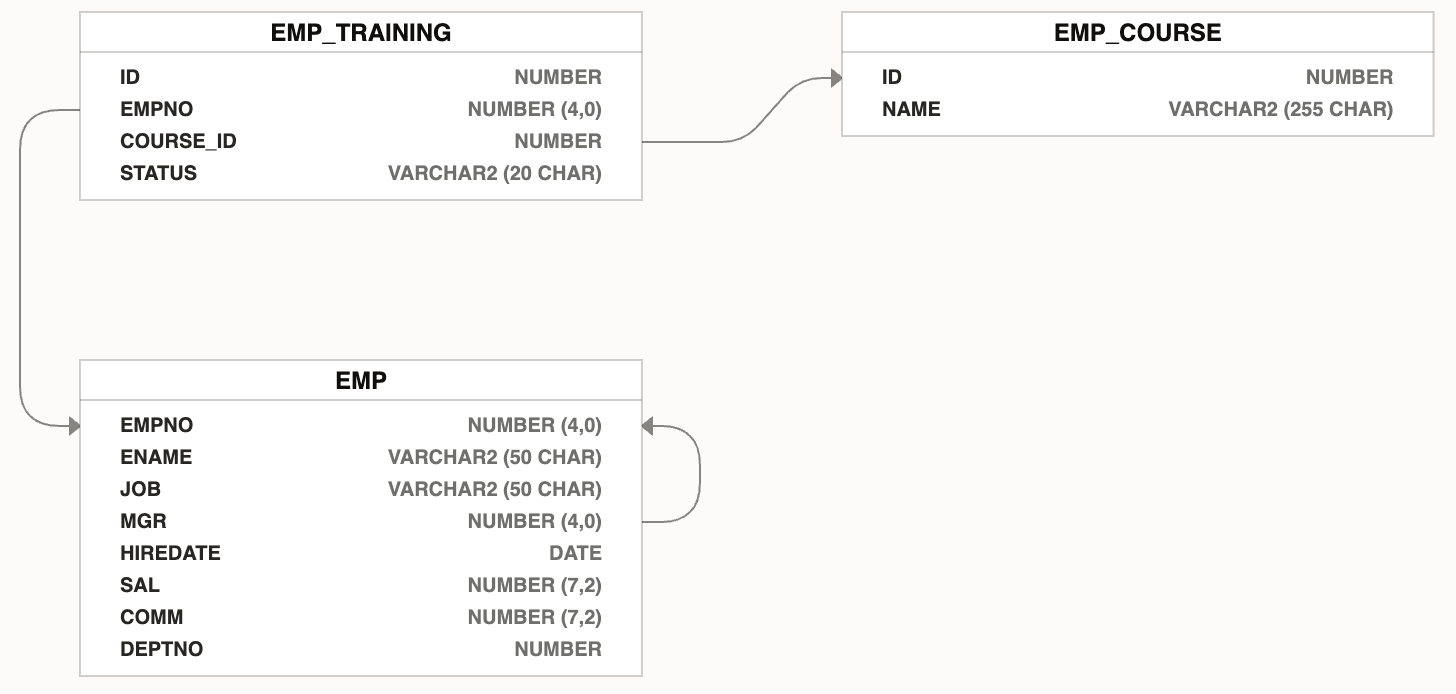
The data model shown below stores employees who enroll in a course, including the
status of their training that can be ENROLLED,
IN_PROGRESS, COMPLETED, and
CERTIFIED. It shows the familiar EMP table with a
related EMP_TRAINING table for trainings an employee undertakes, and an
EMP_COURSE table related to each training.
Figure 7-18 Additional EMP Tables Tracking Training Course Progress
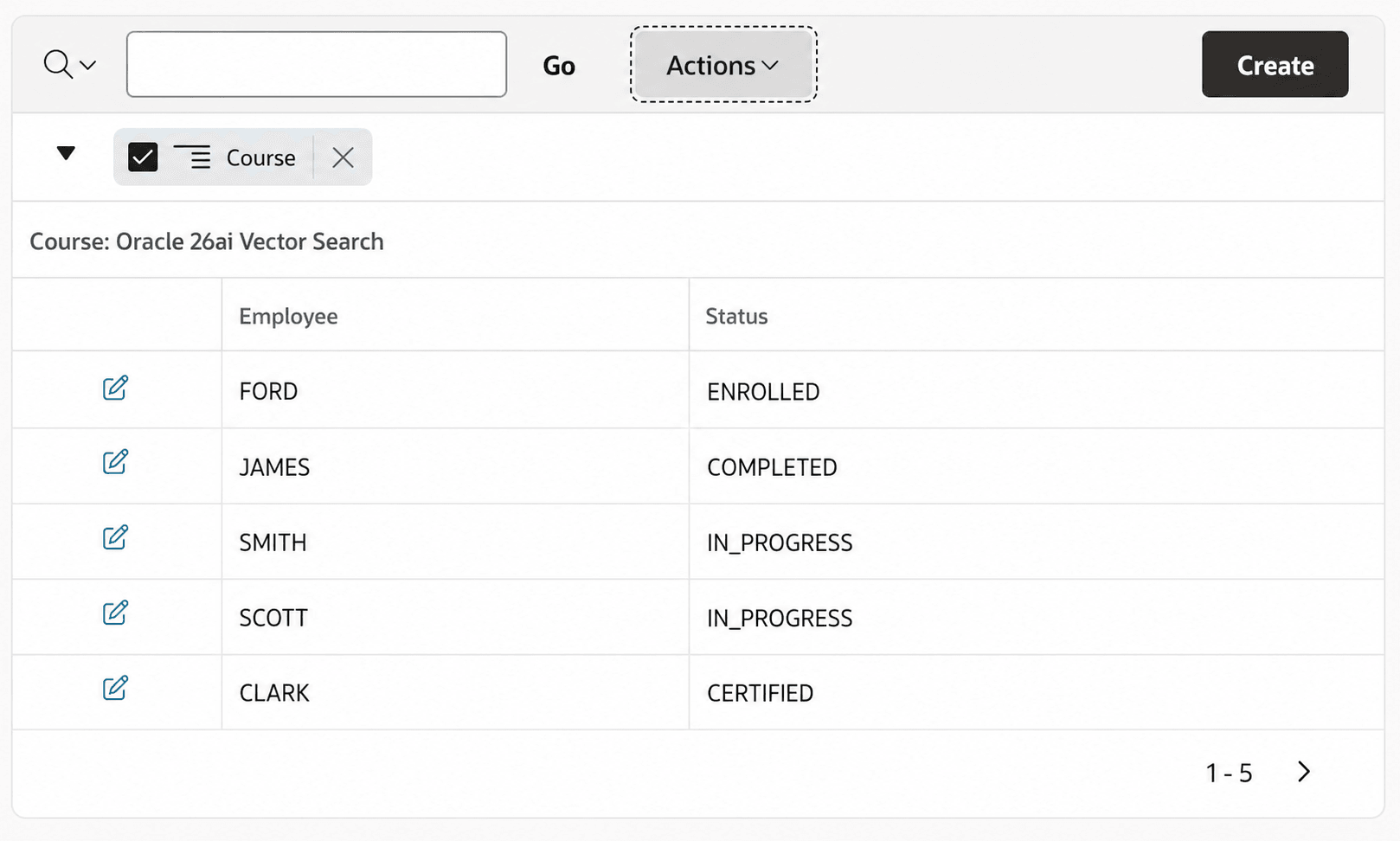
You could use an Interactive Report region like the one below to show the status of employee training, using the Action > Format > Control Break to visually group the data into separate courses. The figure shows a Vector Search source with five employees in various stages of completion.
Figure 7-19 Employee Training Status Using Interactive Report
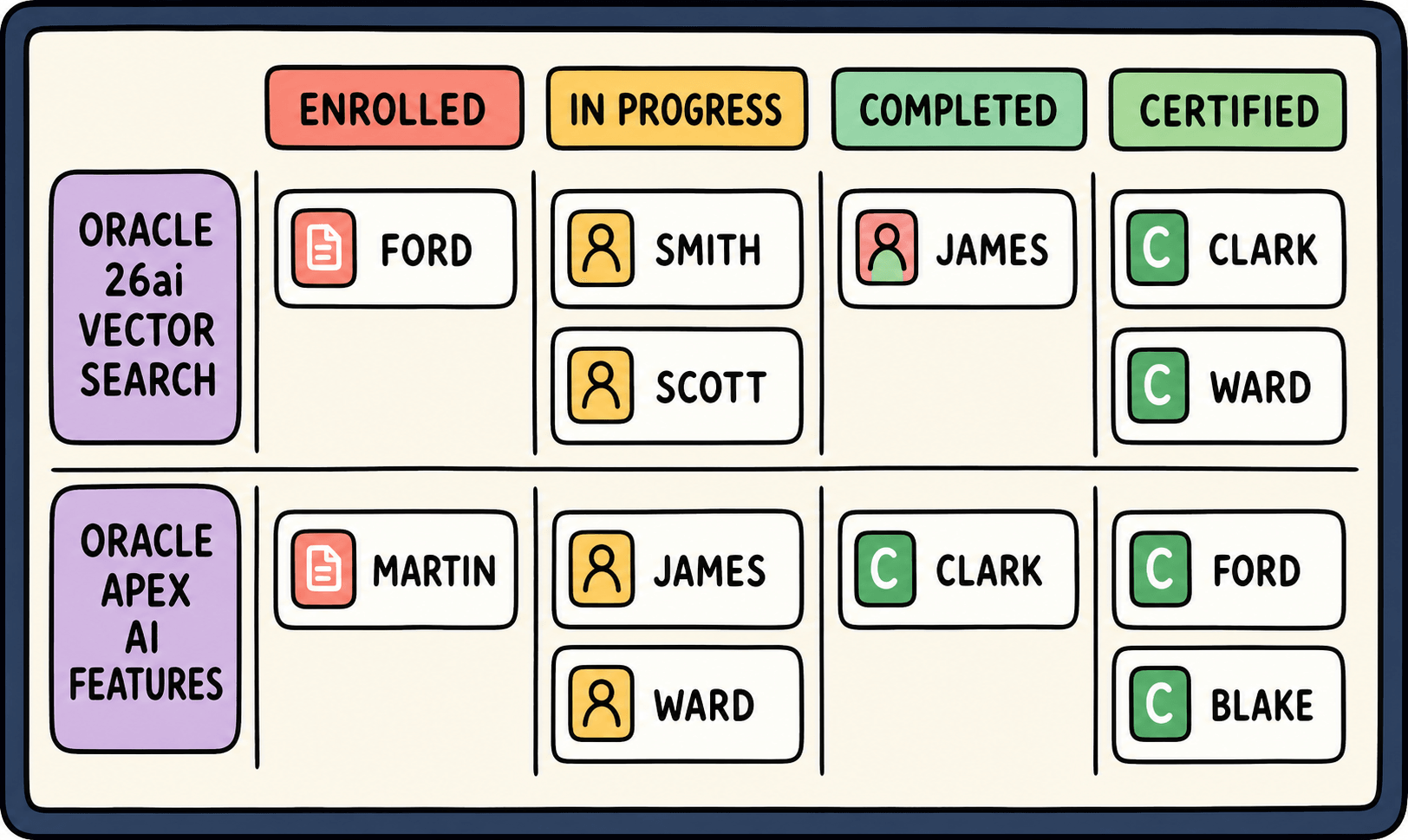
However, showing the status of ongoing tasks is something a Kanban Board would be great for. Ideally, you could find an existing plug-in that would let you show your data like the UI mockup below. The diagram shows four vertical "columns" representing the Enrolled, In Progress, Completed, and Certified training statuses, and two horizontal "lanes" representing different Vector Search and AI Features courses. Employee tiles appear in each cell of the grid, representing the status of the training they must complete.
Figure 7-20 Kanban Board Mockup Showing Employee Training Status
Parent topic: Using a Plug-in from apex.world